

A strong YouTube title and description tell both the viewer and the algorithm exactly what your video covers. Your title should include the primary keyword and lead with a clear benefit. Your description should open with a two-sentence summary, add natural keywords, and include timestamps. Together, they directly improve search visibility and click-through rate. Here are the things that have changed and what still works as of 2026.
Many creators spend hours recording and editing, but they don't see how important YouTube metadata is. Small changes can increase click-through rate, search performance, and viewer retention.
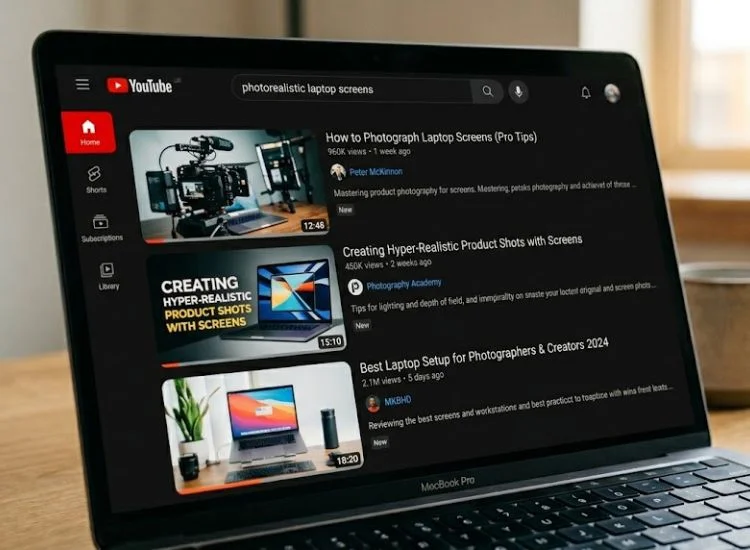
Your YouTube title and description are the two most important pieces of text on your video page. They tell the algorithm what your video is about, and they tell the viewer whether it is worth their time. Get both right, and your video has a real chance of being found. Leave either one unfinished, and even a well-produced video stays invisible.
YouTube metadata is not a secondary task. It is part of the creative work.
YouTube is a search engine. It reads your title and description to understand your video's topic and then matches it to relevant searches. The more clearly your metadata signals the subject, the more accurately the algorithm can connect your content to the right audience.
According to YouTube's own support documentation, titles, thumbnails, and descriptions are the primary factors that influence video discovery, and they carry more weight than tags in determining how and where your video appears. (YouTube Help, Google)
That means every word in your title and description is doing a job. A title that uses clear keywords tells the algorithm what your video is about. A description that expands on those keywords tells it how deep the coverage goes. Together, they determine whether your video shows up in YouTube search, Google search, suggested videos, and increasingly, AI-generated answers.
Your title earns the click. Your description earns the trust before the click happens. Both feed into the two metrics YouTube watches most closely: click-through rate and watch time.
A title that overpromises inflates clicks in the short term. But when viewers land on a video that does not deliver what the title suggested, they leave early. That early drop-off tells YouTube the content is not relevant, and the algorithm pulls back on distribution.
The fix is simple: write a title that accurately reflects your video. Then use the description to reinforce that promise with a clear, keyword-aligned summary. When both are consistent, viewers stay longer, and YouTube rewards that with broader reach.
The best YouTube title includes the primary keyword near the front, stays under 60 characters, and gives the viewer a clear reason to click. It sets an accurate expectation and matches what the person searched for.
Front-load your primary keyword. YouTube reads the beginning of your title first, and so do viewers. A keyword buried at the end of a long title loses impact in both search rankings and on-screen scanning.
Compare these two versions:
The second version leads with the searchable phrase and keeps the benefit visible before any truncation happens. That matters on mobile, where YouTube often cuts titles short.
A YouTube video title should be 60 characters or fewer. YouTube truncates titles beyond this length in search results and on mobile devices, cutting off the information that might have convinced someone to click.
Most high-performing titles fall between 40 and 60 characters. That range gives you enough room to include the primary keyword, a qualifier, and a natural sentence structure without padding.
If your title runs longer, cut from the middle. The beginning and end are the most visible parts.
These six structures consistently perform well across different content types. Use them as starting points, not rigid templates.
These formulas work because they match common search intent patterns. Viewers searching for tutorials, comparisons, or beginner guides use phrasing that maps directly to these structures.
For a faster way to generate keyword-aligned title ideas, try the free AI video title generator. It produces searchable options based on your topic in seconds.
Once you have a strong title, pair it with an equally strong video opening. See the guide on creating a strong video hook for techniques that keep viewers past the first 30 seconds.
Each stronger version leads with a searchable phrase, states a clear outcome, and fits within the recommended character limit.
For a focused breakdown of what separates high-performing titles from low-performing ones, see the complete guide to YouTube title best practices.
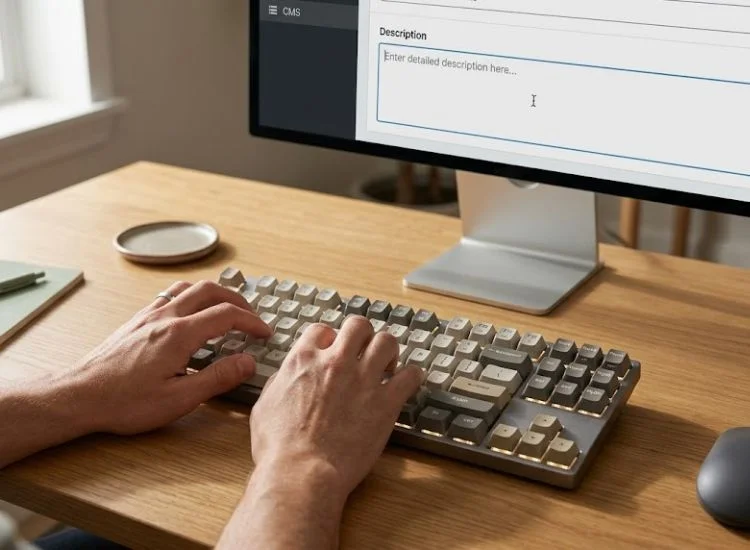
A YouTube description is a structured block of text that helps both the algorithm and the viewer understand your video. Write it by opening with a two-sentence keyword summary, adding natural secondary keywords throughout, and closing with timestamps, links, and a call to action.
The first two lines of your description are the most important. YouTube displays them as the search preview before viewers click "Show more," and the algorithm reads them to confirm your video's topic.
These two lines should do three things:
A clear, keyword-aligned opening also increases your chances of appearing in AI Overviews and Google Featured Snippets, which now regularly pull from YouTube description text.
Example of a strong description opening:
"This video walks through how to write a YouTube title and description that ranks in search, covering keyword placement, title length, and a description template you can use right away."
That one sentence includes the primary keyword, outlines the video content, and signals relevance to both the viewer and the algorithm.
YouTube processes descriptions the same way Google processes web pages. It rewards natural language and penalizes obvious keyword stuffing. The goal is to write for the viewer first, with keywords placed where they genuinely belong.
A practical approach:
Use your primary keyword in the first sentence
YouTube receives more than 500 hours of video uploaded every minute; with that volume, a keyword-aligned description is one of the few signals that separates a discoverable video from one that never gets found.
Timestamps improve the viewer experience by letting people navigate directly to the section they want. They also trigger YouTube's chapter marker feature, which creates a visual breakdown of your video in the progress bar. Both outcomes support longer watch time.
Here is how to add them correctly. This process takes about three minutes after your video is finalized:
If YouTube does not generate chapters, confirm that your first timestamp starts at 0:00 and that you have at least three timestamps total.
The bottom of your description is valuable space for keeping viewers on your channel and signaling that you publish consistently. Include links that are genuinely relevant to the video.
Good options include:
Keep the link section clean. Three to six links is enough. More than that starts to look cluttered and reduces the chance of any single link being clicked.
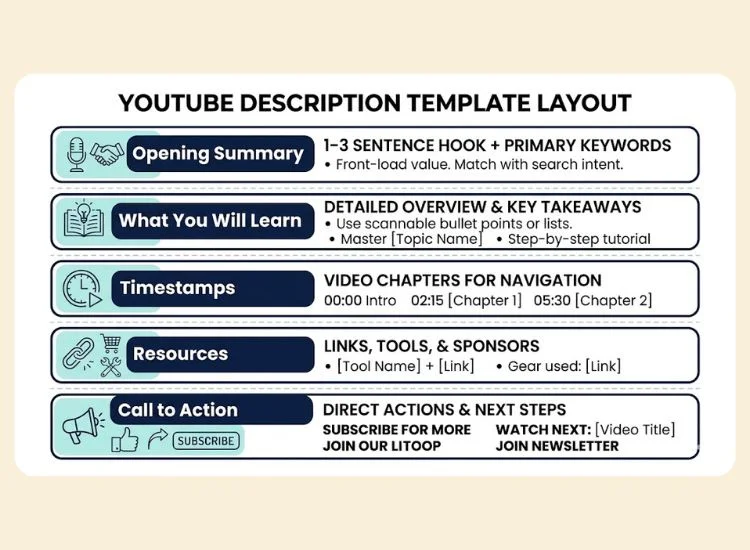
A consistent description structure saves time and improves your metadata quality across every video. Copy and adapt this template for each upload.
This structure works for tutorials, vlogs, reviews, and talking-head content. The key discipline is filling in the first two lines with real keyword-aligned copy before anything else. Those two lines carry more weight than everything below them combined.
Understanding the distinct role of each metadata element helps you prioritize where to spend your writing time.
The title and the first two description lines are the highest-leverage elements. If you are short on time, prioritize those two areas above everything else.
The right keywords come from understanding what your specific audience types into YouTube search, not from guessing what sounds right. A YouTube title and description built on real search data will consistently outperform one built on assumptions.
Start with the tools already built into the platforms you use every day:
For scripted videos, thev AI script generator from Teleprompter.com can help you build keyword-aligned scripts that reinforce your metadata from the first line of your video through to the last.
A primary keyword is the single phrase your video is built around. It should appear in your title, in the first sentence of your description, and at least once naturally in the body of your description.
A secondary keyword is a related phrase that adds context. Secondary keywords appear throughout the rest of your description, placed where they fit naturally.
Example:
The primary keyword anchors your video to one specific search. The secondary keywords expand the range of searches your video can appear in without diluting the primary signal.
A long-tail keyword is a longer, more specific search phrase. These phrases have lower search volume than head terms, but they also have less competition, which means a newer or smaller channel can rank for them.
More importantly, long-tail searchers tend to know exactly what they want. That specific intent leads to higher click-through rates and longer watch time, both of which improve your overall ranking signals.
Examples of long-tail variations:
Use long-tail keywords as the basis for your title when you are in a competitive niche, and include them naturally in your description body to capture additional search traffic.
Most underperforming videos have at least one of these metadata errors. Each one reduces either click-through rate or watch time, both of which signal to YouTube that the content is not worth promoting.
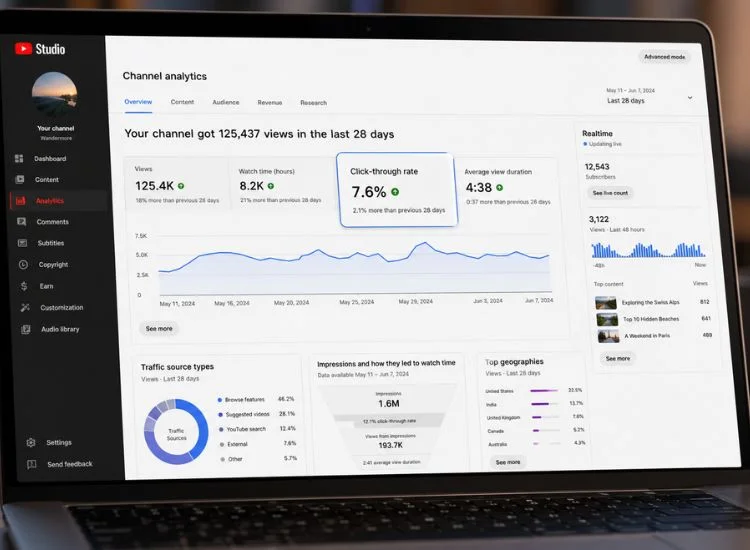
The goal of an optimized YouTube title and description is measurable performance: more impressions, more clicks, and longer watch time. YouTube Analytics gives you the data to evaluate each of those outcomes.
Open YouTube Studio and look at these four metrics for each video:
Understanding how your video length affects retention is part of this picture. See the guide on how long YouTube videos should be for data on optimal duration by content type.
Updating the title and description on an older video is one of the fastest ways to revive a video that has stalled. YouTube re-evaluates metadata when it changes, which can trigger a new round of distribution.
Focus updates on:
Do not change the video URL or re-upload the file. Both actions reset the video's authority and watch history. Metadata edits within YouTube Studio carry no such penalty.
A strong YouTube video title and description give your video a real chance at being found. The title earns the click. The description earns the trust. Together, they set the foundation for every view, every subscriber, and every recommendation the algorithm sends your way.
Discoverability gets viewers to your video. Delivery keeps them watching. If you film talking-head content, tutorials, or vlogs, Teleprompter.com helps you record a smooth, confident take every time, without memorizing your script or stopping for retakes.
Experience the free online teleprompter at Teleprompter.com. Sign up now!
A good YouTube title includes the primary keyword near the front, stays under 60 characters, and clearly states the benefit or outcome the viewer will get. It sets accurate expectations, attracts the right audience, and gives YouTube enough information to categorize and surface the video correctly. Avoid vague labels and lead with the specific result.
A YouTube description should be between 200 and 500 words for a complete video. The first two sentences carry the most weight because YouTube displays them as the search preview. After that, add timestamps, secondary keywords, links, and a call to action. Aim for clarity over length.
Yes. YouTube uses the description to understand the topic of your video and match it with relevant searches. According to YouTube's own guidance, descriptions are one of the primary discovery signals alongside titles and thumbnails. Natural keyword placement in the description improves visibility in YouTube search, suggested videos, and Google results.
Place your primary keyword in the first sentence of your description. Add secondary keywords naturally throughout the body of the description, placed in sentences where they fit the context. Avoid grouping keywords together at the bottom of your description. That approach is ineffective and signals low-quality metadata to the algorithm.
Open with a one-sentence summary of what the tutorial covers, using your primary keyword naturally. List the main steps or topics in two to three bullet points. Add timestamps for each section, links to any tools or resources you mention, and a call to action at the end. Keep the first two lines focused on the primary keyword and the viewer's outcome.
Yes. You can edit both at any time through YouTube Studio without affecting the video file or URL. Updating older metadata is a practical and effective way to improve performance on videos that have stalled. Refresh the title to match current search behavior and update the description with clearer keywords, new timestamps, or updated links.


.png)


.png)