YouTube SEO helps your videos appear higher in YouTube search by improving metadata, watch time, thumbnails, and audience engagement. To boost visibility, choose a clear keyword, optimize your title and description, use accurate tags, design strong thumbnails, add captions, promote your video on multiple channels, and review your analytics to guide future uploads.
YouTube has grown into one of the largest search engines, with more than 2.7 billion monthly active users and over 500 hours of video uploaded every minute. With so much content entering the platform every day, creators need strong YouTube SEO so their videos appear in search results and reach the right audience. Good SEO helps your titles, descriptions, tags, and video structure send clear signals to the algorithm.
This guide covers practical YouTube SEO tips you can use to strengthen your video content, improve visibility, and increase audience reach. These steps support both your viewers and the algorithm, helping your channel grow steadily and intentionally.
What Is YouTube SEO?
YouTube SEO is the process of improving your video content so it ranks higher in YouTube search. The platform looks at several signals, such as watch time, audience retention, click-through rate, and viewer engagement. When these signals stay strong, YouTube understands your content clearly and shares it with more viewers.
Optimizing YouTube videos involves improving your title, description, tags, and category, plus creating thumbnails that encourage clicks. You also need to keep viewers watching through a clear and steady delivery. Each part helps your content appear in more searches and gain more long-term visibility.
YouTube SEO Tips That Improve Visibility and Audience Reach
Strong YouTube SEO starts with clear steps that help your videos appear in YouTube searches and reach viewers who need your content. These tips give you a simple path to optimize YouTube videos, improve watch time, strengthen your metadata, and make your content easier for the algorithm to understand.
Here are the steps you’ll follow:
Perform Keyword Research for YouTube
Optimize Video Metadata
Create Engaging Thumbnails
Improve Watch Time and Viewer Engagement
Use Captions, Transcripts, and Subtitles
Promote Your Video Across Multiple Channels
Monitor YouTube Analytics and Adjust Your Strategy
1. Perform Keyword Research for YouTube
Keyword research guides the direction of your video content. It helps you understand what viewers search for and which terms give you the best chance to appear in YouTube search. When you choose a clear target keyword, you help the algorithm match your video to the right audience.
Here are some valuable YouTube keyword tips:
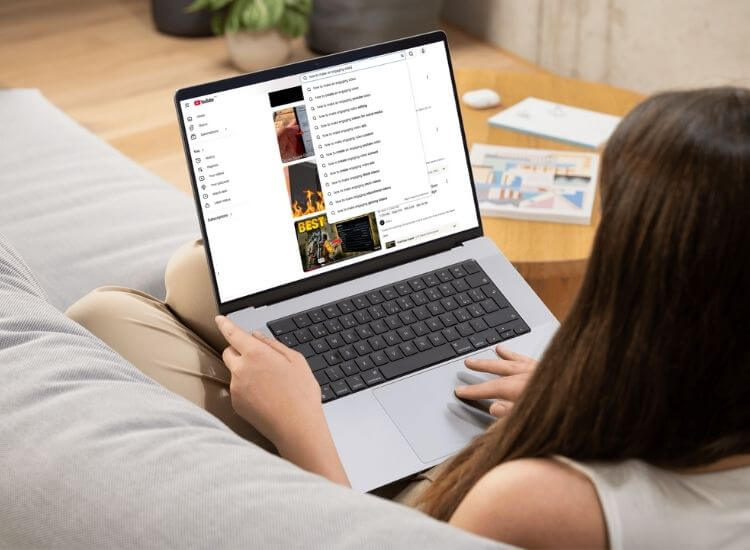
Use YouTube Search Suggestions Type a topic into the search bar and notice the suggestions that appear. These suggestions reflect real viewer activity. They offer long tail phrases you can use as your main keyword or supporting terms throughout your script, title, and description.
Review YouTube Studio for Traffic Insights Check the Search Terms report in YouTube Studio to see which keywords already bring viewers to your channel. These terms reveal where your channel has momentum and help you plan new videos that align with proven interests.
Use Tools to Understand Search Intent Tools like Google Trends, vidIQ, and TubeBuddy help you find keywords with strong search volume and lower competition. Look for phrases that clearly match your topic so your video content stays relevant to viewer intent.
Choose One Main Keyword and a Few Variations Select one primary keyword that describes your video clearly. Add two to three related variations to support it. This helps the YouTube algorithm understand the full context of your video while keeping your metadata easy to read.
Match Your Keyword to Your Video Goal Pick a keyword that reflects what your video actually covers. When viewers find exactly what they expect from your video, your watch time and retention remain high, which helps improve your video's ranking over time.
2. Optimize Video Metadata
Your metadata tells YouTube what your video is about. Following YouTube SEO best practices when writing your title, description, and tags helps the algorithm understand your content and improves your chances of ranking.
Here are the key parts to optimize:
Add Your Target Keyword to the Title Place your main keyword at the beginning of your title. Keep the title clear, simple, and focused on what the viewer gains. Using a video title generator can help you create stronger options that improve click-through rate and help the algorithm understand the topic right away.
Write a Descriptive and Keyword-Friendly Video Description Start with one or two sentences that include your primary keyword. Use the rest of the description to explain the purpose of your video, add helpful details, and guide viewers to related content. A clear description supports both search visibility and viewer understanding.
Add Relevant Tags Use tags that match your main keyword, your topic, and any related phrases viewers might search for. Tags help the platform understand related themes across your channel, which can lead to more suggested traffic.
Select the Correct YouTube Category Pick a category that fits your video content. This helps YouTube place your video alongside similar topics so viewers can find it more easily.
Use Accurate Hashtags Add up to three hashtags at the top of your description. Choose terms that reflect your topic, your main keyword, or a related theme. This gives viewers another way to find your video. To make the process easier, you can use the YouTube Hashtag Generator, a free tool that can help you uncover relevant and trending hashtags for your topic.
Optimize Your File Name Before Uploading Use a simple and descriptive file name that reflects your topic. Clear file names help YouTube understand your content during processing and support better indexing.
Place Your Video in a Relevant Playlist Add your video to playlists that match the topic. Playlists help organize your content and keep viewers watching multiple videos, which supports longer session time and better ranking signals.
3. Create Engaging Thumbnails
Your thumbnail is the first element viewers notice before they decide to watch your video. A strong thumbnail increases your click-through rate, which plays an important role in ranking YouTube videos. Good thumbnail design helps your content stand out, makes your topic easy to understand, and encourages viewers to pick your video over similar options on the screen.
Here are simple ways to create thumbnails that attract clicks:
Use Clear and High Quality Images Choose sharp images that show your topic well. Avoid dark or blurry visuals. A bright and clean thumbnail helps viewers recognize the content quickly.
Add Short and Readable Text Include two to four words that highlight the main idea of your video content. Use large fonts, simple language, and strong contrast so the text stays readable on all devices.
Show Facial Expressions When Possible Thumbnails with close-up faces often perform better because viewers connect with emotion. Use expressions that match the topic and help set the tone of the video.
Stick to a Consistent Style Use the same colors, fonts, and framing across your channel. Consistency builds brand recognition and makes your content look more professional.
Test Multiple Thumbnail Designs Try different versions to see which design attracts more clicks. Small changes in color, framing, or text can make a noticeable difference in performance.
Match Your Thumbnail to Your Title Make sure your thumbnail supports your title clearly. When both elements work together, viewers know exactly what to expect. This creates stronger trust and supports higher watch time.
YouTube prioritizes watch time and engagement as key signals for video quality. Longer watch times, interactions, and channel exploration signal helpful content, boosting your video's visibility in search and suggested results, thus reaching a wider audience. YouTube also tracks engaged views separately from total views, so how long viewers actually stick around after clicking matters just as much as the click itself
Here are effective ways to strengthen watch time and engagement:
Start With a Strong Hook Capture attention in the first few seconds. State the main value of the video right away so viewers understand what they will gain by watching.
Deliver Information in a Clear and Steady Pace Keep your message focused and avoid long pauses. A smooth flow helps viewers stay engaged, which supports stronger audience retention.
Use Visuals That Support Your Message Add cutaway clips, graphics, or simple on-screen text. Visual variety helps maintain interest and makes your content easier to follow.
Ask Viewers to Interact With Your Video Encourage likes, comments, and subscriptions. These actions show YouTube that viewers value your content, which improves your visibility.
Use Cards and End Screens Guide viewers to related videos or playlists. This increases session time and helps your channel gain more total watch time.
Respond to Comments and Build Community Replying to comments shows viewers that you appreciate their time. Active comment sections also encourage more participation from new viewers.
Use a Teleprompter to Support Watch Time and Retention A teleprompter app helps you stay clear, confident, and on pace. Smooth delivery keeps more viewers watching, which supports strong watch time and better audience retention. You can write your script, load it into Teleprompter.com, and record clean takes that help your video feel polished
5. Use Captions, Transcripts, and Subtitles
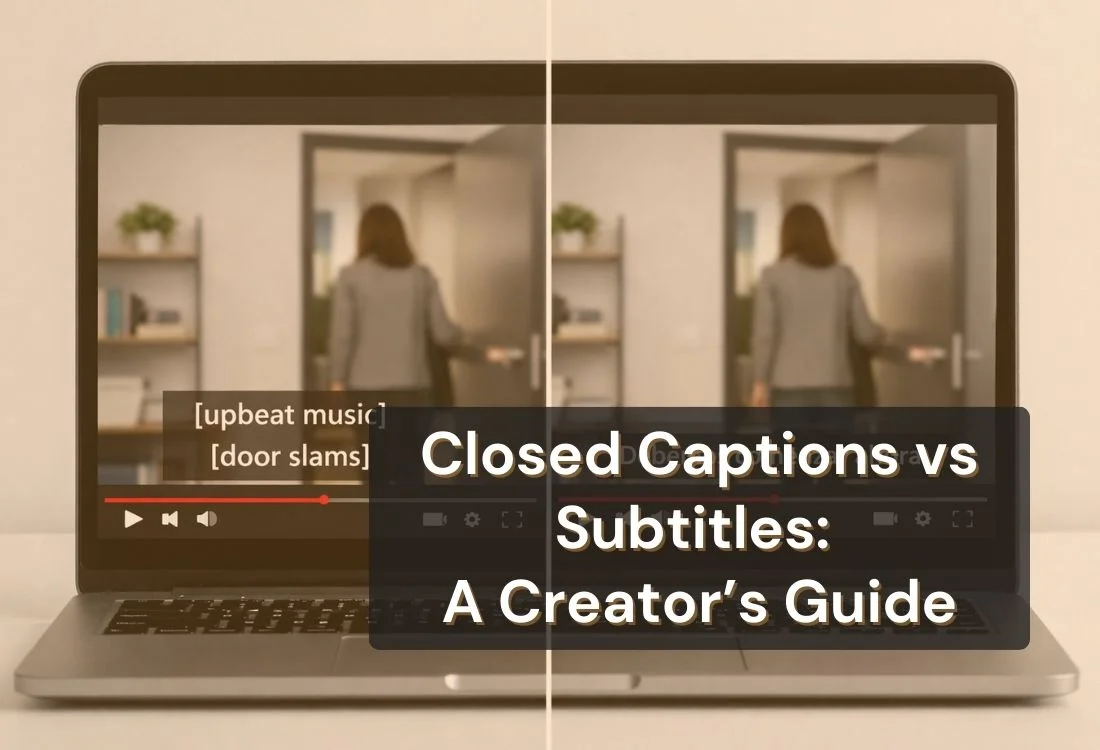
Captions and transcripts help YouTube in understanding video context, enhancing accessibility, viewer comprehension, and algorithm analysis. Multilingual subtitles expand reach. These elements boost visibility in YouTube search by making content clearer and easier to index.
Here are ways to use captions and transcripts to improve your video performance:
Upload Accurate Closed Captions Create and upload your own caption file instead of relying on auto captions. Accurate text helps viewers follow your message and gives YouTube better information for ranking your video.
Provide a Full Transcript in the Description or as a File Including a transcript adds valuable text that can be indexed by search engines and makes your content easier to skim. If you want help generating structured text quickly, tools that generate captions and descriptions for YouTube videos can streamline this step and save time without sacrificing quality.
Provide Subtitles in Multiple Languages If your audience includes viewers from different regions, upload subtitles in their languages. This helps your video reach more people and supports higher watch time.
Edit Auto Captions When Needed If you use auto captions, check them for accuracy. Correcting mistakes improves clarity and ensures viewers get the right message.
Use Keywords Naturally in Captions Speak clearly and naturally so your main keyword and related terms appear naturally throughout your captions and transcript.
Support Accessibility Best Practices Add correct punctuation, speaker labels, and sound cues when necessary. Small improvements help more viewers follow the video and stay engaged.
6. Promote Your Video Across Multiple Channels
Promoting your video on more platforms expands your reach beyond YouTube search. External traffic increases views, interaction, and shares, which builds early momentum for higher ranking in search and suggested results. This promotion also introduces your content to new, potential long-term subscribers.
Here are effective ways to promote your video across the platforms you use most:
Share Your Video on Social Media Post your video on platforms like Facebook, Instagram, LinkedIn, TikTok, and X. Use short captions that highlight what the video teaches or solves so viewers know why they should watch.
Embed Your Video in Blog Posts and Articles If you manage a website or contribute to other sites, embed your YouTube videos in relevant blog posts. This adds helpful context for readers and brings more long-term traffic to your channel.
Include Your Video in Email Newsletters Add your video to your next newsletter with a short description. Email subscribers already trust your content, so they are more likely to watch and engage.
Promote in Online Communities Share your video in forums or groups related to your topic. Focus on communities where your video can help answer questions or provide value.
Collaborate With Other Creators Work with creators in your niche to reach new viewers. Guest appearances, interviews, or co-created videos can bring fresh audiences to your channel.
Add Your Video to Relevant Playlists Organize your videos into playlists based on themes. This helps new viewers discover more of your content and increases overall watch time.
Use the YouTube Community Tab Share your video with quick updates, polls, or questions. The Community Tab keeps your audience active between uploads and drives more traffic to new videos.
7. Monitor YouTube Analytics and Adjust Your Strategy
Analyze your YouTube analytics to gauge viewer response. YouTube Studio data reveals popular topics, viewer retention, and traffic sources. Use this information to refine titles, thumbnails, and pacing, which improves watch time and search ranking over time.
Here are key ways to use analytics to guide your strategy:
Check Your Watch Time and Audience Retention Review the points where viewers stop watching. If many viewers leave early, adjust your hook or pacing in future videos to keep their attention longer.
Study Your Traffic Sources Look at how viewers find your video. If most traffic comes from search, keep improving your keywords. If suggested videos perform better, create more content around similar topics.
Review Click-Through Rate A low click-through rate may signal that your thumbnail or title needs improvement. Try new designs or wording to attract more viewers.
Track Your Top Performing Videos Identify videos that consistently gain views. These topics can guide your future uploads and help you create more content that fits your audience’s interests.
Use the Real Time Report for Early Trends Check your performance in the first 24 to 48 hours. Early engagement can signal how well your video will rank across YouTube.
Update Metadata When Needed If your video stops gaining views, update the title, description, or thumbnail. Small changes can help revive older content and attract new viewers.
Set Clear Goals for Each Upload Decide if your goal is to increase watch time, get more subscribers, or rank for a new keyword. Tracking results helps you build a strategy that supports consistent channel growth.
Wrapping up: Elevating Your YouTube SEO Journey
Strong visibility on YouTube comes from clear steps that support viewers and strengthen your ranking signals. When you use practical YouTube SEO tips, you help your videos appear in more searches, encourage longer watch time, and build steady engagement. Each improvement you make, from choosing better keywords to designing stronger thumbnails, gives your channel a better chance to grow.
Use these steps for every upload and review your performance in YouTube Studio to guide future videos. A simple and consistent approach can make your content easier to find and easier to watch. If you want smoother delivery and a more confident on-camera presence, consider using the Teleprompter.com app as part of your workflow. It helps you record with clarity and stay focused on your message. You can sign up anytime to see how it supports your video creation process.
FAQ
How do I improve SEO and rank my YouTube videos better?
Improve your title, description, tags, and keep viewers watching longer. Use clear keywords, update your thumbnails, and review analytics to guide your next uploads.
How can I increase YouTube views?
Create clear titles, strong thumbnails, helpful content, steady posting, and share your videos across platforms to reach more viewers and boost watch time.
What matters most in YouTube SEO?
Watch time, click-through rate, and audience retention carry the most weight. Strong metadata helps, but viewer satisfaction signals influence ranking the most.
Do tags still help with YouTube SEO?
Yes, tags help YouTube understand your topic. Use your main keyword and a few related terms so your content appears in accurate searches and suggested videos.
How long should a YouTube description be for better SEO?
Aim for 150 to 300 words. Place your keyword early, explain the value of the video, add helpful links, and guide viewers to related content on your channel.
Recording videos is hard. Try
Teleprompter.com
Recording a video without a teleprompter is like sailing without a compass.





.png)


.png)