

How to go viral on YouTube Shorts works by optimizing for retention, loop rate, and swipe-through rate, the signals the 2026 algorithm rewards most, instead of chasing every trending sound. Get those right and consistent posting turns modest view counts into steady, repeatable growth, with no lucky breaks needed.
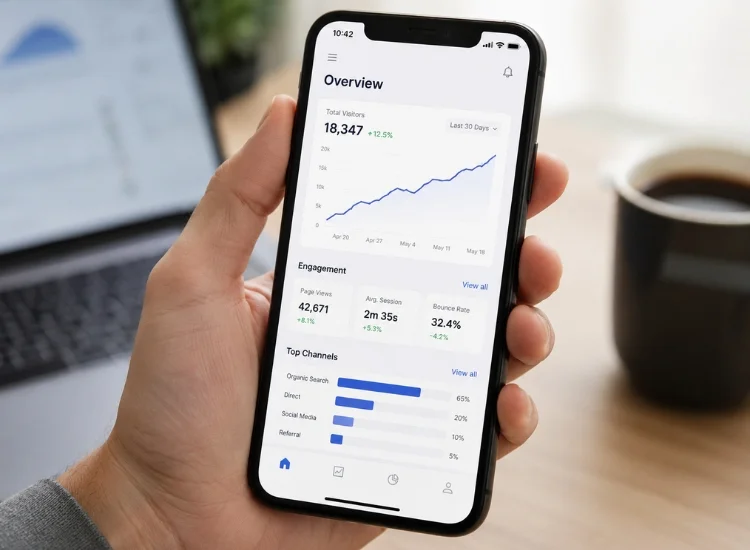
The YouTube Shorts algorithm ranks videos mainly on how much of each Short people watch, whether they replay it, and whether they swipe away early, not on titles, thumbnails, or keywords the way long-form search does. Rather than optimizing metadata, creators need to optimize the viewing experience itself.
YouTube Shorts product lead Todd Sherman has said publicly that Shorts get tested with a small seed audience first, and retention signals from that test determine whether a Short earns wider distribution (YouTube Shorts deep dive, YouTube Blog, January 2025). That means creators need to focus more on story construction and pacing than on traditional metadata tactics.
Shorts distribution has scaled dramatically. YouTube Shorts now averages over 200 billion daily views, a figure YouTube CEO Neal Mohan shared in 2025. But the number that shows up on your video isn't the number that determines your Partner Program eligibility or ad revenue.
Since March 31, 2025, YouTube counts a view the moment a Short starts to play or replay, with no minimum watch time required (YouTube Help, March 2025). The platform kept the older, stricter definition alive as engaged views, and that's still the metric behind Shorts monetization and Partner Program eligibility, not the headline view count.
In other words, a big view number on a recent Short can look impressive without necessarily reflecting strong retention. Check engaged views, average percentage viewed, and your retention graph in YouTube Studio, not just the number under the video.
Unlike long-form content, which relies on search and metadata to get discovered, Shorts live and die by in-feed performance. Viewers judge a Short in a vertically scrolling feed based on the first frame alone, which changes what actually matters:
That first point isn't a guess. In a January 2025 conversation on the YouTube Blog, Shorts creator Jenny Hoyos explained why thumbnails barely factor into discovery:
"99.9% of the views are coming from the Shorts feed." Jenny Hoyos, YouTube Shorts deep dive, YouTube Blog, January 2025
A custom thumbnail still helps with channel branding, but for discovery itself, thumbnails carry far less weight than they do on long-form video. For creators used to traditional YouTube strategy, this is a real shift in both creative mindset and workflow, not just a smaller video.
YouTube Shorts offers almost no runway. Shorts creator Jenny Hoyos put a number on it in a January 2025 conversation on the YouTube Blog with Shorts product lead Todd Sherman: viewers decide in about one second whether to keep watching or swipe past (YouTube Shorts deep dive, YouTube Blog, January 2025). That's why the opening few seconds carry the entire weight of getting anyone to stay.
Effective hook strategies:
Just like a headline drives clicks, the first frame drives retention. Treat your opening like the climax, not the build-up. If your hooks tend to run long or bury the point, working from a hook-first video script before you film fixes that at the planning stage instead of in the edit.
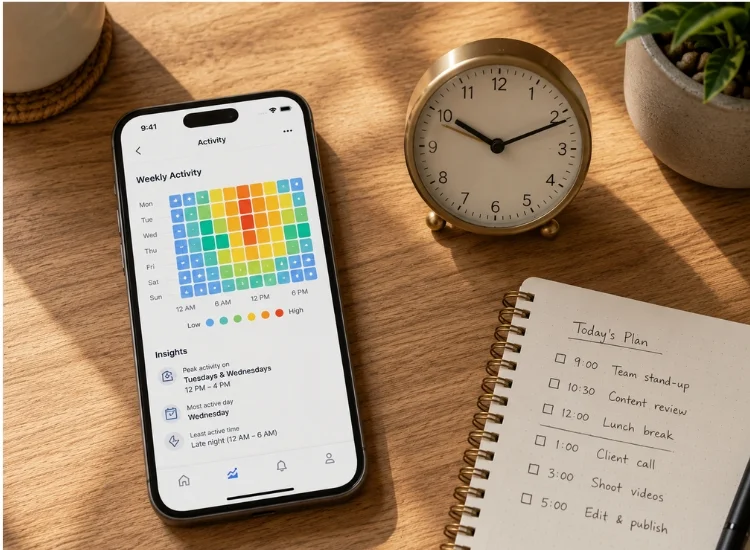
There's no single universal "best time" that works for every channel, and treating a generic time slot as gospel can cost you more than it helps. What's consistent across creators is which windows tend to concentrate scrolling behavior: commute hours, lunch breaks, and the evening wind-down when people default to passive, feed-based scrolling rather than searching for something specific.
The more reliable move is checking your own audience activity data in YouTube Studio, under Analytics → Audience → "When your viewers are on YouTube," and scheduling uploads an hour or two ahead of your channel's actual peak windows.
A new channel without that history yet can start by posting during a commute or evening window and refining from there once real data comes in. Posting time only matters once the Short itself earns the swipe-through rate to get tested widely in the first place.
Looping creates a near-seamless transition where the end blends into the beginning. Viewers often rewatch without consciously deciding to, which doubles your watch time without any extra production effort. That elevated watch time sends a strong signal to the algorithm.
Loop-friendly formats include:
Great loopable Shorts also time the music or sound cue to reset intuitively, so the loop feels continuous instead of jarring.
In a feed built for passive scrolling, a CTA nudges viewers to actually engage. Every like, comment, or share adds weight to how the algorithm evaluates the Short.
Best practices for CTAs:
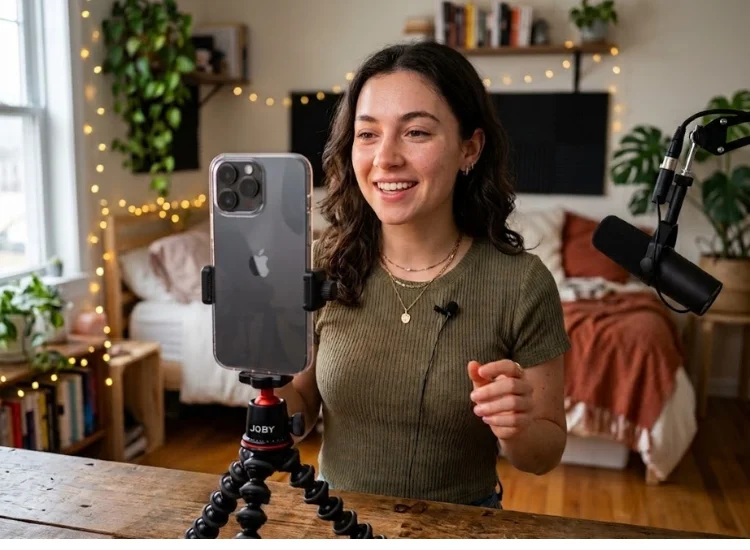
Micro-storytelling is one of the most reliable formats for a viral Short. Even in 15 seconds, a well-built narrative can create an emotional beat that makes people want to watch again.
Micro-story framework:
This structure builds an emotional connection. Story-driven content taps into curiosity, which naturally increases both retention and shares.
Short creators like Khaby Lame build entire stories without dialogue, relying purely on visual cues and expressions, proof that the structure matters more than the words.
Not every micro-story skips the script, though. Whenever dialogue is part of the plan, precision matters: planning a tight story arc takes rehearsal, and using a teleprompter app lets you map out your micro-story, keep pacing tight, and stay inside the 15 to 60 second window without losing flow.
Teleprompter.com users see that payoff show up in their own reviews. One App Store reviewer who films across multiple short-form platforms put it this way:
"Whether you're making YouTube videos, Instagram Reels, TikToks, or business presentations, this app makes it so much easier to maintain eye contact with the camera while delivering your script naturally." Jackyplus5, App Store review, July 25, 2026, United States
Trends help Shorts get discovered faster. When a sound, format, or editing style is already gaining traction, using it increases the odds your video gets shown to more viewers. But copying a trend exactly rarely holds attention on its own. Viewers still need a reason to keep watching, which is why it helps to know the broader short-form video trends shaping 2026 before picking which ones are worth your time.
The best-performing Shorts use a familiar trend format with a distinct personal angle: a stronger hook, a more specific niche, or a sharper takeaway. Use trends as a starting point, then shape them into something that fits your voice and your audience.
How to spot useful trends:
How to make a trend work for your channel:
Once the creative work is done, a YouTube Hashtag Generator helps you find relevant hashtags based on your topic to support categorization and search visibility. It won't make a weak Short go viral, but it can strengthen a strong one.

YouTube favors channels that show up often. Consistent posting supports both audience growth and data collection: more uploads mean more signals about what actually works. Shorts is also only getting more competitive as the format keeps scaling toward its current 200 billion daily views, a pace that tracks with YouTube's platform-wide growth overall, not just the Shorts feed.
That's why a simple calendar matters. Publishing Shorts 3 to 5 times a week increases visibility and gives the algorithm more data to learn what your specific audience responds to.
Actionable planning tips:
Don't rely on intuition alone. YouTube's analytics show exactly where a video gained or lost viewers, but only if you're reading the post-2025 metrics correctly.
Metrics that matter:
Short-form growth is usually found in small, repeated improvements. Use the data to guide sharper openings, tighter edits, and better-paced storylines, not to chase a single viral fluke.
Collaboration adds credibility and puts your Shorts in front of new audiences. You don't need creators with massive followings. Similar-sized or slightly larger accounts are often just as open to mutual growth.
Collab strategies:
Cross-promotion tips:
This isn't unique to individual creators, either. Educators and coaches building online courses increasingly use the same Shorts-first distribution model to promote a lesson or a course launch before driving viewers to longer-form content. Think beyond YouTube for reach, but keep YouTube as the anchor.
Going viral on YouTube Shorts takes more than a random upload schedule. It takes intentional use of platform mechanics and creativity built for brevity.
Each Short is a fresh test. Focus on making the next one slightly sharper than the last, and your odds of reaching a wider audience compound over time.
Increase views by improving your first 3 seconds, raising retention, and posting consistently. Shorts get pushed further when people choose to watch, keep watching, and engage instead of swiping away.
A Short may get no views because the hook is weak, the video doesn't hold attention, or distribution is limited by formatting or setup issues. Check retention, vertical format, audience settings, and whether viewers are swiping away too fast.
You go viral by earning strong retention and repeat watches. Use a fast hook, a clear payoff, and a loopable ending so viewers stay longer and replay the Short.
The algorithm pushes Shorts that viewers choose to watch and continue watching. Average percentage viewed, engaged views, likes, and swipe-away rate all help determine reach.
Yes, but they help most when the content is already strong. Trending sounds can improve discovery and hashtags can support search context, but retention and viewer response still matter more.
There's no single universal best time. Commute, lunch, and evening scrolling windows tend to perform well across channels, but checking your own audience activity data in YouTube Studio and posting an hour or two ahead of your channel's actual peak gives more reliable results than a generic schedule.


.png)


.png)