

YouTube Shorts now pulls over 200 billion daily views, more than triple what it recorded just two years ago. That number tells you one thing: the audience is there. Whether your viewers find you is a different question entirely, and the answer comes down to how you make your Shorts, not just how often you post them.
This guide covers the full process: how to script, film, edit, and upload a YouTube Short that's built to perform. No production setup required. Just a clear process and the right approach to each step.
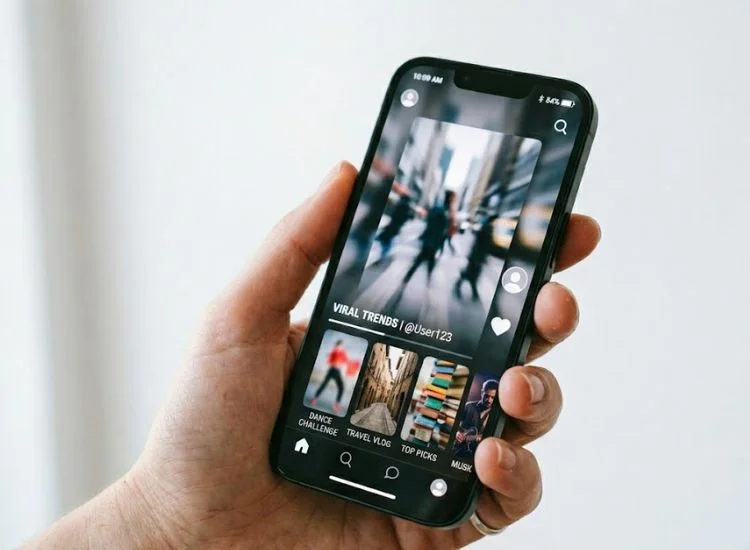
A YouTube Short is a vertical video published within YouTube's short-form feed. It uses a 9:16 aspect ratio, surfaces to both subscribers and non-subscribers through the Shorts shelf and the dedicated Shorts feed, and competes for attention the same way every other short-form video does: in a swipe-up environment where the next video is one thumb movement away.
The format has grown significantly. YouTube Shorts now has more than 2 billion monthly active users, ahead of both TikTok and Instagram Reels. For creators building a channel from scratch, Shorts is one of the fastest ways to reach an audience that has never heard of you, because the algorithm actively distributes your content outside your subscriber base.
In October 2024, YouTube extended the maximum Short length from 60 seconds to 3 minutes for vertical and square videos. That changes how you plan your content. A 90-second tutorial, a 2-minute explainer, a full product walkthrough: all of these now qualify as a Short. You're not locked into a 60-second ceiling anymore.
Shorts and long-form video are not in competition with each other. They serve different moments. Shorts drive discovery and introduce new viewers to your channel; long-form video deepens the relationship and earns watch time. For a fuller picture of how to balance both in a broader YouTube plan, see How to Build a Strong YouTube Content Strategy.
The most common reason a Short underperforms isn't the algorithm. It's a script that tries to cover too much. A topic is not an idea. "Productivity tips" is a topic. "The reason your to-do list makes you less productive" is an idea. One idea has a beginning, a middle, and a payoff. A topic has ten directions and no clear end.
Before you open the camera app, write one sentence that describes exactly what your viewer will know or be able to do by the end of the Short. That sentence is your anchor. Every word in the script either earns its place or gets cut.
Questions to confirm your idea is ready:
If you're looking for content angles that are already performing across the platform, the Trending YouTube Shorts guide covers the ten formats gaining the most traction in 2026.

Top creator Jenny Hoyos said it directly in a conversation with YouTube's own product team: 'I really do think you have one second to hook someone, especially on Shorts.' Her own hooks run no longer than three seconds—one clear sentence that tells the viewer exactly what the video delivers.
Write your hook before anything else. Not after you have the body of the script. The hook determines whether the body gets watched.
Four hook formats that work consistently:
Each of these gives the viewer a reason to stay. They create a question the viewer wants answered. The rest of the script is the answer.
After the hook, keep the script tight. A 60-second Short needs roughly 120 to 150 words of spoken content. A 90-second Short, around 180 to 210 words. Write for the ear, not the eye read every line aloud before you record it.
This is also where a teleprompter earns its place in the workflow. Scripting the Short in Teleprompter.com before you film means you've already pressure-tested the hook, tightened the message, and confirmed the pacing. By the time you hit record, the script is done — you just need to deliver it. It's a free teleprompter that runs on any device, so you can have your script in front of you before the next recording session.
YouTube Shorts requires a 9:16 aspect ratio. The minimum recommended resolution is 1080 x 1920 pixels. Most modern smartphones shoot in this format natively just make sure your camera app is set to vertical before you start.
Three things that actually affect performance:
This is the step most guides skip, and it's where the most time gets lost. A creator can have a clean script, good lighting, and the right format, and still spend 45 minutes on a 60-second Short because they keep losing their place, stumbling over words, or starting over.
Delivery matters more on Shorts than on any other format. There's no editing rhythm to hide behind, no B-roll to cut away to, and no long stretch of content that lets a viewer forgive a slow start. The words and the delivery are the product.
Two approaches that consistently work better than memorization:
The cleanest approach is to script first, then use Teleprompter.com to deliver it on camera. Every second of the Short is planned, the delivery is confident, and the retake count drops significantly.
A Short should feel like it moves fast because it does. Cut every second that doesn't move the video forward. If a sentence is repeating information the viewer already has, cut it. If the pause between sentences is longer than half a second, shorten it. Pacing is editing.
Practical editing checklist:
For a broader look at how short-form content decisions affect overall channel performance, the Mastering Short-Form Video Content guide covers the strategic side of format and pacing choices.
A well-made Short still needs clean metadata to get discovered.
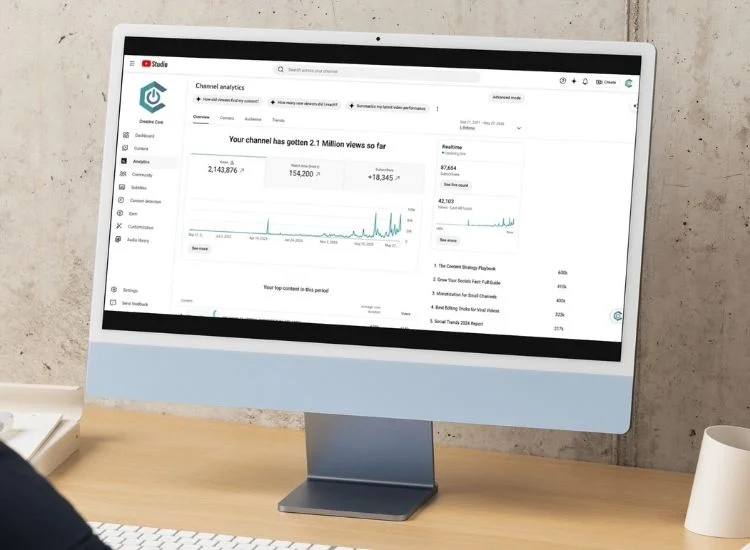
The Shorts algorithm is not primarily a follower-reward system. It's a satisfaction signal system. The algorithm's job is to find content that viewers watch to the end, rewatch, or respond to, and then show that content to more people. Your subscriber count matters less than whether your Shorts hold attention.
The metrics that drive distribution:
What to check 48 hours after publishing:
For a detailed breakdown of what makes Shorts spread beyond your immediate audience, How to Go Viral on YouTube Shorts covers the specific mechanics behind wider distribution.
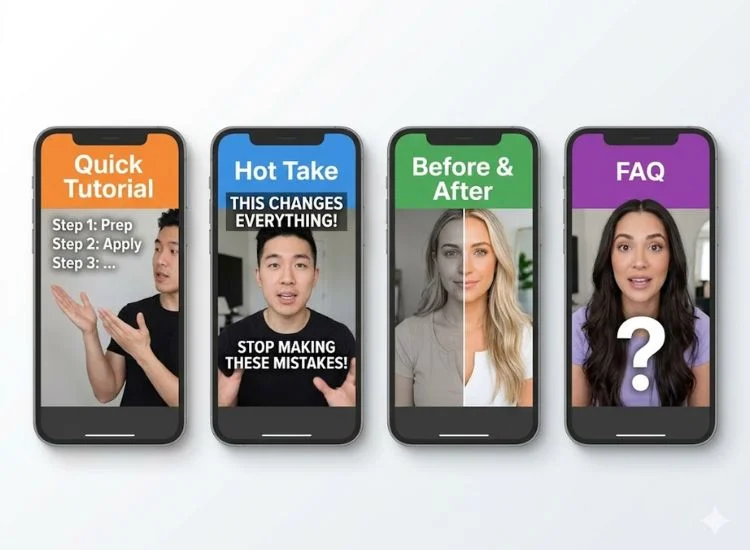
The most common mistake in planning YouTube Shorts content isn't running out of ideas. It's mistaking a format for an idea. A format is a structure. Your idea is what fills it.
These four formats work because each one is built around a viewer behavior: the desire to learn something, to challenge an assumption, to see a result, or to get a quick answer.
Structure: hook that names the skill → step-by-step delivery → clear result.
This format works because it has a built-in payoff. The viewer arrives knowing what they'll walk away with. Completion rates on how-to Shorts tend to be high because viewers who click in are motivated: they're trying to accomplish something specific.
Keep the steps numbered or verbally signposted ("first," "then," "finally"). Viewers mentally track progress, and signposting tells them they're moving forward.
Structure: hook that challenges a common belief → proof or reasoning → reframe.
This format drives replays and comments because it activates disagreement. Even viewers who don't agree with the claim will often watch to the end to hear the argument, and then leave a comment disputing it. Both behaviors are algorithm-positive signals.
The key is that the claim has to be defensible. A hot take without substance reads as bait. A hot take with a clear, logical argument earns credibility.
Structure: establish the before → reveal the process → show the after.
The before-and-after format is one of the highest completion-rate structures in short-form video because it's built on a completion loop: viewers stay to see the result. The hook should establish the before clearly enough that the viewer can feel the gap between where things start and where they end.
This format works across almost any category: creative work, fitness, cooking, productivity, tech setups, and creator workflows.
Structure: state the question (as the hook) → answer it directly → optional: expand with context.
This format is particularly strong for search-discovered Shorts, where a viewer is actively looking for an answer. It also performs well in the PAA (People Also Ask) section of Google, since YouTube Shorts now appear in Google search results.
The hook is the question itself, either spoken or displayed as on-screen text. The answer should come within the first 15 seconds. Context and nuance can follow, but the core answer needs to land fast.
The mechanics of making a YouTube Short are not complicated. The technical requirements are minimal, and the upload process is straightforward. What separates a Short that performs from one that doesn't is almost always the same three things: a hook that earns the first three seconds, a script tight enough to hold attention to the end, and a delivery confident enough to feel worth watching.
Get the hook right. Script the whole Short before you film. Record with something in front of you so you're not figuring out your lines while the camera is rolling. Check the completion rate 48 hours after you publish, and use what you find to improve the next one.
Every Short you publish teaches you something about your audience. The creators who build on YouTube Shorts aren't the ones with the best production setups. They're the ones who run that feedback loop consistently and improve each time.
If delivery is where your workflow stalls, Teleprompter.com removes that bottleneck. Load your script, set your scroll speed, and record Shorts that sound exactly like you planned them to. Get started for free and use it in your browser and on every device you already use.
A YouTube Short can be up to 3 minutes long, following a format update in October 2024. The video must have a 9:16 vertical or square aspect ratio to qualify as a Short. Videos under 60 seconds have historically performed well for completion rate, but the 3-minute limit gives creators more flexibility for tutorials and explainers.
Yes, YouTube Shorts can help your channel grow by exposing your content to viewers outside your subscriber base. The Shorts algorithm actively distributes content to non-subscribers, making it one of the most effective discovery tools on the platform for new and growing channels. Shorts that perform well can convert viewers into long-form subscribers over time.
Consistency matters more than volume. Posting two to three Shorts per week with strong hooks and clean scripts will outperform posting one per day with minimal preparation. Start with a cadence you can sustain without compromising quality, then increase frequency once the production process is efficient.
For Shorts up to 60 seconds, you can use any track from YouTube's Audio Library, including licensed music. For Shorts longer than 60 seconds, only royalty-free music from the Audio Library is permitted. Using a Content ID-claimed track in a longer Short will result in the video being blocked or muted.
Yes. YouTube Shorts can appear in Google Search, particularly in the video results section and People Also Ask boxes. Accurate auto-captions, a keyword-relevant title, and a clear description all contribute to search discoverability. This makes the "answer to a common question" format especially useful for creators targeting search traffic.
A YouTube Short is a vertical video with a 9:16 aspect ratio, up to 3 minutes long, that appears in the dedicated Shorts feed and is surfaced to non-subscribers through the discovery algorithm. A regular YouTube video can be any length, aspect ratio, or orientation, and is primarily distributed to subscribers and via search. Both formats can coexist on the same channel and serve different audience behaviors.


.png)


.png)


