

On-camera communication skills are improved by pairing steady eye contact and natural pacing with a tool that removes memorization load, providing an immediate fix for users experiencing camera anxiety, stiff delivery, or one retake after another. Most people struggle on camera because video removes the feedback of a live audience. With the right structure, anyone can look and sound confident on screen.

The same person who runs a confident meeting can freeze the moment a camera turns on. This happens because video removes the feedback loop you rely on in person. You cannot read a room, adjust to a nod, or slow down because someone looks confused.
There is also the mirror effect. Seeing your own face on screen while trying to speak naturally pulls attention away from your message and onto your appearance. Add the mental load of remembering what comes next, and delivery suffers before you even start talking about content.
This is not a personality problem. It is a structural one, and structure is exactly what fixes it.
Confidence on camera comes down to five specific skills, not personality:
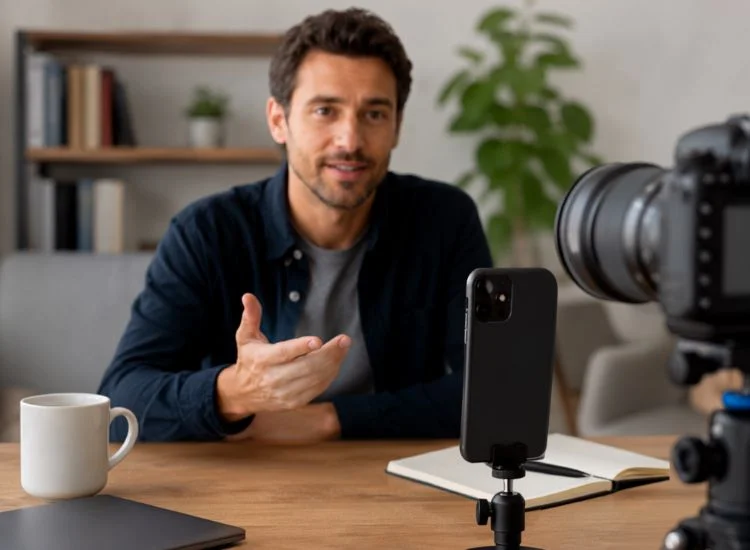
Trying to memorize a script and perform it at the same time splits your attention in half. Part of your brain chases the next line while the other part tries to sound natural. Neither job gets your full focus, and the result usually looks exactly like what it is: someone reciting.
A teleprompter removes the memorization half of that equation entirely. Once you are not searching for the next sentence, your attention goes toward tone, pacing, and connecting with the camera. For a full walkthrough of setup and scrolling controls, see our guide on how to use a teleprompter.
One user summed up the shift after switching to a teleprompter workflow:
"No more memorizing, doing 100s of re-record. This teleprompter gives me the confidence to speak on camera." (goaldriven diva, App Store review, "Scared to get on camera," June 2026)
Fewer retakes also means less time spent second-guessing yourself between takes, which on its own reduces on-camera anxiety over a project. For a fuller breakdown of when memorization still makes sense versus reading from a script, see teleprompter vs. memorization.

Executive presence on camera looks like the same thing it looks like in a boardroom: a steady pace, deliberate pauses, and language free of filler words like "um" and "so." The difference is that video removes the room's energy to lean on, so those habits have to be more intentional.
Eye contact carries even more weight on video than in person. A peer-reviewed review of video-mediated communication research found that averted gaze, meaning a speaker looking away from the camera rather than into it, measurably reduces how trustworthy, empathetic, and emotionally close viewers perceive that speaker to be. (Source: Eye contact and video-mediated communication: A review, ResearchGate)
For executives recording investor updates, internal announcements, or client-facing videos, that single habit, looking into the lens rather than at your own image or notes, does more for perceived credibility than any other adjustment on this list.
Camera anxiety fades with structured repetition, not by pushing through discomfort in one long session. Short, low-stakes reps build familiarity faster than occasional high-pressure recordings.
Start with content that has no audience at all. Record a 60-second update meant only for your own review. Watch it back once, note one specific thing to adjust, then record again. This isolates one variable at a time instead of trying to fix everything in a single take.
For a deeper breakdown of anxiety-specific techniques, including breathing and pre-recording routines, see our guide on overcoming stage fright with a teleprompter.
Sounding scripted usually comes from reading word by word instead of reading for meaning. The fix is vocal variety: let your pitch rise slightly on key points and fall during transitions, the same shifts your voice makes naturally in conversation.
Glancing away from the script occasionally, toward the camera or an imagined listener, also breaks the flat cadence that makes delivery feel recited. Pair that with open, relaxed body language and the on-camera version of you starts to match the in-person version.
For the full breakdown of natural delivery techniques, see how to read a teleprompter naturally.

On-camera communication skill is not a talent some people have and others do not. It is a set of specific habits, eye contact, pacing, vocal variety, and structured practice, that improve with repetition. Removing the memorization burden with a teleprompter frees up the attention those habits need to develop.
Start with short, low-stakes recordings that no one else will see. Review one take, fix one specific issue, and record again. Repetition in low-pressure conditions reduces camera anxiety faster than occasional high-stakes attempts.
Confidence on camera comes from steady eye contact with the lens, natural pacing, vocal variety, open posture, and deliberate pauses. These are learnable habits, not fixed personality traits.
Yes. A teleprompter removes the need to memorize your script, which frees your attention for tone, pacing, and eye contact. Many users report fewer retakes and more natural-sounding delivery once memorization is no longer competing for focus.
Most people notice a measurable improvement within one to two weeks of daily short practice sessions. Consistency in short reps matters more than the length of any single practice session.
Executive presence on video means a steady speaking pace, deliberate pauses, minimal filler words, and consistent eye contact with the camera. It signals the same credibility on screen that it does in a boardroom.
Read for meaning instead of word by word, let your pitch shift naturally on key points, and glance away from the script occasionally. Pairing this with relaxed body language closes the gap between how you sound in conversation and how you sound on camera.


.png)


.png)