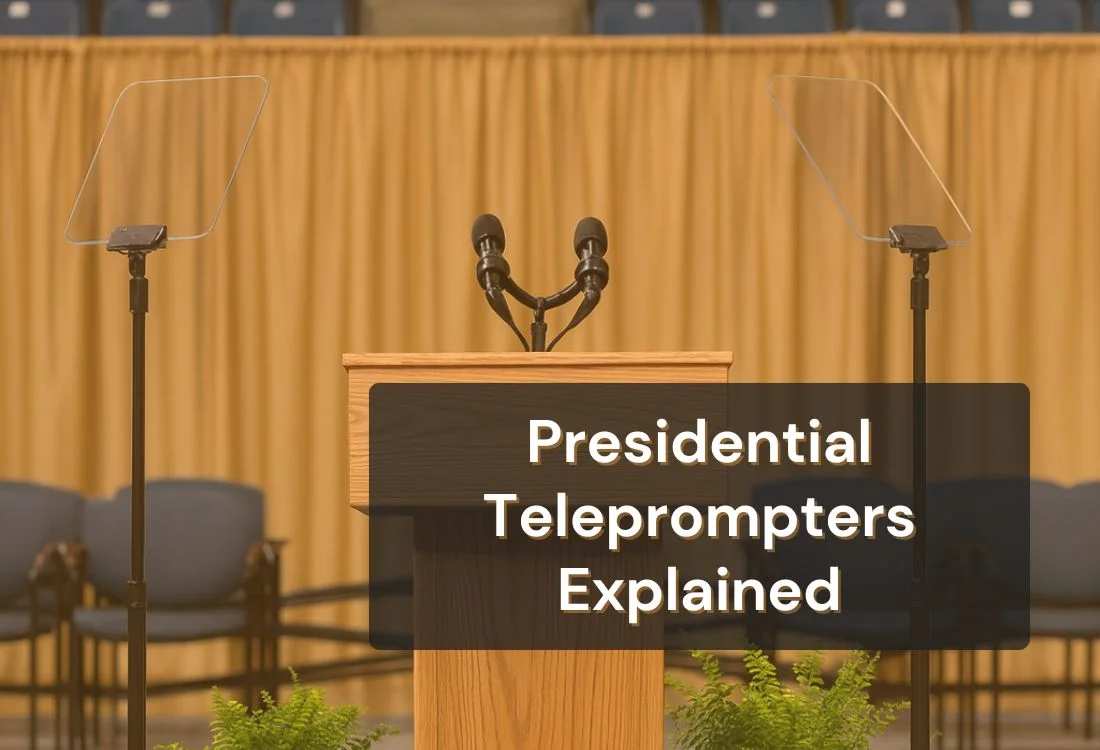


A presidential teleprompter is a live speech delivery system that uses two angled glass panels to reflect a scrolling script toward the speaker, letting them read every word while appearing to hold direct eye contact with the audience. The hardware has changed very little since the 1960s. The software tools that replicate this outcome for everyday speakers have changed significantly.
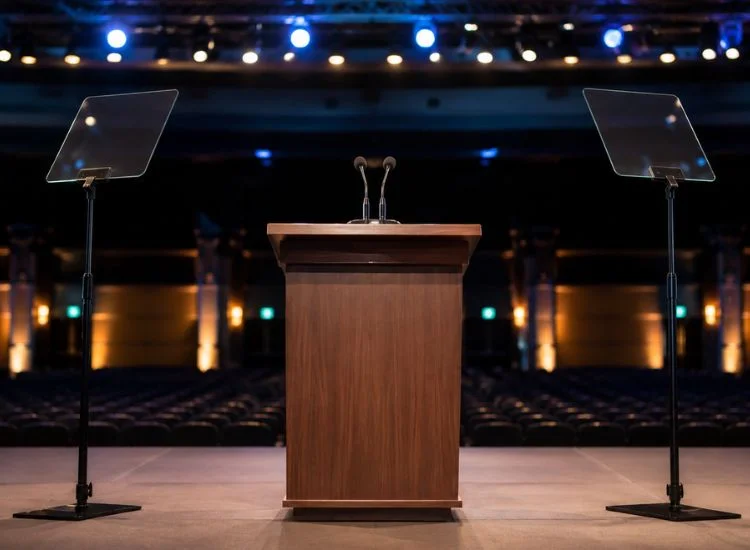
A presidential teleprompter is a live speech delivery system that uses two angled beam-splitting glass panels mounted on stands, positioned on either side of a podium, to reflect a scrolling script toward the speaker while remaining transparent to the audience.
The name comes from the setup's most prominent users. U.S. presidents have used this format for formal addresses since the 1950s, and the term has stayed even as the hardware spread far beyond politics. Today, the same setup appears at corporate keynotes, government press conferences, academic ceremonies, product launches, and broadcast news programs worldwide.
It is a different category of device from the teleprompter mounted in front of a camera lens. A camera teleprompter is built for video recording: the speaker reads into the lens, the text sits directly in line with it, and there is no live audience in the room. A presidential setup is built for a live room. The speaker delivers to a real audience in real time, turning their head naturally across the space while the script stays visible from both panels.
What distinguishes the presidential format is that it solves two problems at once. It keeps the speaker's words accurate and their eyes off the page. Every other delivery format asks speakers to trade one for the other.
For a broader understanding of how teleprompters work across different formats, see what a teleprompter is and the complete guide to types of teleprompters.
The system has three working components: the monitor, the glass, and the operator. Each plays a specific role in keeping the delivery smooth and the script invisible to the audience.
The glass panels used in presidential teleprompters are not standard glass. They carry a reflective coating on one side in a 60:40 ratio, meaning 60% of light passes through and 40% is reflected. This treatment is what makes the text visible to the speaker but invisible to anyone looking at the panel from the front.
A monitor sits at the base of each stand, angled upward at 45 degrees. It displays the script in white text on a black background, reversed horizontally. The glass reflects that reversed image toward the speaker at reading distance, correcting the flip. The speaker reads normal text. The audience sees nothing but clear glass.
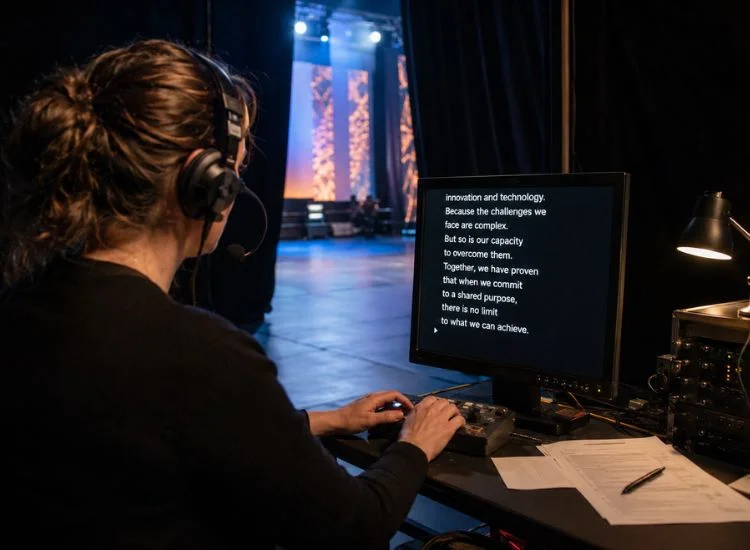
A trained teleprompter operator sits offstage with a separate monitor and a scroll control device. Their job is to advance the script in real time to match the speaker's spoken pace, not a fixed speed, but a living, responsive one that adjusts for pauses, emphasis, and the natural rhythm of the address.
The challenge is more demanding than it sounds. A speaker who slows down for a key line, takes a breath for effect, or ad-libs a short aside will fall out of sync with a mechanical scroll within seconds. The operator reads those cues in real time and compensates before the speaker notices the gap.
Scroll too fast and the speaker rushes to keep up, clipping words and losing the weight of the delivery. Scroll too slow and the speaker stalls, waiting for the next line to appear. Either error is audible. At a national address, both are unacceptable.
Voice-recognition software now exists that scrolls text automatically based on the speaker's pace. It is widely used in broadcast news. For high-stakes political speeches, however, most setups still rely on a human operator. The margin for error is too small, and the consequences of a technical failure mid-address too significant, to trust automation alone.
The two-panel configuration allows the speaker to address the whole room, not just one section. By placing one panel to the left of the podium and one to the right, the speaker can shift their gaze from side to side, appearing to engage the entire audience while reading the same script from either panel.
The drawback is visible to anyone who knows what to look for. The left-right head movement, when done mechanically, creates what speech coaches call the ping-pong effect: a rhythmic side-to-side scan that signals teleprompter use to an observant viewer. Skilled speakers break this pattern by varying their gaze, pausing for emphasis, and using the space between panels naturally.
The ping-pong effect is the most recognizable visual signal of presidential teleprompter use, and managing it is a practiced skill in its own right.
For a broader look at how the mechanics work across different formats, see how a teleprompter works.
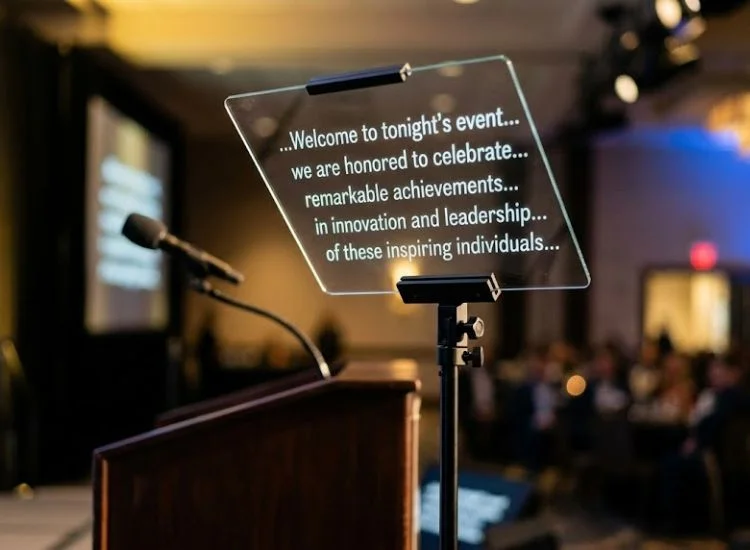
From the speaker's side of the glass, the experience is clean. The text appears to float in the air at roughly eye level, white on black, scrolling upward at a comfortable reading pace. There is no visible frame, no screen edge, and no obvious device. A correctly set presidential teleprompter looks, from the inside, like words appearing in thin air.
The glass itself sits in the speaker's peripheral vision without drawing attention. A well-configured setup should not feel noticeable to the speaker any more than glasses feel to someone who wears them daily.
From the audience's side, the glass panels look like two thin, transparent sheets on slim stands. The text does not reflect toward the audience due to the anti-reflective coating on the back of the glass. Most audience members are not aware they are looking at a delivery system at all.
The teleprompter was invented in 1948 by Irving Kahn and Hubert Schlafly. It debuted publicly at the 1952 Republican National Convention, where Herbert Hoover used it for his keynote address. The adoption was immediate.
At the 1952 Republican and Democratic National Conventions, 47 of the 58 major speeches were delivered with teleprompter assistance, just weeks after the device first appeared in public. (Source: Smithsonian Magazine, "A Brief History of the Teleprompter," 2013)
The glass panel setup we recognise today, with angled reflective panels on stands flanking a podium, did not appear until the 1960s. Before that, teleprompters were bulky machines positioned near the speaker and clearly visible on camera. Television networks at the 1952 GOP convention reportedly agreed to cut the device out of frame to preserve the impression of spontaneous delivery.
The glass panel design solved the visibility problem and changed what speakers could do on stage. Instead of keeping their eyes fixed on a single screen, speakers could now look across a room, address different sections of an audience, and appear fully present. The hardware has changed very little in the sixty years since. That consistency reflects how effective the design is for its specific purpose.
For a deeper look at the evolution of the technology, see the history of the teleprompter.
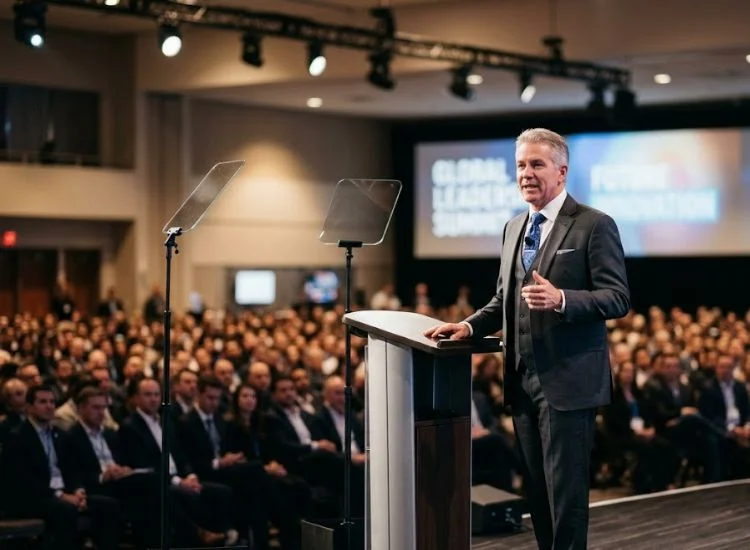
The presidential setup is no longer exclusive to heads of state. Corporate leaders use it for keynote addresses and product launches. Government officials use it for press briefings and formal statements. Academic institutions use it for commencement ceremonies. Broadcasters use it for live news programs.
What all these contexts share is scale and stakes. A presidential teleprompter makes most sense when the venue is large, the audience is significant, the delivery must be accurate, and the speaker cannot be seen looking down at notes. The table below compares the three main delivery formats.
For more on how these formats appear in political and public speaking contexts, see teleprompters in political speeches.
Most articles cover what the presidential teleprompter does. Fewer explain what it cannot do. These limitations matter for anyone evaluating whether to use this setup or looking for a workable alternative.
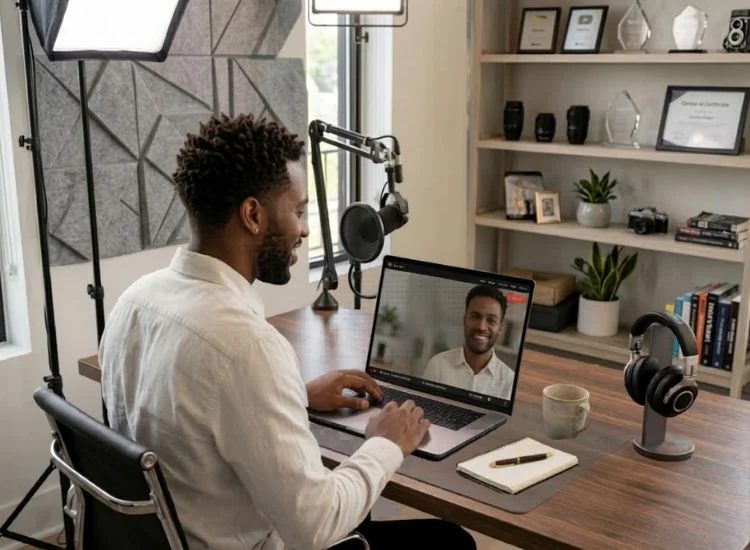
The presidential teleprompter was designed for a specific context: a head of state, on a stage, addressing thousands. Most speakers who want the same outcome, confident delivery without notes, natural eye contact, accurate wording, are working in a very different context.
Roughly three in four people worldwide report anxiety when speaking in front of an audience. (Source: Teleprompter.com, Public Speaking Statistics, 2025) The barrier is not access to beam-splitting glass. It is having their words in front of them at the right moment, in the right format, without distraction.
Teleprompter apps replicate the functional outcome of the presidential setup for video recordings, remote presentations, and on-camera delivery. They remove the operator, the hardware, the setup window, and most of the cost. The speaker controls the scroll speed themselves, adjusts font size and contrast for their screen, and starts recording in under two minutes.
Teleprompter.com includes four scroll modes: speech recognition, fixed speed, fixed time, and word-per-minute. The scroll control that once required a trained operator can now be handled by voice or by the speaker alone, on any device, in any browser.
The presidential teleprompter has not changed much since the 1960s because the core problem it solves has not changed either: speakers need their words in front of them without the audience knowing it. The glass panels, the dual-screen setup, the trained operator, all of it exists to solve that one problem at scale, in a room of thousands, under camera pressure.
For most speakers, the context is different but the need is identical. You want to deliver your message accurately, confidently, and without the distraction of notes. The hardware to do that at a presidential level costs thousands and requires a crew. The software version is free and starts in under sixty seconds.
Presidential-level delivery has never required presidential-level hardware. Get started for free at Teleprompter.com.
Presidential teleprompter glass is beam-splitting glass with a 60:40 reflective coating applied to one side. This treatment reflects the monitor's scrolling text toward the speaker while allowing light from the audience side to pass through. The result is text that is clearly readable by the speaker and completely invisible to anyone viewing the panel from the front.
The operator sits offstage with a separate monitor and a scroll control device, listening to the speaker's vocal delivery and advancing the text to match their pace in real time. The skill lies in anticipating natural pauses and emphasis before they happen. A mistimed scroll, either too fast or too slow, disrupts delivery rhythm and is audible to any attentive listener.
No. The glass panels use an anti-reflective coating on the back surface that prevents the text from reflecting toward the audience. From the front, the panels appear as simple transparent glass. The text is only visible to the speaker, who is positioned at the correct angle to catch the reflection from the monitor below.
Two panels allow the speaker to shift their gaze left and right across a large audience while always having the script visible. A single central screen would restrict eye movement and require the speaker to look in one fixed direction throughout the address, which reads as unnatural both on camera and in person.
A presidential teleprompter uses glass panels on stands for live stage delivery to a live audience, with no camera required. A camera teleprompter attaches a reflective hood in front of a camera lens, designed for video recording or broadcast. The two formats serve different contexts and are not direct substitutes for each other.
A teleprompter app cannot replicate the glass panel experience for a live stage audience, but it delivers the same functional outcome for video and on-camera recording: your script in front of you, scrolling at your pace, while you look directly at the lens. Teleprompter.com offers this free in any browser, with no download required.


.png)


.png)