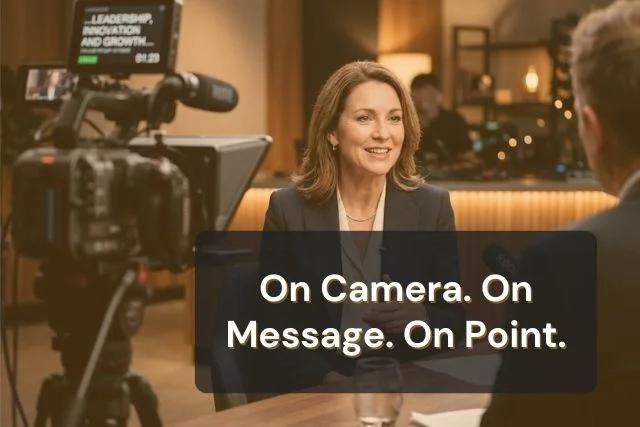
A teleprompter and cue cards solve the same problem: keeping you on track while you speak. But they perform very differently depending on where you are. For scripted video content, a teleprompter holds a clear advantage. For conversational live speaking, cue cards offer more flexibility. For scripted live presentations, a teleprompter works there too. The right choice depends on what you are doing, not just where you are.

Cue cards are small physical cards with key points, transitions, or prompts written on them to guide a speaker. They are not a full script. The speaker glances down briefly to pick up the next thought, then returns their gaze to the room. They are designed to trigger memory, not replace it.
They work best for conversational delivery in live settings: classroom talks, workshops, informal presentations, and any environment where the speaker needs to stay flexible and responsive to the room. For a full breakdown of how to write and use them, see what are cue cards.

A teleprompter is a device or software that displays a speaker's full scrolling script in their line of sight, positioned so they can read while looking directly toward the camera or audience. Professional hardware versions use a glass panel in front of the lens; for most creators and presenters, a teleprompter app on a phone, tablet, or computer achieves the same result without any hardware.
Teleprompter.com supports four scroll modes: speech recognition follows your voice automatically; fixed speed sets a constant scroll rate; fixed time calculates speed from your target video length; and word-per-minute matches the scroll to your natural speaking pace.
According to the IAB's Measuring the Digital Economy report (April 2025), full-time creator jobs in the U.S. grew from 200,000 in 2020 to 1.5 million in 2024, a 7.5x increase. YouTubers, educators, corporate communicators, journalists, and professionals delivering scripted presentations all rely on teleprompter apps for this reason.
Want to go deeper? See more ways a teleprompter can support your delivery in this guide: The Benefits of Teleprompters.
Choosing between a teleprompter and cue cards is easier when you can see how each tool handles the things that matter most in a real recording or speaking environment.
Both tools help you stay on track. The difference comes down to what you are doing: filming for camera, delivering a scripted live presentation, or speaking conversationally in a room.
When you speak to a live audience, brief pauses to look at your notes read as natural. The audience is watching you in a physical space, processing your body language, your movement, and the energy in the room. A brief glance down does not disrupt that.
When you speak to a camera, none of that context exists. The viewer sees one thing: your eyes. The moment your gaze drops below the lens to a cue card held at chest height, two things happen. The connection breaks. And it is visible.
That connection carries real weight. When asked how they would most like to learn about a product or service, 63% of people say they would prefer to watch a short video (Wyzowl, Video Marketing Statistics, 2026). That preference is built on the expectation that you are speaking to them directly, not glancing at notes you happen to be holding.

On camera, eye contact is not a social nicety. It is the primary trust signal. A viewer watching your video has no other cues: no physical presence, no room energy, no body language beyond your face and upper body. Your eyes are the connection.
A teleprompter positions your script directly behind the lens, so your gaze stays on the camera throughout the recording. Cue cards, held at waist or chest height, create a visible angular shift every time you look at them. Viewers notice this shift even when they cannot articulate why.
Creators who make the switch notice this immediately. As one Teleprompter.com user put it in a five-star App Store review:
Short-form content gives you very little time to establish trust. On Reels, Shorts, and TikTok, viewers make a decision about whether to keep watching in the first two to three seconds. A downward glance to a cue card in your opening line is a risk you do not need to take.
For longer-form content, a 10-minute tutorial, an online course module, or a recorded webinar, the stakes are even higher. Every time your eyes drop, the viewer's engagement drops with them. Over a 10-minute video, those breaks compound into a real delivery problem.

Cue cards are not obsolete. They are the right tool in specific environments, and understanding those environments prevents you from reaching for technology when simplicity is the better answer.
If you are speaking to a physical audience in a room, cue cards work well. The audience is processing your full physical presence, and a brief glance at a card is socially natural. For speakers who prefer a looser, conversational style, cue cards let you stay present with the room rather than anchored to a script.
That said, a teleprompter app on a tablet or laptop can work in live settings too, particularly when the talk is scripted and word-for-word accuracy matters. Corporate keynotes, formal addresses, award ceremonies, and panel opening statements all benefit from the precision a teleprompter provides. Position the device on the lectern or at eye level on a stand, and the delivery looks no different to the audience than reading from carefully prepared notes. For a breakdown of which setup fits which situation, see the guide on the types of teleprompters.
A teleprompter app is also one of the most effective rehearsal tools for public speaking. Running your speech through Teleprompter.com before the event builds familiarity with the phrasing, helps you find where the natural pauses fall, and flags any lines that are harder to say aloud than they looked on paper. Even speakers who ultimately deliver from memory or cue cards often use a teleprompter app during preparation
For guidance on delivery in live settings, see best public speaking tips.
Workshops require flexibility. You respond to questions, adjust to the room, and change course based on what participants need. Cue cards support this because they are lightweight, non-linear, and require no technology. You can reorder them, skip sections, or add a card mid-session without breaking your flow.
For the structured parts of a workshop, such as an opening presentation, a tutorial segment, or a closing summary, a teleprompter app handles those well. Use cue cards for the interactive portions and a teleprompter for the scripted ones. The two tools complement each other rather than compete.
A team update, a quick classroom announcement, a one-off internal message: situations where setup time and precision matter less than just getting through the content. Cue cards are ready in two minutes and require nothing else.
If that same update is being recorded for a team that cannot attend live, the calculation changes. A teleprompter app adds very little setup time and delivers a noticeably cleaner, more confident recording.
Knowing which tool to choose is half the decision. Using it well is the other half.
To learn more additional methods for improving your on-camera delivery, see the guide on tips for reading a teleprompter.
Some recording setups benefit from using both tools together. A teleprompter handles the scripted portions of your video: the intro, the main content, the outro. Cue cards handle the off-script moments: a product name you always forget, a sponsor read stat, a Q&A list you keep nearby.
Before your next recording session, run through these three questions:
Most creators end up in a hybrid setup by default. They run a teleprompter for their main content and keep a single cue card taped below frame with reminders: sponsor links, social handles, or the three things they always forget to say before they hit stop.
Five years ago, a teleprompter setup required either a hardware rig or a willingness to prop a phone awkwardly in front of your lens. Today, it is a free app that opens in any browser in under 60 seconds.
That shift changes the practical calculation. The main advantage of cue cards has always been simplicity and zero setup. But the gap between writing index cards by hand and opening a teleprompter app on your phone is now very small.
Teleprompter.com's free Starter plan includes cloud script storage, access across iOS, Android, macOS, and browser, custom fonts and colors, and remote control support. For creators who want more, Pro adds 4K recording without a watermark, subtitle generation, and clean audio. For teams producing content at volume, the Team plan adds shared workspaces and multiple editors. See the full breakdown at Teleprompter.com pricing.
Creators using the speech recognition mode in particular report it removes the biggest friction point of scripted recording: fixing takes when life interrupts the pace. Starzstuff, a social media content creator, described the experience in a five-star App Store review:
For anyone filming solo on a phone or laptop, the teleprompter app is not a professional luxury anymore. It is the default option.
Teleprompters and cue cards are not competing tools. They serve different purposes. Cue cards belong in live rooms where the talk is conversational and flexibility matters more than precision. Teleprompters belong on camera, where your eyes are the only connection you have with the viewer, and in scripted live settings where accuracy and pacing carry real stakes.
If most of your content is filmed, the answer is clear. A teleprompter app gives you word-for-word accuracy, sustained eye contact with the lens, and consistent pacing, without index cards, without memorization, and without the downward glance that breaks the connection every time.
Teleprompter.com is free to get started and works in any browser, no download required. Try it on your next recording and see the difference a single take makes.
Cue cards are small physical cards, typically index-card sized, with key points or prompts written on them to guide a speaker during a presentation or speech. Unlike a full script, they hold only brief notes or phrases that trigger the speaker's memory. They are commonly used in live settings, classrooms, workshops, and on TV sets where a teleprompter is not practical.
A teleprompter displays a speaker's full scrolling script in their line of sight, aligned with the camera lens, so they can read word-for-word while maintaining eye contact with the lens. Cue cards hold brief prompts the speaker glances at between sentences. A teleprompter supports precision and on-camera delivery; cue cards support flexibility and natural phrasing in live settings.
For video recording, a teleprompter is generally the stronger choice. Cue cards are held at waist or chest height, which creates a visible downward eye shift every time the speaker looks at them. A teleprompter positions the text directly behind the lens, keeping the speaker's gaze centered on the camera throughout the recording.
It is difficult. The angular shift from camera to cue card is visible to viewers even when it is brief. Some creators tape cue cards directly below the lens at eye level, which reduces the break in eye contact but does not eliminate it. A teleprompter app positioned behind or around the lens is the more reliable solution for camera work.
Ask three questions: Are you filming or speaking live? Is your content a full script or key points? Are you staying in one position or moving? If you are filming a scripted video in a fixed position, use a teleprompter. If you are speaking live, moving around, or working from a loose outline, cue cards are the more practical tool.
Yes. Teleprompter.com's free Starter plan works on iOS, Android, macOS, and in any browser with no download required. It includes cloud script storage, custom fonts and colors, and remote control support. For creators who want 4K recording without a watermark, the Pro plan adds those features.


.png)


.png)