

Speaking to an audience can feel intense. Cue cards lower the pressure. They give you structure you can trust, while still leaving room for personality, eye contact, and a delivery that doesn’t sound rehearsed.
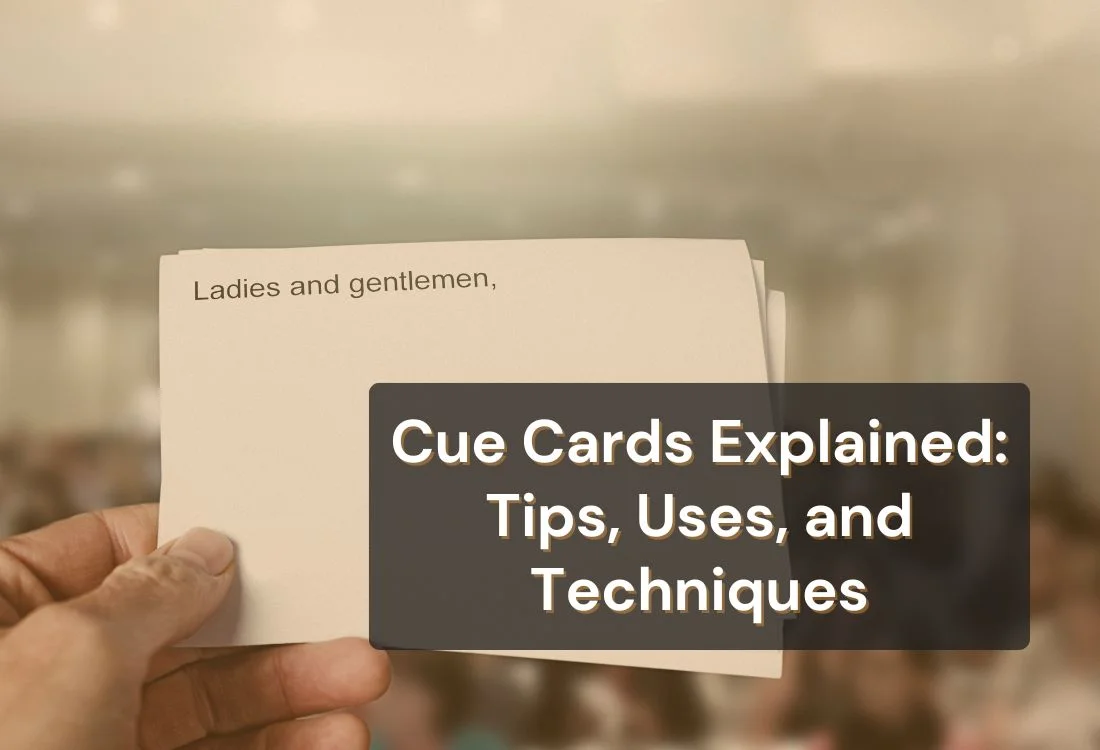
Cue cards are small cards that have brief notes, keywords, or prompts to help speakers deliver a presentation smoothly. Instead of writing out a complete script, speakers write down the main ideas in a clear and concise way, guiding them through each part of their talk. This approach keeps the delivery natural and conversational while ensuring that important points are not missed.
Unlike a manuscript, cue cards are flexible tools. They serve as quick reminders instead of detailed instructions, allowing a speaker to focus on connecting with the audience. For this reason, cue cards are often called speech note cards or presentation cards. They remain a trusted method for public speakers, educators, and performers.
Cue cards are also widely used outside traditional speeches. They appear in television studios, where talk show host cue cards keep the flow of live programming on track. Teachers and coaches may use communication cue cards to help learners express ideas or practice public speaking. Some people even refer to them informally as “queue cards,” though “cue cards” is the correct spelling.
By providing structure without creating dependency, cue cards strike the balance between preparation and spontaneity, an essential quality in effective communication.
In a speech, cue cards act as a personal guide that keeps the speaker on track without limiting their delivery. Instead of memorizing every line, a presenter can rely on key phrases and prompts written on the cards.
This technique keeps the message clear while allowing the speaker to maintain eye contact and connect naturally with the audience.
Many speech coaches suggest using a preparation outline written with keywords and phrases on notecards. This approach breaks a speech into manageable points, making it easier to recall while speaking.
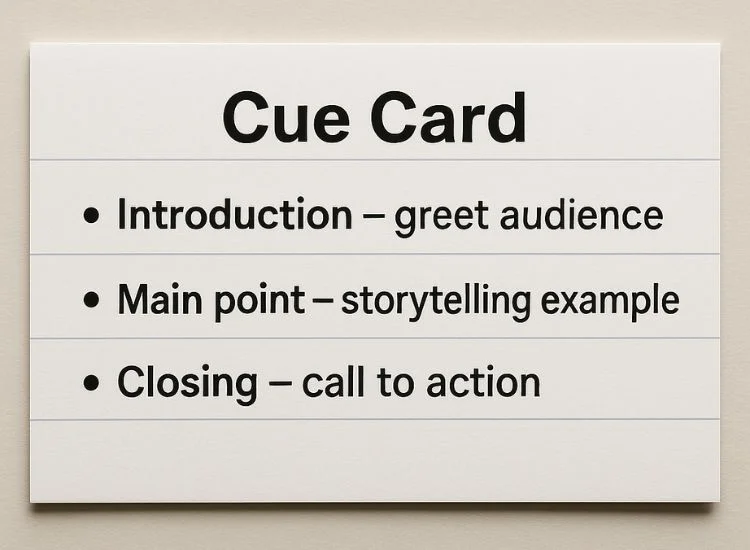
For example, instead of writing a paragraph, a cue card might include short cues like “Introduction: greet audience,” “Main point: storytelling example,” or “Closing: call to action.”
Cue cards in speeches are especially valuable for:

Cue cards show up anywhere someone needs to speak clearly, stay organized, and keep moving without reading full paragraphs. They’re a lightweight way to remember your structure, hit key details, and stay connected with your audience.
Speakers often use cue cards as speech note cards—one card per section (intro, main point, story, close). Instead of memorizing every sentence, you rely on short prompts that trigger what you already know. That makes your delivery sound more natural, because you’re speaking to the audience, not reciting at them.
Cue cards also help with pacing. When each card has a single job, you move smoothly from one idea to the next. If you lose your place or get nervous, you can glance down, reset, and keep going without making it obvious.
In business and classroom presentations, cue cards work like presentation note cards—a quick guide that keeps you aligned with your slides and your message. They’re especially useful when you need to explain a chart, remember an example, or hit a key takeaway without reading what’s on the screen.
They also give you a safety net when the flow changes. If someone asks a question or you need to skip ahead, your cards help you return to the right point fast and keep the presentation tight.
Cue cards are common in TV and studio settings because timing matters and transitions need to be clean. Hosts use them for segment intros, guest questions, and lines that must be said accurately (names, sponsor reads, or key phrasing). They’re designed to be scanned in a second, so the host can look right back up and keep the performance natural.
For video, cue cards can also reduce retakes. Even a few short cards off-camera can help a presenter stay consistent across takes while keeping their delivery conversational.
Cue cards are practical for events because they keep you aligned with the run-of-show—what’s next, who’s coming up, and what must be mentioned. Emcees use them for introductions, sponsor lines, award categories, and transition prompts that keep the event moving without awkward pauses.
They’re also helpful for accuracy under pressure. When you have multiple names, titles, or timings to manage, a simple cue card prevents mistakes and helps you stay calm while keeping the room’s energy up.
Cue cards aren’t only for formal speaking. In education and therapy, communication cue cards act as simple prompts that support language development and social skills. They may use words, pictures, or short phrases to help someone start a conversation, respond to a question, follow a routine, or practice a skill step-by-step—often as part of evidence-based visual supports in learning settings.
Teachers, coaches, and speech therapists use them to build confidence and reduce pressure in the moment. When a learner doesn’t have to “think of what to say” from scratch, it becomes easier to practice vocabulary, fluency, and real-world communication in a structured, repeatable way.
The best cue card size is the one you can read at a glance without cramming in extra text.
Rule of thumb: If you feel tempted to add sentences, go smaller or tighten your prompts.
Use this cue card format every time. It keeps your cards consistent and fast to scan.
If you keep a consistent structure, your eyes learn where to look—so you spend less time checking the card and more time speaking.
INTRO — Hook + promise
POINT 1 — Explain + proof
TRANSITION — Move the room
CLOSE — Land the message

Cue cards work best when they’re prompts, not paragraphs. If you write full sentences, you’ll start reading and the delivery will sound flat.
Write your talk as a simple structure:
Then turn each section into a card.
Instead of writing “I’m going to explain three reasons this matters,” write:
Keywords trigger the idea without pulling you into reading mode.
One card = one job. For example:
If a card has multiple jobs, you’ll hesitate while scanning it.
Small reminders help your talk sound human:

Cue cards are simple tools, but the way you use them can make a big difference in how effective your presentation feels. From basic preparation to advanced refinements, these strategies will help you turn cue cards into reliable allies for confident delivery.
These show up in speeches, presentations, and hosting.
Cue cards work best when you only need prompts—a few keywords, reminders, or transitions to keep your message organized while you speak naturally. They’re a solid choice for short speeches, class presentations, live hosting, or Q&A, where eye contact and flexibility matter.
A teleprompter is the better fit when you need to follow exact wording, like longer scripts, video recordings, sponsor reads, name-heavy intros, or high-stakes messaging where you don’t want to paraphrase.
If you’re deciding between the two, try a simple hybrid: use cue cards for structure and transitions, and a teleprompter when you need full-script accuracy. For a deeper breakdown, read the full guide comparing teleprompters vs. cue cards.
Cue cards remain one of the most reliable tools for speakers, presenters, and hosts. They provide structure without making delivery rigid, offering quick prompts that keep ideas flowing and confidence high.
From classrooms to keynote stages to live television, cue cards adapt to different settings while keeping the focus on audience connection. Used well—concise, organized, and rehearsed—they reduce pressure and strengthen delivery.
For a modern upgrade with the same confidence, sign up for the Teleprompter.com app. This teleprompter software combines cue card reliability with digital convenience, ensuring a smooth presentation, staying on track, and engaging your audience without distractions.
A cue card for a presentation is a small note card with keywords or short prompts that remind you what to cover. It helps you stay organized without reading a full script.
Start with an outline, then create one card per section. Use keywords instead of sentences, number the cards, and keep the text large and scannable.
Most speakers use 3×5 cards for short talks and 4×6 cards when they need larger text or more spacing. Choose the smallest size that stays readable so you do not cram in sentences.
Communication cue cards are tools used in classrooms, therapy, or training to guide conversations and support learning. They often feature prompts, images, or short words that encourage interaction.
Cue cards give you prompts and flexibility, while a teleprompter helps you deliver exact wording from a full script. Use cue cards for interactive speaking and use a teleprompter for longer scripts, video reads, or high-precision lines.


.png)


.png)