

To write a script for a teleprompter, draft your content the way you naturally speak, keep sentences short and broken into single lines, and format it for reading pace rather than grammar. The core principles haven't changed, but the tools have improved significantly. Apps like Teleprompter.com now include VoiceGlide voice-activated scrolling and AI script generation to make the entire process faster.
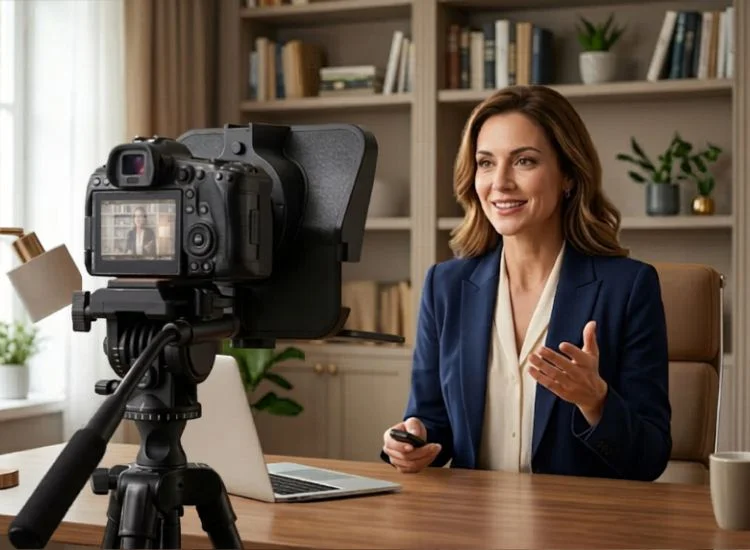
A teleprompter script is a spoken-word document written to be read aloud in real time, not a formal written text. That distinction changes everything about how you write it.
Most people make the mistake of writing their teleprompter script like an essay or a business email. Full sentences, complex clauses, and formal punctuation all look fine on paper but feel awkward the moment you try to say them out loud at pace.
A teleprompter script is optimized for your voice, not the page. Short sentences. Active verbs. Natural pauses built in through paragraph breaks. When it is written correctly, reading it feels less like reading and more like remembering what you already wanted to say.
Video continues to be the preferred format for instructional content. According to TechSmith’s 2024 Video Viewer Trends Report, 83% of people prefer to consume instructional or informational content by watching a video, far ahead of text, images, in-person viewing, or audio. But preference alone does not hold attention. A well-written script gives the video structure, keeps the message clear, and helps viewers understand the lesson without losing focus.
Not sure where to start? Read what a video script is and why it matters before moving into the steps below.
Writing a teleprompter script follows a clear process. Work through each step in order and you will have a script that reads naturally, times correctly, and holds up under camera pressure.
Start with your main message and no more than five supporting points. Write them in plain language, as if you were explaining the topic to a friend. This becomes your outline.
An outline prevents the most common mistake creators make when scripting: saying everything they know instead of everything their audience needs. A tight outline keeps you focused and makes the final script much easier to write.
If you want to speed up this step, an AI script generator can turn a rough topic or set of notes into a structured speaking script in seconds.
This is the most important rule in teleprompter scriptwriting. Write the way you speak, not the way you write.
That means short sentences. Contractions. Plain words instead of formal ones. Avoid relative clauses, parenthetical phrases, and anything that requires the reader to track multiple ideas at once. Your mouth can't handle what your eyes skim over.
Also see: Writing Effective Speech Scripts for Teleprompter Apps for more on adapting your writing style for on-camera delivery.
The read-aloud test is non-negotiable. Before you finalize any section, read it out loud at your recording pace. If you stumble, pause awkwardly, or have to reread a phrase, rewrite it. If it sounds natural out loud, it will sound natural on camera.
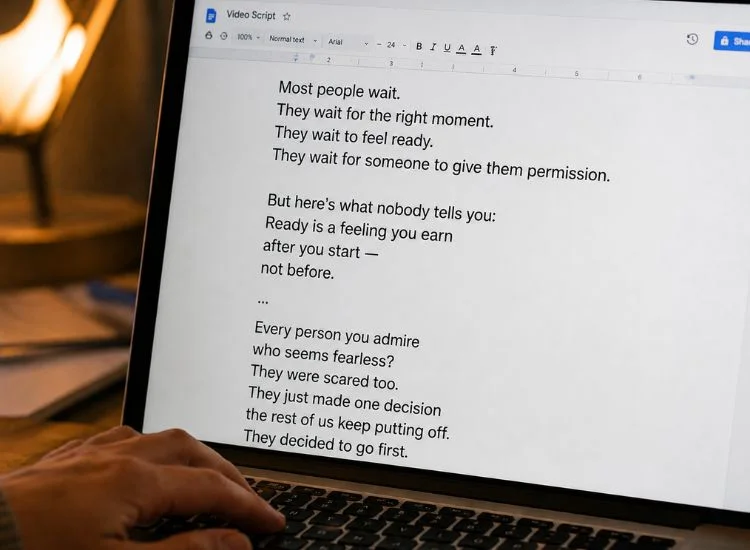
Once your content is written, format it specifically for how it will be read on screen. Good formatting reduces eye movement, eliminates hesitation, and makes your delivery feel effortless.
Follow these formatting rules:
Your teleprompter scrolling speed should match your natural speaking pace. If the text moves too fast, you will rush and clip your words. Too slow and you will pause awkwardly between sentences.
Most people speak at 125 to 150 words per minute in a natural, conversational tone. That is a good starting point. From there, adjust based on your content: technical or emotional content tends to land better at the slower end, while short-form creator content often works well at a faster pace.
Teleprompter.com offers four scroll modes to match different needs:
Use a script timer tool to calculate your script's running time before your first take. Paste your script, set your speaking pace, and you will know exactly how long your video will run.

Two or three practice runs before recording makes a noticeable difference in your delivery. The goal is not to memorize your script. It is to build enough familiarity that your eyes lead slightly ahead of your voice, which is what makes teleprompter delivery look natural rather than robotic.
During practice, focus on three things:
Not every video needs a full teleprompter script. Here is how the three main approaches compare so you can choose the right one for your content type.
Still deciding which approach fits your style? Read Scripted vs. Unscripted Videos for a full breakdown of when each approach works best.
The length of your teleprompter script depends directly on your target video length and your speaking pace. Most people deliver around 125 to 150 words per minute in a relaxed, conversational tone.
Use this as your planning guide:
For a deeper look at planning video length and word count, see How to Write a Video Script That Captivates Viewers.
Even a well-structured script can undermine your delivery if these common mistakes creep in. Most come down to writing for the eye instead of the ear.
To explore more scripting errors that can undermine your on-camera performance, review this guide on common video script mistakes and their solutions.
A good teleprompter script is the difference between a video that takes twelve retakes and one that wraps in two. Write conversationally, format for your voice, match your scroll speed to your pace, and practice until the words feel like your own.
The tool should disappear. Your message should stay.
Fewer retakes start with a better script, and a teleprompter that keeps up with you. Try Teleprompter.com, your free online teleprompter that works instantly in any browser. No download required. Your best take is one click away.
A teleprompter script is a spoken-word document formatted to be read aloud in real time while facing a camera. Unlike a written document, it uses short sentences, line breaks, and natural phrasing to help the speaker deliver their message smoothly and maintain eye contact with the lens.
Write the way you speak, not the way you write. Use short sentences, contractions, and plain language. Read the script out loud before recording, and rewrite any phrase that feels stiff or unnatural. Varying your delivery, including pace, pitch, and emphasis, during practice also removes the flat, scripted quality that gives teleprompter use away.
To record a video while reading a script, use a teleprompter app to display your script on the same screen or device you are filming with. Open Teleprompter.com in your browser or on your phone, paste your script, and position the device at eye level just below or beside your camera lens. Start the scroll, then record. Your eyes stay on the lens while the text moves at your speaking pace, so your delivery looks natural rather than scripted.
Use a clean sans-serif font such as Arial, Helvetica, or Open Sans at a minimum of 36 to 48 points, depending on your distance from the screen. Increase line spacing to at least 1.5 to prevent lines from visually blending. Wide margins help keep lines short and reduce lateral eye movement while reading.
Your teleprompter should scroll at your natural speaking pace, which for most people is between 125 and 150 words per minute. Start at a moderate speed and adjust through practice runs. Teleprompter.com's VoiceGlide mode automatically syncs the scroll to your voice, which removes the need to adjust manually.
Yes. Teleprompter.com includes a built-in AI script generator that creates structured, spoken-word scripts from a topic or set of notes. It is useful for generating a first draft quickly, which you can then edit and read-aloud-test before recording.
Plan your script at 125 to 150 words per minute as a baseline. Content that is technical, emotional, or delivered to a non-native audience benefits from the lower end of that range. Fast-paced creator content for short-form platforms often lands closer to 150 to 170 WPM. Use Teleprompter.com's speaking speed calculator to measure your personal rate before finalizing your script.


.png)


.png)