5 Best Smartphone Gimbals for Steady iPhone & Android Videos
By
Teleprompter.com team
Published on:
December 30, 2025
·
Last updated:
Reading time:
12
minutes
TL;DR:
Smartphone videos are booming—around 75% of all video viewing now happens on mobile devices. With millions of creators uploading content (YouTube alone hosts roughly 69 million creators), video quality can make or break your success.
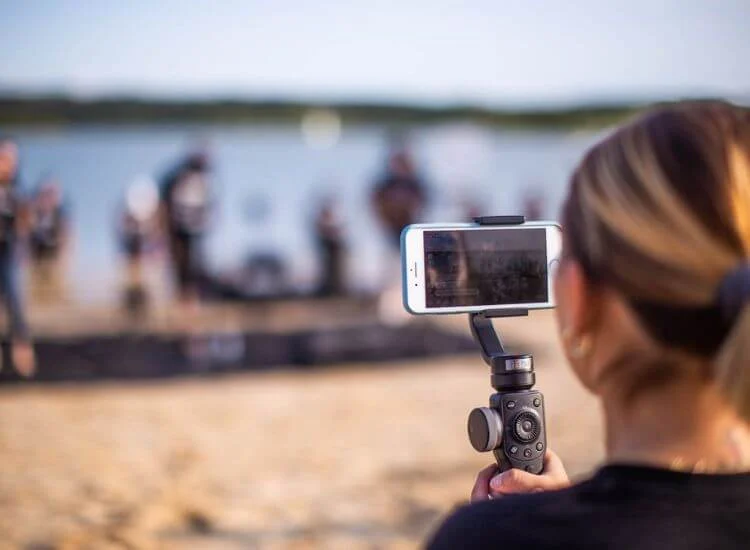
Shaky footage in particular is a viewer turn-off; in fact, 87% of viewers are more likely to keep watching stable video than shaky clips. That’s where smartphone gimbals come in. A quality gimbal uses motors to stabilize your phone camera, smoothing out hand tremors and bumps so your shots look polished and professional.
In this guide, we will explain the revolutionary nature of gimbals for mobile filmmaking, discuss the factors to consider during the selection process, and present our top 5 picks (available for both iPhone and Android) to ensure consistently smooth video capture.
Why a Gimbal Is Essential for Steady Smartphone Video
A smartphone gimbal is more than just a stabilizer—it’s a must-have tool for anyone serious about mobile video.
Stability & Professional Look: Gimbals eliminate shaky footage by actively countering hand movement. The result is smooth, cinematic video that holds attention—viewers are 87% more likely to keep watching stable footage.
Creative Camera Motion: With features like pans, tilts, hyperlapse, and 360° rotation, gimbals let you capture dynamic shots that feel like they were filmed on a dolly or Steadicam.
AI Tracking for Solo Creators: Many gimbals include automatic subject tracking, gesture control, or voice commands—perfect for vloggers and presenters filming without a camera operator.
Versatile & Portable: Gimbals move with you, stabilizing shots while walking or running. Many models include built-in tripods and extension rods for flexible angles and wide shots.
Perfect for Teleprompter Use: Pairing a gimbal with a teleprompter app keeps your shot steady and your delivery smooth—even while moving—making it ideal for solo presenters and educators.
In short, a gimbal boosts your video quality, enhances your creative control, and makes mobile shooting easier than ever.
See how gimbals compare to tripods for steady smartphone videos in the Gimbals vs Tripods guide.
Key Factors to Consider When Choosing a Smartphone Gimbal
Before choosing a gimbal, make sure it fits your needs in terms of stability, compatibility, and usability. Here are the essentials:
3-Axis Stabilization: Always go for a 3-axis gimbal for smooth, stable footage across tilt, roll, and pan. It’s essential for walking shots and fluid panning.
Phone Compatibility & Weight Support: Ensure the gimbal supports your phone's size and weight—especially if you use a larger model or add-on lenses. Most models support both iPhone and Android, though some advanced app features may be iOS-only.
If you're shooting on iPhone, it's worth locking in your camera side too — this guide on iPhone video production settings and setup covers exposure, format, and resolution choices that work alongside whatever gimbal you pick.
Portability & Foldability: If you travel or vlog often, look for compact, foldable gimbals that fit in a small bag or pocket. Smaller models are easier to carry; larger ones may offer better grip and more features.
Battery Life: Expect 8 to 11 hours depending on the model. If you shoot all day, prioritize long battery life and check for features like charging while in use or power bank capabilities.
Controls & Extras: Joysticks, zoom/focus wheels, and built-in tripods or extension rods make shooting more versatile. Some gimbals offer add-ons like AI tracking modules or fill lights—handy for solo creators.
App Experience: A good companion app enhances usability with modes like timelapse, panorama, tracking, and auto-editing. Some gimbals even allow AI tracking outside their official app, great for filming in third-party or native camera apps.
Budget: Premium gimbals ($150–$170) come with more features and smarter tracking, while budget models (~$100 or less) still deliver strong stabilization but may skip extras. We’ve included top picks across all price ranges.
Top 5 Smartphone Gimbals for Smooth, Steady Video
DJI Osmo Mobile 7P
Zhiyun Smooth 5S AI
Insta360 Flow 2 Pro
DJI Osmo Mobile SE
Zhiyun CINEPEER CQ5
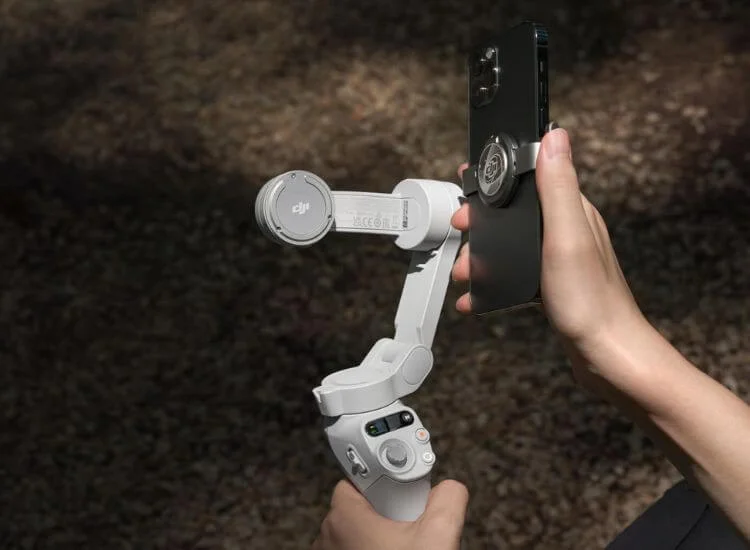
1. DJI Osmo Mobile 7P – Best Overall Smartphone Gimbal
Compatibility: Android & iPhone (full feature set; some advanced features lean iOS).
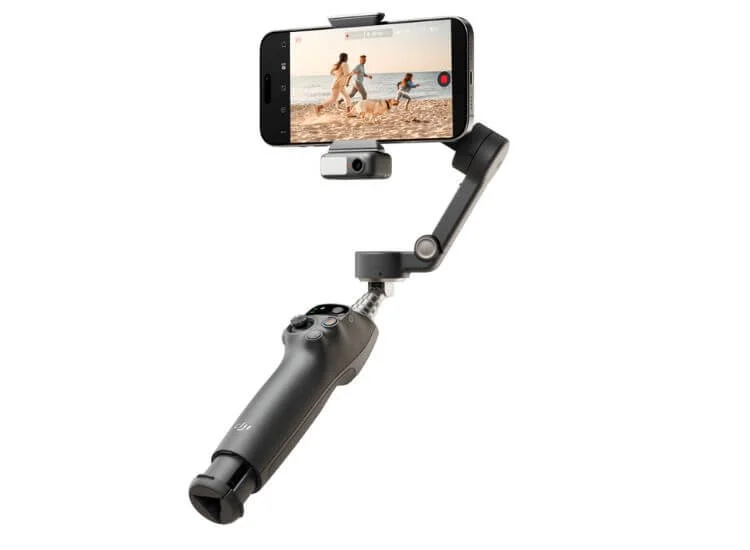
Notable Features: 3-axis stabilization, magnetic AI tracking module, built-in extension rod & tripod, 10-hour battery, foldable design.
The DJI Osmo Mobile 7P sets the benchmark for smartphone stabilization, combining professional-grade performance with user-friendly features. Priced around $129–$149, it’s ideal for creators seeking premium quality and effortless operation.
AI Tracking Module: Includes DJI’s magnetic Multifunctional AI Module that tracks subjects without the app. It recognizes people or pets and smoothly pans or tilts to keep them centered.
Built-In Fill Light & Mic Receiver: The module also acts as a fill light and supports the DJI Mic wireless system for improved audio.
3-Axis Stabilization: Delivers rock-steady footage by eliminating shakes across pan, tilt, and roll—perfect for handheld or motion shots.
Foldable & Portable Design: Compact and easy to carry, with an improved design that doesn’t require removing the clamp when folding.
Integrated Tripod & Extension Rod: Built-in tripod legs and a telescoping rod allow for flexible setups, from tabletop shots to wide-angle vlogging.
Smart Controls & Gesture Tracking: Start tracking or recording with a simple hand gesture—ideal for solo creators and vloggers.
DJI Mimo App Features: Access creative modes like hyperlapse, timelapse, panorama, spin shot, Dolly Zoom, and story templates for quick editing.
Long Battery Life: Up to 10 hours per charge, supporting extended shooting sessions.
Apple Watch Compatibility: iPhone users can remotely control recording or mode switching directly from their Apple Watch.
Things to Note:
Android users must download the DJI Mimo app from DJI’s website (not available on Google Play).
The standard Osmo Mobile 7 lacks the AI module, so opt for the 7P to get the complete feature set.
Why it’s the best: The Osmo Mobile 7P stands out for its intelligent tracking, long battery life, and built-in accessories—making it a top-tier choice for creators, presenters, and mobile filmmakers who want professional stabilization in a portable package.
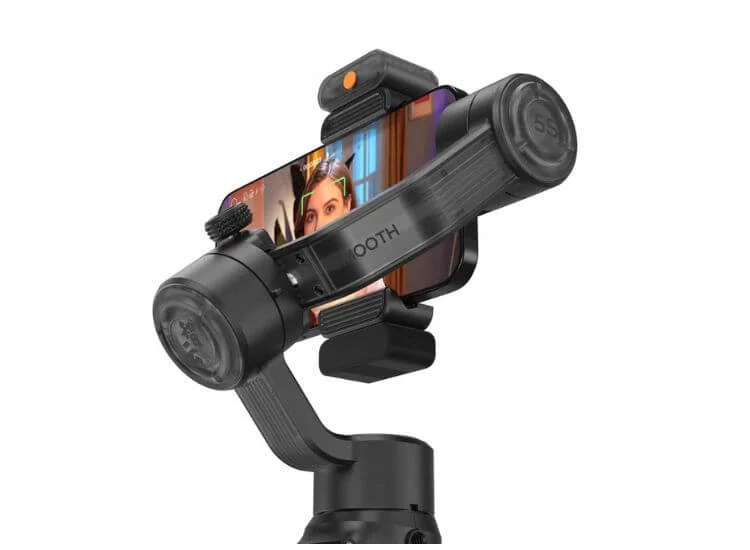
2. Zhiyun Smooth 5S AI – Best Runner-Up for Advanced Features
Compatibility: Android & iPhone. (App available for both; tracking works cross-platform.) Notable Features: Strong 3-axis motors, optional AI tracking module, dual fill lights, extensive manual controls, premium build quality.
The Zhiyun Smooth 5S AI is a premium smartphone gimbal designed for creators who want deep control, strong motors, and flexible lighting. Priced around $169 for the base model or $249 with the Pro Kit, it’s built for mobile filmmakers, journalists, and professionals who need more than just stabilization.
Robust 3-Axis Stabilization: Strong, high-torque motors deliver reliable stabilization even for heavier phones and external lens setups. Excellent for fast-paced shooting or cinematic movement.
Modular AI Tracking System: Optional AI module (included in the Pro Kit) enables gesture-controlled subject tracking and auto-framing—without relying on the ZY Cami app. Works across any camera app, including third-party and native phone apps.
Dual Fill Light Setup: Includes one built-in LED fill light and one optional magnetic light (if AI module is not in use). Brightness and color filters can be adjusted—ideal for evening shoots or flattering facial lighting.
Advanced Manual Controls: Equipped with a large side zoom/focus wheel and multiple control buttons for mode switching, re-centering, and recording—perfect for those who prefer tactile filmmaking control.
Premium Build Quality: Heavier and more substantial than most smartphone gimbals, it has a professional feel with durable materials. Ideal for mounting mics or lights for rig-style shooting.
Creative Modes in App: Supports timelapse, panorama, dolly zoom, gesture control, and more via the ZY Cami app. Works well but isn’t required for tracking if using the AI module.
Gesture Tracking Without App: With the AI module, users can activate tracking using hand gestures—even during livestreams or calls on Instagram, Zoom, or FaceTime.
Things to Consider:
Bulkier size and heavier weight mean it’s less travel-friendly—best stored in a gear bag, not a pocket.
Battery life around 6–7 hours in active use (less than some competitors), but sufficient for a full shooting day.
Extension rod and tripod not integrated—a screw-on mini tripod is included but adds setup steps.
AI tracking and second fill light sold separately unless you purchase the Pro bundle.
Why it stands out: This is a professional-grade gimbal offering serious manual controls, smart AI tracking without app dependency, and flexible lighting—perfect for filmmakers or creators who want a step up from all-in-one consumer models.
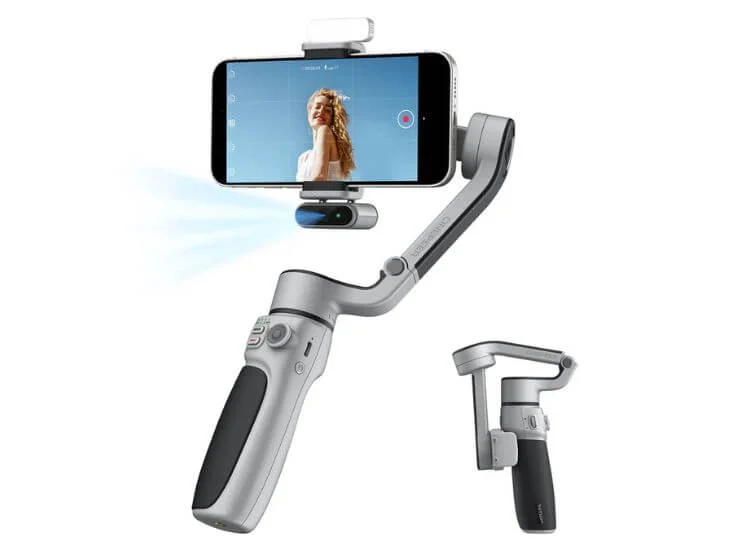
3. Insta360 Flow 2 Pro – Best Ultra-Portable Gimbal
Compatibility: Android & iPhone (extra-fast pairing with iPhones via DockKit; Apple Watch support). Notable Features:Super compact foldable design, optional AI tracking module, 360° infinite rotation, built-in selfie stick & tripod, easy magnetic phone mount.
The Insta360 Flow 2 Pro is a compact, foldable smartphone gimbal that balances portability and power. Priced at $159 (or $179 with AI module), it’s a top choice for travel vloggers, everyday creators, or anyone who wants high-quality stabilization in a pocket-sized package.
Ultra-Compact Foldable Design: Measures just 98 × 178 × 37 mm when folded and weighs about 357 g—small enough to fit in a jacket pocket or handbag for easy travel.
360° Infinite Pan Rotation: Unique among gimbals in its ability to rotate endlessly on the pan axis, allowing for vortex shots, creative transitions, and vertical-to-inverted filming.
Built-In Selfie Stick & Tripod: The base folds out into tripod legs, and a telescoping rod extends for high-angle or wide shots—ideal for group selfies, tabletop setups, or creative framing.
Magnetic Quick-Release Phone Clamp: Snap your phone on and off effortlessly with the magnetic mount system. It also allows fast attachment of optional AI tracking or fill light modules.
Optional AI Tracking Module: Magnetically attaches to the gimbal and enables gesture-triggered subject tracking and auto-framing. Includes a built-in fill light for improved face lighting while vlogging or presenting.
Seamless iOS Integration: Features ultra-fast pairing via Apple’s DockKit and Apple Watch remote control support for starting/stopping recordings and previewing shots. Fully compatible with Android as well (via Bluetooth and app).
Smart App Features: The Insta360 app includes “Shot Genie” for camera movement suggestions, livestreaming integration, gesture control, and editing tools. It’s beginner-friendly and responsive on both iOS and Android.
Convex Mirror for Rear-Camera Selfies: A small mirror on the phone clamp lets you use your phone’s higher-quality rear camera for vlogging while still framing yourself accurately.
Stabilization Performance: Despite its small size, the 3-axis gimbal provides smooth, steady footage that competes well with larger models. Great for walking shots, panning, or everyday use.
Battery Life: Offers up to 8 hours of basic runtime. With AI tracking or fill light active, expect slightly shorter sessions. USB-C fast charging supported.
Things to Consider:
AI tracking module not included in the base package (add ~$20 for full bundle).
Simplified controls—no zoom/focus wheel, fewer manual dials than larger gimbals.
Compact grip may feel tight for users with larger hands.
Lightweight build sacrifices some ruggedness compared to heavier pro options.
Why it stands out: The Flow 2 Pro fits in your pocket but delivers full-size performance. With built-in tripod, 360° spin, AI tracking (with optional module), and ultra-fast Apple integration, it’s the most travel-ready gimbal for creators who shoot on the move.
Want to get even more from your gimbal setup?
See how the Insta360 Flow Pro connects with iPhone DockKit support for smoother, smarter video creation—perfect for creators and presenters using teleprompter apps. Learn more in our guide.
4. DJI Osmo Mobile SE – Best Budget-Friendly DJI Gimbal
Compatibility: Android & iPhone (Mimo app required for full use; works on both platforms). Notable Features: Affordable price, full 3-axis stabilization, compact foldable design, magnetic phone mount, basic controls & 8-hour battery.
The DJI Osmo Mobile SE delivers solid stabilization and core DJI quality at a very accessible price—often available for $69 to $80. It’s the ideal choice for beginners, casual creators, and anyone who wants reliable performance without paying for advanced features they won’t use.
Affordable Price Point: Offers full DJI gimbal performance at nearly half the price of premium models. Ideal for entry-level users or creators on a budget.
3-Axis Motorized Stabilization: Delivers smooth footage across pan, tilt, and roll axes. Same stabilization tech as higher-end DJI models, excellent for walking, tracking, or handheld panning shots.
Compact & Foldable Design: Measures 167 × 108.5 × 46.5 mm when folded and weighs just ~352 g. Light and portable enough for travel, daily vlogging, or family use.
Magnetic Phone Clamp: Quick and easy phone attachment using DJI’s magnetic mounting system. Auto-balances your phone when clipped in—setup takes seconds.
Simple Controls: Equipped with a zoom slider (rocker), joystick, and basic mode switch buttons. Lacks advanced controls like a focus wheel but covers all core shooting needs.
DJI Mimo App Support: Access ActiveTrack 4.0, timelapse, panorama, spin shot, story mode, and gesture controls via the app. Reliable face and object tracking when used in-app.
Battery Life: Up to 8 hours of operation per charge with USB-C recharging. Long enough for day trips and short shoots.
LED Status Panel: Includes a compact display for mode and battery indicators—rare in budget gimbals and helpful for quick checks during filming.
Things to Consider:
No built-in extension rod or tripod legs—you’ll need to attach a mini tripod via the 1/4″ thread for hands-free shots.
No AI module or fill light support—tracking only works inside the DJI Mimo app.
Android users must sideload the Mimo app from DJI’s website due to Google Play Store restrictions.
Motors not built for heavy payloads, so large phones or rigs with add-on lenses may not balance optimally.
Why it stands out: The Osmo Mobile SE gives you the core benefits of DJI’s stabilization in a compact, affordable, and user-friendly package. It’s a no-frills gimbal that nails the essentials—perfect for upgrading your smartphone video without breaking the bank.
5. Zhiyun CINEPEER CQ5 – Best Gimbal for Beginners & Value Hunters
Compatibility: Android & iPhone (via ZY Cami app; optional AI module for any app). Notable Features: Low price (~$99), 11-hour battery life, foldable & lightweight, optional magnetic AI tracker and fill light, built-in 215mm extension rod.
The Zhiyun CINEPEER CQ5 offers impressive performance and features at an entry-level price, typically around $99 (often found lower during sales). Designed with beginners and budget-conscious creators in mind, it delivers smooth stabilization, long battery life, and optional upgrades for AI tracking and lighting—making it one of the best value gimbals available.
Budget-Friendly Price: Delivers essential stabilization features for under $100, making it ideal for beginners, students, and casual content creators.
3-Axis Stabilization: Smooths out handshakes and walking motion across tilt, pan, and roll axes. Delivers excellent stability for everyday shooting.
Built-In 215mm Extension Rod: Integrated selfie stick-style extension is perfect for wider shots, high angles, or vlogging on the go—an uncommon feature in this price bracket.
Optional AI Tracking Module: Supports a magnetically attachable AI camera (sold separately or in combo kits) that enables app-free subject tracking and auto-framing with hand gestures.
Magnetic Fill Light Support: Accepts an optional magnetic LED fill light to brighten your face while filming—ideal for low-light vlogging or adding catchlight to the eyes.
Voice Control: Use simple phrases like “Hey Cami” to trigger functions like recording or re-centering. Helpful for hands-free operation while presenting or filming solo.
Long Battery Life: Lasts up to 11 hours per charge, outperforming most gimbals at this level. Also supports charging while in use, so you can connect a power bank for extended shoots.
Ergonomic Design: Comfortable grip with intuitive button layout and dual control dials. Lightweight (~398g) and compact (188 × 124 × 59 mm folded) for easy handling.
ZY Cami App Features: Includes object tracking, gesture control, panorama, timelapse, smart templates, and more. Clean interface and suitable for first-time users.
Things to Consider:
Standard phone clamp (not magnetic): Requires manual clamping of your phone rather than quick-snap magnetic mounting.
No built-in tripod legs: You’ll need to attach the included mini tripod manually for tabletop or stationary shooting.
Plastic construction: Feels lighter and less premium than higher-end models but still durable for everyday use.
AI module and fill light sold separately: Base package doesn’t include smart tracking or lighting accessories, though the gimbal supports both.
Why it stands out: The CINEPEER CQ5 is a feature-rich entry-level gimbal that delivers far more than its price suggests. With excellent battery life, voice control, an extension rod, and optional AI tracking, it’s a perfect choice for new creators who want to learn the ropes and shoot steady content without overspending.
Final Thoughts: Choosing the Right Smartphone Gimbal for You
Whether you're a content creator, educator, vlogger, or just someone who wants smoother videos, a smartphone gimbal is one of the most impactful tools you can add to your setup. From the feature-packed DJI Osmo Mobile 7P to the budget-friendly Zhiyun CINEPEER CQ5, today’s gimbals offer smart tracking, cinematic motion, and portability—making it easier than ever to shoot professional-quality footage with your phone.
Here’s a quick recap:
Need the best all-around gimbal with pro features? DJI Osmo Mobile 7P is your go-to.
Prefer manual control and flexible lighting? The Zhiyun Smooth 5S AI is a great choice.
Want something ultra-compact and travel-friendly? Go with the Insta360 Flow 2 Pro.
On a budget but want strong stabilization? The DJI Osmo Mobile SE hits the sweet spot.
Looking for maximum value and smart features under $100? Try the Zhiyun CINEPEER CQ5.
Choose the one that fits your style, and get ready to capture smoother, smarter content—anytime, anywhere.
Pair your smartphone gimbal with a teleprompter for smoother, more confident delivery. Download the app on the App Store or Google Play and start filming like a pro today.
FAQ
What is the purpose of a smartphone gimbal?
A smartphone gimbal keeps your phone camera steady while you move. It uses motorized 3-axis stabilization to smooth out walking shots, pans, and handheld tremors, so your footage looks more professional. Many models also add creative modes like timelapse and subject tracking.
What is the difference between a gimbal and a stabilizer?
A gimbal is a type of stabilizer that uses motorized 3-axis movement to keep your smartphone level and smooth, even when you move. A stabilizer, on the other hand, may rely on mechanical balance (like counterweights) and doesn’t actively adjust motion. Gimbals provide more precise, automatic stabilization for dynamic shooting.
Is a gimbal really worth it?
Yes, if you record video often, a gimbal can make a noticeable difference. It removes shakes and jitters, improves framing, and adds professional motion like pans or tracking. For vloggers, educators, and content creators, it’s one of the most effective tools for improving smartphone video quality.
What is the most stable gimbal?
The DJI Osmo Mobile 7P is widely recognized as one of the most stable smartphone gimbals available. It offers advanced 3-axis stabilization, AI-powered tracking, and long battery life, making it ideal for both casual and professional creators.
What is the best budget gimbal for mobile phones?
The Zhiyun CINEPEER CQ5 and DJI Osmo Mobile SE are among the best budget-friendly options. Both deliver reliable 3-axis stabilization, long battery life, and intuitive controls at under $100.
What are the disadvantages of a gimbal?
While powerful, gimbals have a few downsides:
Require charging and occasional firmware updates.
Can be bulky compared to handheld shooting.
Some need rebalancing when switching phones or accessories.
Pricier models may offer features you won’t always use.
Do you have to rebalance a gimbal every time?
Usually, yes — a quick rebalance is recommended each time you attach your phone, especially if you change its case, add lenses, or switch devices. Some models, like the DJI Osmo Mobile 7P, use magnetic clamps to simplify this process.





.png)


.png)