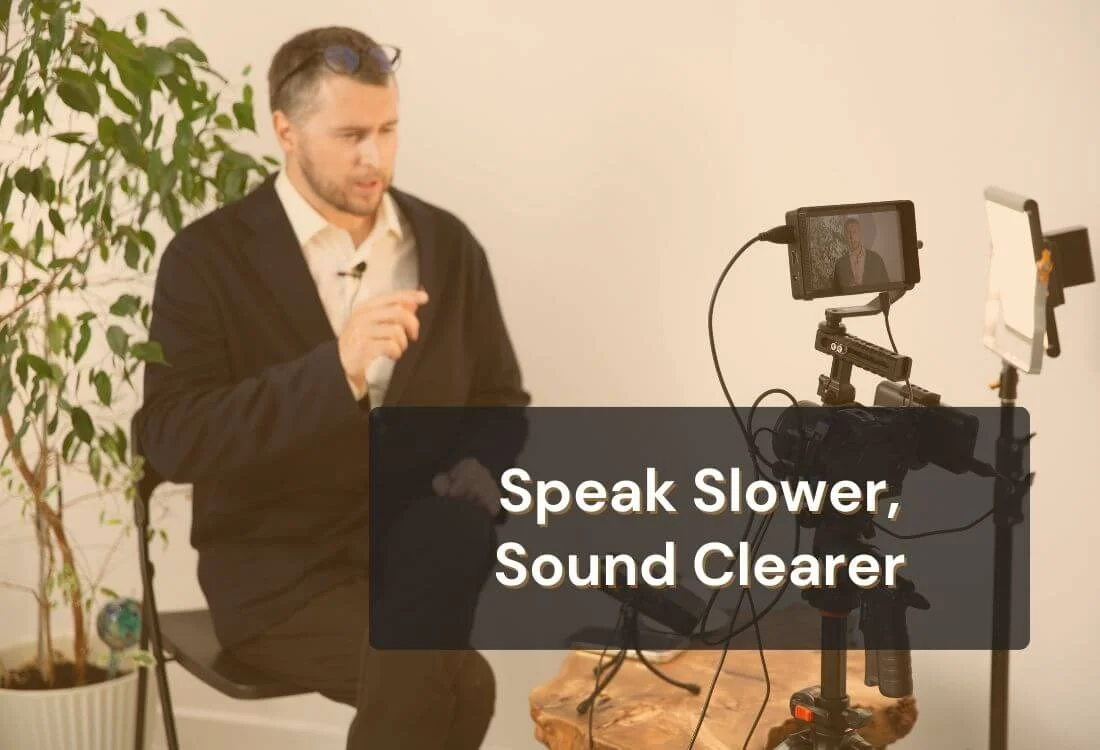
Guides

How to Stop Speaking Too Fast: Exercises and Pacing

By
Teleprompter.com team
Published on:
March 2, 2026
10
minutes
How to Stop Speaking Too Fast: Exercises and Pacing
TL;DR:

Speaking too fast does not make you sound confident. It makes your message harder to follow, and it can weaken your credibility on camera and in the room. Fast speech also affects your breathing, which makes you rush even more.

The fix is practical. You can train a steady speaking pace with short exercises, better pauses, and a simple plan you can repeat. This guide gives you clear drills, script adjustments, and a 14-day pacing plan that works for videos, webinars, meetings, interviews, and live presentations.

Why You Speak Too Fast (And Why It’s Not Just “Nerves”)

female content creator filming a content

Speed usually comes from habit and body cues, not personality. Once you spot the trigger, you can control it.

Your brain is ahead of your mouth

You may think faster than you speak. When you feel pressure to “keep up,” your mouth starts cutting corners. You skip small pauses. You shorten words. You slide through transitions. The result sounds rushed.

Fix: Slow your start, then settle into a steady rhythm. The first 15 seconds set your pace for the rest of your delivery.

Shallow breathing speeds everything up

Fast talkers often breathe high in the chest. That gives you shorter breath cycles and less vocal support. Your body then pushes you to talk faster to “fit” the thought into the breath you have.

Fix: Train longer exhales and breathe at planned points in your script.

You’re skipping pauses because your script has none

If your script reads like a paragraph, your delivery becomes a paragraph too. You do not see clear stopping points, so you keep going.

Fix: Format your script for pacing with line breaks and pause cues.

You’re rushing to sound “confident” (and it backfires)

Many speakers speed up to avoid silence. They fear a pause will feel awkward. In practice, pauses make you sound calmer and more in control.

Fix: Replace filler words with short silence. Silence improves clarity.
Quick Self-Test: Are You Actually Speaking Too Fast?

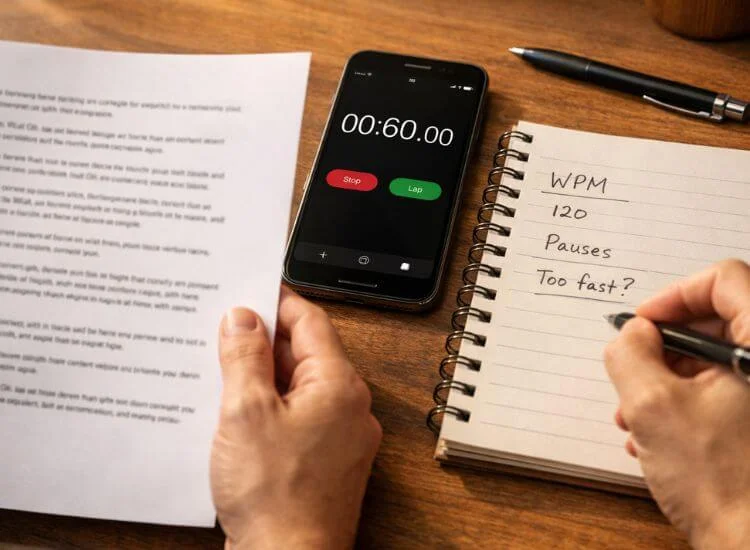
timer on smartphone and notes

You do not need fancy tools. You need a quick baseline.

The 60-second read test (word count + clarity check)

  1. Pick a short script you use often, around 120–180 words.
  2. Record yourself reading it for 60 seconds.
  3. Count the words you spoke in that minute.

Many speakers land around 130–170 words per minute for clear conversational delivery. Some contexts go higher, especially energetic content. The main goal is clarity and control, not a perfect number.

Also check this: Can you hear the ends of sentences? Do important words land, or do they blur?

Signs you’re rushing (even if your WPM looks fine)

  • You clip word endings.
  • You skip breaths and sound strained.
  • You run sentences together.
  • You start strong, then speed up mid-paragraph.
  • List items sound like one long sentence.

What “good pacing” sounds like for videos vs live talks

  • On camera: Slightly slower usually sounds better. The microphone catches every small rush.
  • Live talks: You can go a bit faster at times, but pauses help the audience process.

A steady pace also supports better articulation, stronger vocal tone, and clearer message delivery.

If you want a faster way to measure your words per minute and confirm your baseline, try this speaking pace checker.

The #1 Rule: Slow Down by Adding Pauses, Not Dragging Words

Dragging words sounds unnatural. Pauses sound confident. Train pauses first.

The “thought group” method (chunking)

Break lines into small meaning units. Each chunk holds one idea.

Example:

  • “Today I’ll share / three ways to improve your pacing / so your message lands.”

Each slash is a micro-pause. This makes your speaking rate feel controlled without forcing slow speech.

Use punctuation on purpose (periods = full stops)

A period should feel like a full stop. Not a tiny bump. Treat it like the end of a thought.

Practice rule:

  • Comma: small pause
  • Period: full pause
  • New paragraph: reset breath and posture

The 1-second pause that makes you sound confident

Add a one-second pause after:

  • a key point
  • a statistic
  • a name or title
  • the end of a story beat

That pause gives weight to your message. It also helps you avoid speeding through important ideas.

Breathing Exercises That Immediately Reduce Speed

doing breathing exercise

Breath control is the fastest way to slow down speaking naturally. Use these before practice and before you go live.

The long-exhale drill (calms pace fast)

  1. Inhale through your nose for 3 seconds.
  2. Exhale slowly through your mouth for 6–8 seconds.
  3. Repeat 5 times.

Longer exhales calm your nervous system and reduce the urge to rush. It also steadies your voice.

Box breathing for pre-talk control

  1. Inhale 4 seconds.
  2. Hold 4 seconds.
  3. Exhale 4 seconds.
  4. Hold 4 seconds.

Do 4 rounds before you record or present. This helps reduce anxiety and improves pacing control.

“Breathe on the period” practice

Read a paragraph and take one quiet breath at every period. No exceptions.

This creates a habit: sentence ends equal breath points. You stop racing into the next line.

Before you start the pacing drills, run a quick 5-minute voice warm-up routine to loosen your breath and articulation.

Speaking Exercises to Stop Rushing Your Words

These drills build a controlled speaking rhythm and clearer enunciation. Keep each drill short, then repeat over time.

The metronome/tap pacing drill

Use a metronome app or tap your finger on the desk.

  • Set a slow steady beat.
  • Speak one “thought group” per beat cycle.
  • Keep the beat steady while you speak.

This trains pacing and rhythm without forcing a slow voice.

Over-articulation practice (then dial it back)

Read 3–4 sentences and exaggerate articulation on purpose. Make consonants crisp. Open vowels.

Then read the same lines again at a normal level. You will still sound clearer, and you will often slow down.

Slow-start reps (first 2 sentences at 80%)

For any script:

  • Deliver the first two sentences at 80% of your normal speed.
  • Keep pauses visible.
  • After that, return to a steady pace.

This resets your baseline. It also prevents the common “rushed opening.”

Emphasis training: stress key words instead of speeding up

Fast talkers often speed up to add energy. Replace speed with emphasis.

Practice:

  • Underline 3–5 key words per paragraph.
  • Hit those words with a touch more volume and clarity.
  • Keep the rest steady.

You sound more confident and persuasive without talking fast.

Script Fixes That Force Better Pacing

A pacing problem often starts on the page. Make your script easy to speak.

Rewrite long sentences into short lines

If a sentence has two ideas, split it. If it has three ideas, split it twice.

Shorter sentences create natural pauses. They also improve clarity for viewers and listeners.

Add “pause cues” (… / [PAUSE] / [BREATH])

Use simple markers that you will actually follow.

Examples:

  • [BREATH]
  • [PAUSE 1]
  • [SLOW]
  • [SMILE]

Keep cues consistent. You can remove them later once pacing becomes automatic.

Swap filler for silence (and sound more credible)

Common filler words:

  • “um,” “uh,” “like,” “you know,” “so”

Replace filler with a short pause. The pause gives you time to breathe and plan the next phrase.
Use a Teleprompter to Control Speed Without Sounding Robotic

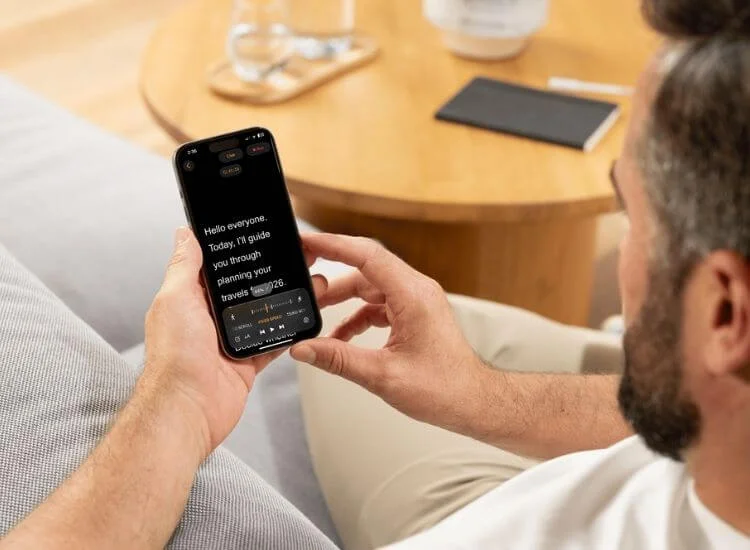
adjusting the telepompter speed on smartphone

A teleprompter can help you maintain a steady speaking pace because it gives you a visual rhythm and consistent timing. It also reduces memory strain, which often leads to rushing. 

With Teleprompter.com, you can pace your delivery by setting a scroll speed that matches how you naturally speak, then fine-tuning it based on short recordings.

Set a scroll speed that matches your natural cadence

Start with a comfortable speed. If you feel like you are chasing the text, slow it down. If you feel stuck waiting, speed it up slightly.

Goal: You lead the script. The script does not pull you.

Format for pacing: line breaks, spacing, and pause markers

For smoother delivery:

  • Use short lines
  • Add blank lines between sections
  • Insert [PAUSE] cues where you want silence
  • Keep each paragraph focused on one point

This setup helps you stay in control while you read. It also supports better eye contact because your eyes move less and your phrasing feels more natural.

Practice loop: read → record → adjust speed → repeat

Use a simple loop:

  1. Read with your Teleprompter.com setup.
  2. Record 60–90 seconds.
  3. Review for rushed sections.
  4. Add pauses or line breaks.
  5. Adjust scroll speed and repeat.

This improves pacing quickly because you get real feedback from your own voice. If you want a straightforward way to keep your speed steady on camera or during a webinar, try building your next script in Teleprompter.com, add a few pause cues, and run the loop a couple of times before you go live.

The 14-Day Pacing Plan (10 Minutes a Day)

This plan builds control step by step. It improves speaking rate, clarity, and confidence without long practice sessions.

Days 1–3: Baseline + breath control

Daily (10 minutes):

  • 2 minutes: long-exhale drill
  • 2 minutes: box breathing
  • 4 minutes: read a short script with “breathe on the period”
  • 2 minutes: replay recording and note the sections where you sped up

Goal: Reduce breath rushing and stop running sentences together.

Days 4–7: Pause training + thought groups

Daily (10 minutes):

  • 2 minutes: long-exhale drill
  • 4 minutes: thought group practice with slashes
  • 2 minutes: 1-second pause practice after key lines
  • 2 minutes: record and listen for clear sentence endings

Goal: Create a consistent pause habit and clear phrasing.

Days 8–11: Script formatting + teleprompter pacing

Daily (10 minutes):

  • 3 minutes: edit your script into short lines and add [PAUSE] cues
  • 5 minutes: read using a teleprompter at a comfortable scroll speed
  • 2 minutes: adjust scroll speed and spacing based on the recording

Goal: Speak at a steady pace while reading naturally.

Days 12–14: Full run-throughs under “real” conditions

Pick a real scenario: webinar intro, sales pitch, YouTube script, interview answer.

Daily (10 minutes):

  • 2 minutes: box breathing
  • 6 minutes: full run-through with a start-to-finish recording
  • 2 minutes: review for transitions where you rush

Goal: Keep control under pressure and maintain consistent pacing.

Use this table as your daily checklist for the next 14 days. Each day takes 10 minutes and builds better pacing through breath control, clearer pauses, and short recorded reps.

10-Minute Daily Pacing Plan
Day Focus 10-Minute Practice Plan What To Listen For Quick Win
1 Baseline + breathing 2 min long-exhale (3 in, 6–8 out) • 6 min read 60 seconds, record • 2 min review Rushing at the start, clipped word endings, no pauses Slow your first two sentences
2 Breath control 2 min box breathing (4-4-4-4) • 6 min “breathe on the period” reading • 2 min review Running sentences together, gasping mid-line Pause fully at every period
3 Steady rhythm 2 min long-exhale • 4 min read with finger tap (steady beat) • 4 min record 60 seconds + review Speed spikes in the middle Hold one steady tempo for 60 seconds
4 Thought groups 2 min long-exhale • 6 min mark slashes in script and read with micro-pauses • 2 min review Clear separation between ideas One idea per breath
5 Pause training 2 min box breathing • 6 min add 1-second pauses after key lines • 2 min review Pauses that feel clean, not awkward Replace filler with silence
6 Clarity + articulation 2 min long-exhale • 3 min over-articulate 4 sentences • 3 min read normal • 2 min review Cleaner consonants, calmer pace Finish word endings clearly
7 Transition control 2 min box breathing • 6 min practice transitions with [PAUSE] between sections • 2 min review Speeding up when shifting topics Pause before your transition line
8 Script formatting 3 min rewrite: short lines + blank spaces • 5 min read, record • 2 min adjust Fewer run-on lines, more natural stops Split any long sentence into two lines
9 Teleprompter pacing 2 min long-exhale • 6 min read using a teleprompter at a comfortable scroll speed • 2 min tweak speed Chasing text or waiting on text Set speed so you lead the script
10 Add pause cues 2 min box breathing • 3 min insert [BREATH] + [PAUSE] cues • 3 min read with cues • 2 min review Pauses happen where they should Add one [BREATH] per paragraph
11 Emphasis over speed 2 min long-exhale • 3 min underline 3–5 key words • 3 min read with emphasis • 2 min review More meaning without rushing Stress key words and keep the rest steady
12 Full run-through (camera) 2 min box breathing • 6 min record a full intro (60–90 sec) • 2 min review Nervous speed-up in the first 10 seconds Keep the opening slower on purpose
13 Full run-through (live) 2 min long-exhale • 6 min stand, project voice, record • 2 min review Pace changes when you stand or gesture Pause after your main point
14 Pressure test + polish 2 min box breathing • 6 min record with a timer or “one take” rule • 2 min final edits to script Speed spikes at the end, rushed close Slow the last 20% and land the final line

How to Stop Speaking Too Fast When It Counts

Practice matters most when it matches your real setting.

On camera (YouTube, TikTok, reels, webinars)

  • Start slower than you think.
  • Pause after key points so viewers can process.
  • Use short sentences and clear line breaks.
  • Record short sections, then stitch them together if needed.

A steady pace also improves captions and makes editing easier.

Live presentations (meetings, keynotes, pitches)

  • Pause before and after your main point.
  • Look up at the audience at sentence ends.
  • Use your slide transitions as a pacing reset.
  • Breathe at each new section.

This improves presence and reduces rushing.

Interviews (job interviews, podcasts, press)

  • Answer in three parts: point, example, close.
  • Pause after the point.
  • Keep your voice calm, then add emphasis for key terms.

This makes you sound prepared and clear, even on tough questions.

Your pacing also changes based on how you deliver your talk. If you want to match your approach to the moment, review the main speech delivery styles before you practice your timing.

Troubleshooting: If You Still Speed Up, Try This

You speed up at transitions—add a planned pause

Transitions trigger rushing because you think ahead. Add a pause cue between sections.

Example:

  • “Now let’s shift to the next part.” [PAUSE] “Here’s what to focus on first.”

You rush when you’re unsure—simplify the sentence

Uncertainty leads to wordy explanations. Use shorter sentences and basic words. Make your point, then stop.

You sprint to the finish—slow the last 20%

Many speakers speed up at the end to “get it done.” Plan the last lines with extra spacing and one pause cue.

Practice rule: Last paragraph equals slower pace and clearer tone.

Wrap-Up: Your Simple Goal for Better Pacing

Speaking slower starts with better pauses and better breathing. Train those first, then support them with script formatting and steady practice.

Track one metric each week: Can listeners follow your message without effort? If clarity improves, your pacing improves.

If you want more control on camera, a teleprompter can help you keep a steady rhythm by matching scroll speed to your natural cadence, adding pauses, and reducing the urge to rush. Practice with short recordings, adjust, and repeat. Your pace will settle, and your delivery will sound more confident and clear.

FAQ

What causes fast talking?

Fast talking often comes from shallow breathing, anxiety, habit, and scripts that lack pauses. Pressure and time limits can also trigger rushing.

How do I slow down my speaking pace naturally?

Use long-exhale breathing, pause training, and thought grouping. Format your script with short lines and planned breath points. Record short practice sessions and adjust.

What’s a good speaking rate (words per minute)?

Many clear speakers land around 130–170 words per minute, depending on the topic and setting. Clarity matters more than the exact number.

How long does it take to fix speaking too fast?

Most people notice improvement in 1–2 weeks with daily short practice. Consistency matters more than long sessions.

Recording videos is hard. Try Teleprompter.com
Recording a video without a teleprompter is like sailing without a compass.

Since 2018 we’ve helped 1M+ creators smoothly record 17,000,000+ videos