

Webinars have become a popular way to teach, promote products, lead training, and connect with audiences online. They give presenters an easy way to reach people without needing a physical space. Strong results depend on choosing the webinar tools that support clear communication and steady engagement.
Many studies show that interactive tools, such as polls and Q&A, increase audience involvement. This shows how important it is to pick the right webinar tools for your event. Good webinar platforms provide features that support engagement, help you stay organized, and make your message easier to follow.
This guide explains the must-have webinar features that improve online events and shows how each one helps both presenters and attendees.
Webinar features shape how people learn, listen, and take part in an online event. They help presenters deliver clear messages and give attendees simple ways to stay involved. Tools such as chat, Q&A, strong audio, quality video, and screen sharing make a noticeable difference in how smooth and effective a session feels.
Many webinar platform features are built to increase participation. When attendees can ask questions, respond to polls, or join group activities, they stay more engaged and understand the topic more clearly. Research shows that webinars with live Q&A sessions retain about 32 percent more viewers, and adding interactive webinar elements like polls or chat can boost participation by up to 140 percent (Marketing LTB).
Webinar platforms organize these webinar software features in one place, which helps presenters manage events with less stress. Understanding what each feature does makes it easier to choose webinar tools that support your goals and create a polished online event.
For more insights, you can explore recent webinar statistics to see how these features influence audience participation.
Strong webinar features help presenters run clear, organized, and engaging sessions. These tools make online events easier to follow and give audiences more chances to take part. Below are the key features that every host should look for in modern webinar platforms.
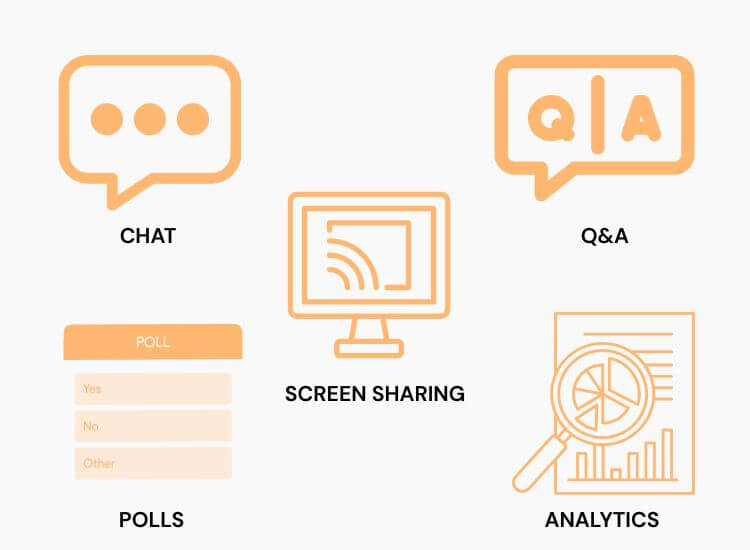
Q&A tools give attendees a direct way to ask questions and share their thoughts. They help presenters understand what the audience cares about and create a more welcoming environment.
Why this feature matters
Best use cases
Live chat keeps the energy of the webinar high and gives attendees a place to share reactions in real time. It makes sessions feel active and helps people stay focused.
How does it improve the event
Live chat is especially helpful for large online events where many people want to participate at once.
These interactive webinar elements act as powerful webinar engagement tools that keep people interested throughout the session.

Polls and surveys give hosts a simple way to gather feedback and measure audience interest. They also break long presentations into smaller, more engaging moments.
What polls can help you achieve
Surveys at the end of a session help you learn what went well and what you can improve.
Clear audio and reliable video are essential for any successful online event. Strong streaming quality makes it easier for attendees to understand the message and stay focused.
Why this feature is essential
Great content cannot shine if the audio and video quality are weak, so this should always be a top priority.
Screen sharing allows presenters to guide the audience through slides, documents, product interfaces, or step-by-step tutorials. Good visual tools keep the presentation organized and easy to follow.
Key advantages
Some webinar platforms also include annotation tools that let presenters highlight key points directly on the screen.
Breakout rooms create smaller groups within a larger event. They encourage deeper conversations and hands-on learning.
Benefits of breakout rooms
They work well for training programs, classroom-style presentations, and interactive workshops.
Automated recording helps you reach a wider audience long after the live event ends. Many people prefer to watch webinars when they have time, so offering a replay increases value.
You can also repurpose webinar recordings for social media, lessons, or future presentations.
Analytics help you understand how well your event performed. They show how long people stayed, what they interacted with, and which parts of the webinar captured the most attention.
Valuable metrics include
These insights allow presenters to make smarter decisions, improve content, and refine future online events.
For readers comparing online events with traditional sessions, this guide on the difference between webinars and seminars offers a clear breakdown.

Advanced features help presenters deliver a more polished and efficient online event. These tools support stronger communication, smoother workflows, and a better overall experience for both hosts and attendees. Many webinar platforms now include these features to help presenters manage larger groups and more complex sessions.
Strong integrations connect your webinar platform with the tools you already use. They help you stay organized, manage follow-up tasks, and build better relationships with your audience.
Benefits of CRM and email integrations
This feature is especially valuable for companies that depend on outreach, customer education, or ongoing client communication.
Branding tools help you create a more professional online experience. Customized webinar rooms make your event feel consistent with your company’s identity and help build trust with viewers.
What custom branding can include
A polished presentation environment helps your content stand out and keeps your viewers focused.
Some webinar platforms allow you to stream your session to other locations at the same time. This increases visibility and helps you reach a larger audience.
Where you can stream
Why this feature matters
Live streaming works well for announcements, product launches, training sessions, and community events.
Captions and transcripts help many people follow the content more easily. They support viewers with hearing difficulties, non-native speakers, and anyone watching in a noisy environment. These features make webinars more inclusive and easier to understand across different learning styles.
Captions and transcripts help many people follow the content more easily. They support viewers with hearing difficulties, non-native speakers, and anyone watching in a noisy environment.
Why captions and transcripts matter
Transcripts also allow teams to repurpose content for lessons, training materials, or blog posts. Hosts who want reliable tools for this part of their workflow can explore useful transcription options for online events, which can help produce accurate text versions of their webinars.
Multi-language options help webinar hosts reach attendees from different regions. This feature supports translation, bilingual presentations, and language-specific webinar interfaces.
How multi-language support helps your event
Many modern webinar platforms now offer built-in translation tools or partner integrations.
Many viewers join webinars using their phones or tablets. A mobile-friendly webinar platform helps ensure a smooth and consistent experience across all devices.
Key benefits of mobile access
Mobile accessibility is especially important for online events with global audiences, busy professionals, or students who rely on portable devices.
Security plays a major role in hosting safe and reliable online events. Strong protection helps you keep attendee information private and prevents unwanted access. Many modern webinar platforms include built-in tools that make it easier for hosts to manage privacy settings without added stress.
Secure access is essential for online events, especially when the session contains sensitive information. Registration tools allow you to control who enters the webinar and track attendance in a clear and organized way.
How secure access helps your event
Some webinar tools also allow waiting rooms and password protection to help you manage access with ease.
Webinar hosts must handle attendee information with care. Data compliance ensures that personal information is stored and managed responsibly. It also helps organizations follow the legal requirements in their region.
Why compliance matters
When webinar platforms follow these standards, presenters can focus on content without worrying about data safety.
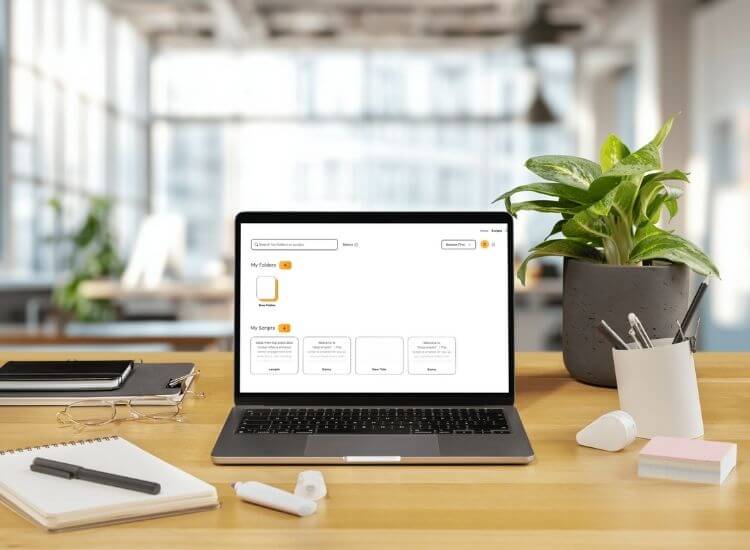
Strong webinar features matter, but your delivery shapes how well the audience understands your message. Teleprompter.com helps presenters speak with confidence, stay organized, and maintain a steady flow during online events.
The right webinar features help you create clear, engaging, and well-organized online events. Tools like Q&A, chat, polls, strong audio and video, and screen sharing support better communication and keep attendees involved. Advanced options, such as integrations, custom branding, and multi-platform streaming, add even more value for professional sessions.
Accessibility features, mobile support, and strong security also play an important role in reaching more viewers and protecting their information. With helpful presenter tools like Teleprompter.com, you can deliver confident and polished presentations for any type of webinar.
Take the pressure out of presenting. Try Teleprompter.com and enjoy a smoother flow during your next webinar.
A successful webinar uses clear audio, strong visuals, interactive tools, and a confident presenter who keeps the audience engaged from start to finish.
Features like live chat, polls, Q&A, screen sharing, and breakout rooms help attendees stay active, involved, and connected throughout the session.
Presenters need reliable audio, stable video, screen sharing, recording, and a teleprompter to deliver clear, organized, and confident presentations.
Platforms vary in engagement tools, integrations, analytics, streaming quality, and ease of use, which affects how simple or advanced your event can be.
Accessibility tools like captions, transcripts, language options, and mobile access help more viewers join, understand, and participate in the event.


.png)


.png)