Voice-activated scrolling powered by on-device AI. The text follows your voice in real time, pauses when you pause, and picks up exactly where you left off, all with near-zero latency.

VoiceGlide™ is Teleprompter.com's voice-activated scrolling technology. Using on-device AI speech recognition, the script follows your voice with near-zero latency, noticeably faster than cloud-based voice-following teleprompters. Speak faster and it speeds up. Pause, and it waits. Return to your script, and it resumes where you left off. Because recognition runs on your device, VoiceGlide works fully offline and is included free on every plan, across iOS, Android, macOS, and Web.
VoiceGlide listens as you speak and matches the scroll to your natural delivery. There is no fixed speed to fight against and no manual pedal-tapping to keep up appearances. With Smooth Scrolling enabled, the script glides continuously, adapting dynamically to your pace. Prefer discrete jumps? Turn Smooth Scrolling off and the spoken word snaps to the top of the screen instead.


Most voice-following teleprompters send your audio to the cloud and wait for a response, which often adds 300 ms or more of delay before the text moves. VoiceGlide's speech recognition runs entirely on-device, which means the scroll reacts the moment you speak, with no lag you can feel. It also keeps working with no internet connection at all. Record in a studio basement, on a plane, or on location: the prompter never falls behind. Pair VoiceGlide with 4K recording and captions to create polished videos from a single app.
Beyond following your pace, VoiceGlide responds to spoken commands, so you never touch the screen mid-take.
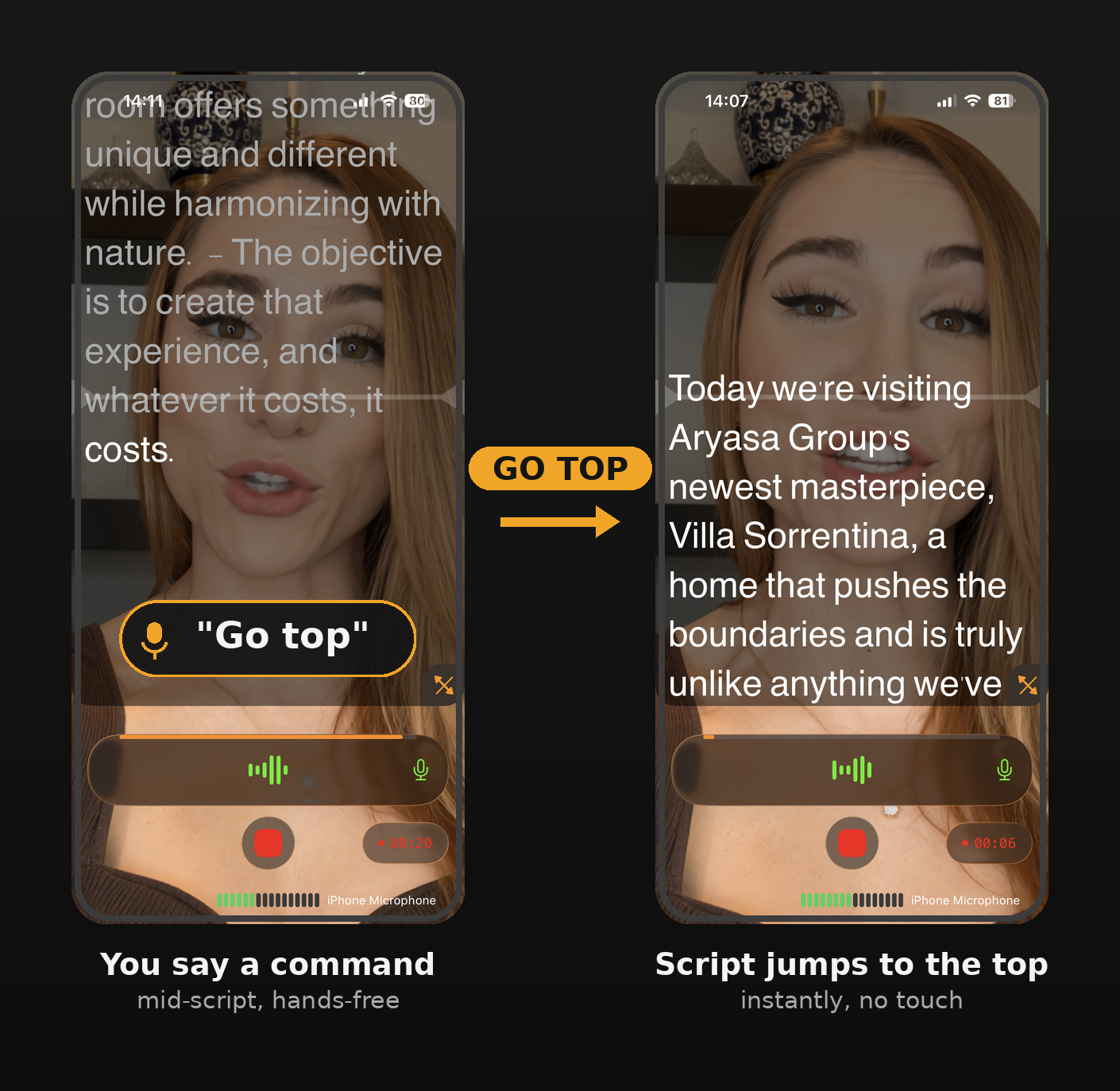
Commands are recognized in the language of your script, not your device language, so multilingual teams and non-native speakers get accurate detection every time.
VoiceGlide supports voice-following across all 28 languages the app is localized in, including right-to-left scripts like Hebrew and Arabic.
28 localized languages in total. Voice commands follow your script's language, not your device settings.
Enable the Cue Indicator to pin your spoken words to a fixed line on screen, so your eyes stay near the camera lens instead of chasing text.


.png)


.png)
