Shoot up to 4k while your script scrolls, add attention-grabbing captions automatically, clean up your audio, and resize for every platform. One app, camera to publish-ready.

Teleprompter.com lets you import scripts from Word, PDF, Google Drive, Dropbox, and iCloud, then records video up to 4k (depending on your device) while the script scrolls on the same screen, so there is no juggling a camera app and a prompter app. After recording, it automatically generates styled, eye-catching captions, removes background noise with clean audio, and resizes the final video for YouTube, Instagram, TikTok, and LinkedIn, including custom aspect ratios. Background blur and replacement, front and rear camera switching mid-take, and external microphone support are built in.
Record directly in the app at up to 4k resolution (device-dependent) with the script scrolling right beside the lens. Switch between front and rear cameras mid-recording, pause and resume takes, and trim footage without exporting to an editor. You can also control the teleprompter remotely from another device without touching your camera setup.

Silent autoplay is where videos die. Teleprompter.Com automatically generates captions for your recording inside the app, with the styling handled for you, so your video holds attention on mute in any feed. Edit timing and appearance to match your brand before you export.
One tap removes background noise from your recording. Traffic, hum, and echoes disappear, and your voice comes through clean. Pair it with external USB microphone support when you want to go further.
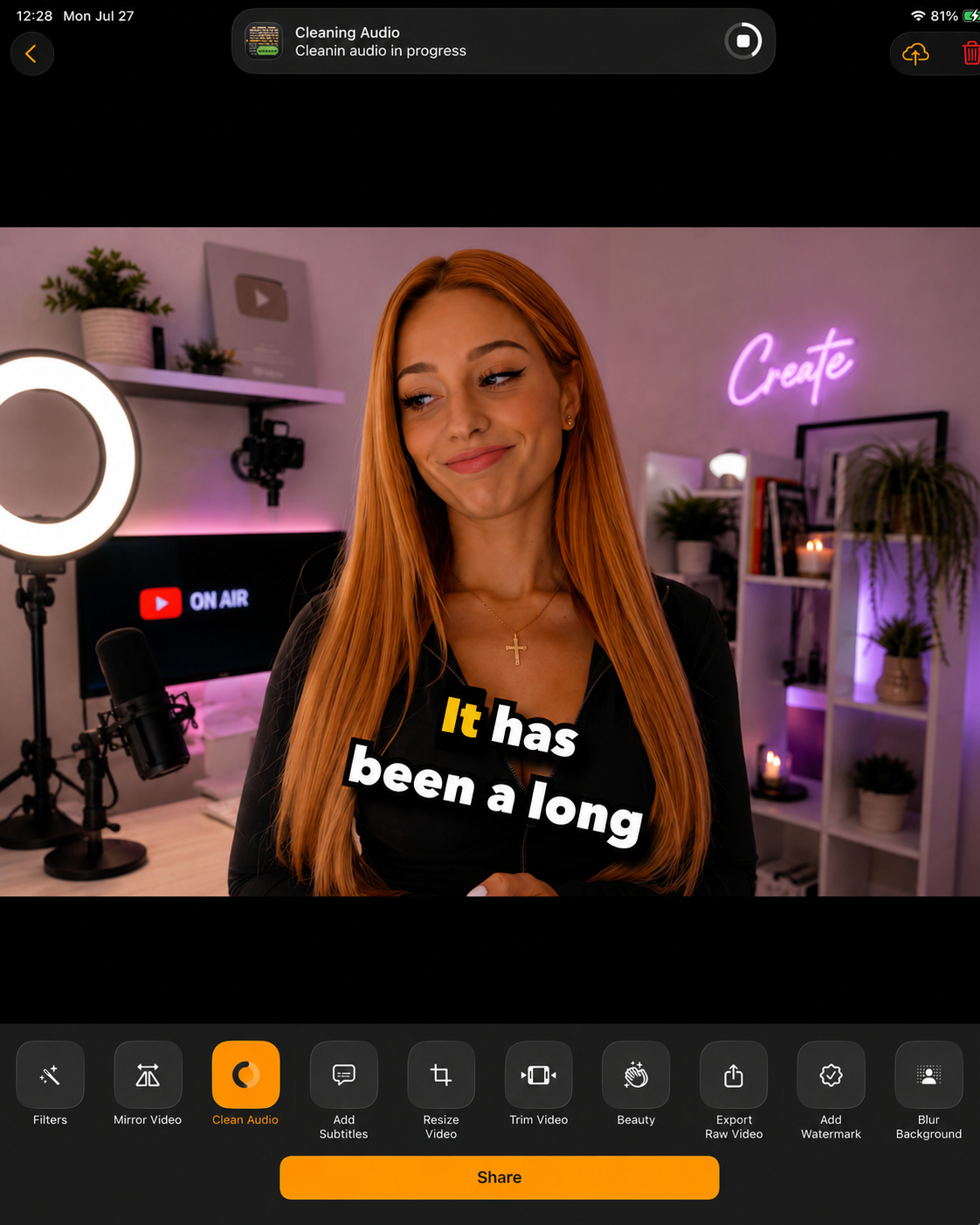
Record once and resize automatically for YouTube, Instagram, TikTok, LinkedIn, and more, with custom aspect ratios and resolutions for anything else. No third-party cropping tools, no re-shoots for vertical.
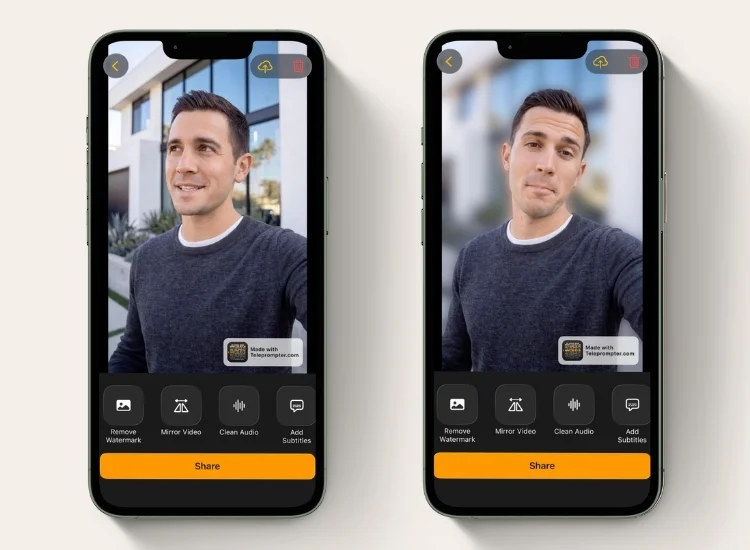
Blur your background elegantly with portrait mode, or replace it entirely with a custom image or video. Background blur and replacement are available on iOS, Android, and macOS — see the Platform Features page for full recording-feature support by platform. Add branded intros and outros for a finished, professional edit, all inside the app.
Recording a podcast or voiceover? Capture clean, high-quality audio while reading your script. No video, less storage.


.png)


.png)
