

The core challenge has not changed, and neither has the most effective fix. Overcoming stage fright on camera comes down to two things: preparation that removes the unknowns, and a tool that keeps you anchored when nerves hit. A teleprompter app addresses both.
This guide covers what works, why it works, and how to put it into practice before your next recording.
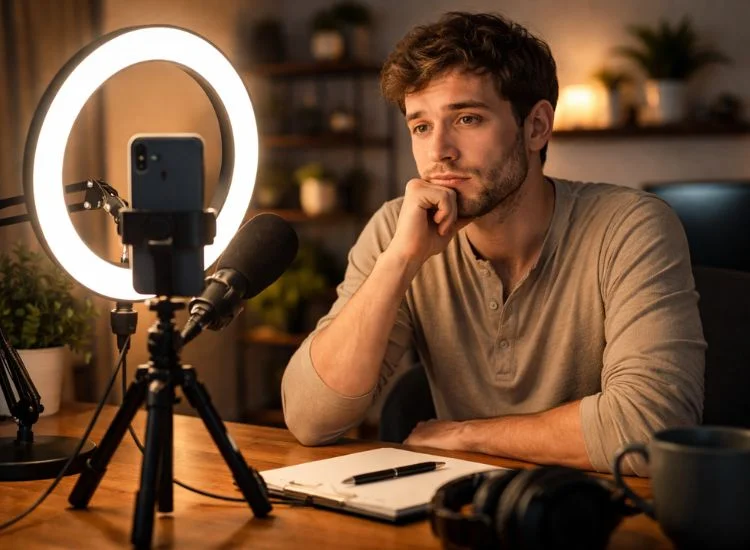
Camera anxiety and live speaking anxiety share the same root, a perceived threat of judgment, but on camera, the conditions are significantly harder.
When you speak in front of a live audience, you receive constant feedback: nods, laughter, maintain eye contact. That feedback regulates your pace and tells your nervous system the situation is manageable. A camera gives you none of that. You are speaking into a lens with no signal coming back. The silence is total.
Add to that the permanence of recording. In a live setting, a stumble disappears into the moment. On camera, it sits in the timeline waiting to be reviewed. That awareness raises the stakes of every single sentence.
Public speaking anxiety is widely recognized in clinical research as a common form of social anxiety, affecting an estimated 15% to 30% of the population (Journal of Graduate Medical Education, 2017). As video becomes a standard communication format, YouTube alone receives over 500 hours of video uploads every minute (Statista, 2022), those same anxiety responses are increasingly triggered in on-camera recording, where reduced social feedback and the permanence of the footage heighten the stress response.
Understanding what specifically drives your anxiety helps you target the right fix.
Each of these is solvable. The solutions are practical, not motivational.
A teleprompter app is software that scrolls your script at a controlled pace, positioned near the camera lens so you can read while maintaining natural eye contact. Unlike traditional broadcast prompters, a teleprompter app requires no external hardware: it runs on your phone, tablet, or browser. Teleprompter.com works instantly in any browser, with no installation required, and is also available on iOS, Android, and macOS.
The most effective way to overcome stage fright is to reduce the number of unknowns before you start. Anxiety grows in the gap between what you know and what you are uncertain about. A structured pre-recording routine closes that gap.
Improvising on camera while anxious is one of the hardest things to do well. A clear, prepared script gives your brain something reliable to hold onto. You do not need to memorize it word for word; you need to know the structure: your opening line, your key points, and your close.
If writing the script is itself a source of friction, AI script generator produces a structured, on-brand script from a topic prompt in under a minute. One fewer thing to wrestle with before you record.
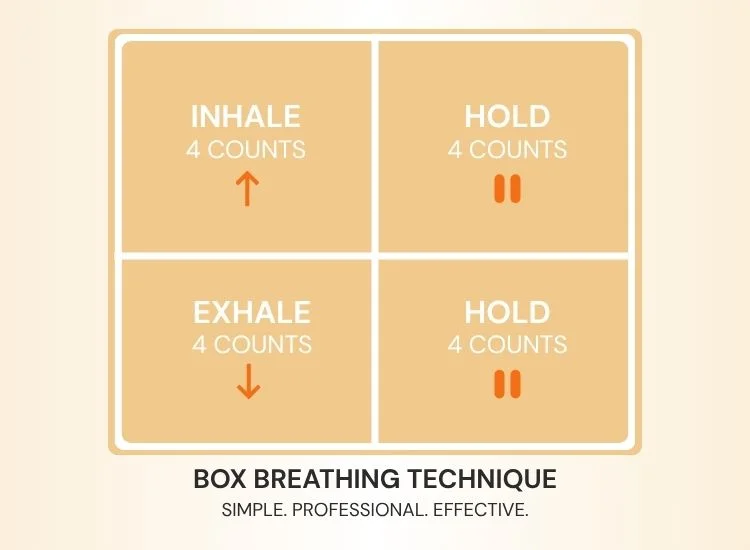
Controlled breathing is the fastest way to reduce the physical symptoms of stage fright. Box breathing activates the parasympathetic nervous system and lowers heart rate within minutes.
The technique:
This is the same technique used by military personnel and professional athletes to reset under pressure. It takes less than two minutes and makes a measurable difference to how you sound in the first 30 seconds of a recording.
Before you record anything you intend to keep, press record and talk freely for 30 to 60 seconds. Talk about anything: what you had for lunch, what the video is about, why you are nervous.
This serves two purposes: it warms up your voice, and it removes the psychological weight of "the first real take." By the time you start recording in earnest, you have already been on camera once.
Cold vocal cords produce the tight, shaky sound that reads as nervous to a viewer. A 60-second warm-up before recording makes a clear difference. Humming at a comfortable pitch, lip trills, or a simple "ha-ha-ha" exercise loosens the muscles and steadies your tone before you say anything on camera.
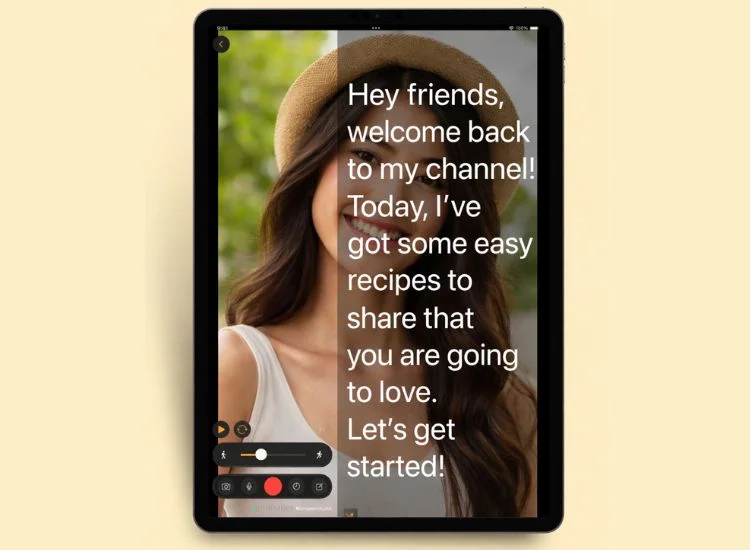
The root cause of most on-camera anxiety is the fear of forgetting. When your brain is holding your script in memory while simultaneously managing delivery, eye contact, pacing, and self-monitoring, it is running too many processes at once. Something drops. Usually, it is the script.
A teleprompter app removes memory from the equation entirely. Your words are in front of you, at your pace, positioned near the lens so your eye line stays natural. Your brain is freed from retrieval and can focus on the one thing that actually determines how confident you look: delivery.
How you come across on camera directly affects whether people keep watching. When your delivery is clear, steady, and confident, viewers are more likely to stay engaged. A teleprompter app helps create the conditions for that kind of delivery by keeping your script visible, your pacing controlled, and your attention focused on the camera instead of memory.
Teleprompter.com offers four scroll modes. For anxious speakers, the right mode matters.
If stage fright is your primary challenge, start with VoiceGlide. The script follows your voice, not a timer. If nerves slow you down mid-sentence, the text waits. If you pause to collect yourself, you do not lose your place. It removes the most common way that anxious speakers fall apart on camera.
The anxiety response is the same. The practical solutions are not. This table maps the most common stage fright problems to the right fix for each context.
The short-take strategy is worth emphasizing for on-camera creators. Recording your video in 60 to 90 second segments rather than one continuous take removes an enormous amount of pressure. Each segment is its own small performance.
If a segment goes wrong, you record just that segment again. Editing is faster than you think, and your anxiety per take drops significantly when the cost of a mistake is 90 seconds, not ten minutes.
Preparation handles the immediate anxiety. Repetition builds the underlying confidence that makes anxiety smaller over time.
Your brain's threat assessment of on-camera recording updates with evidence. Every take you complete, even an imperfect one, is data your brain uses to recalibrate.
The situation becomes more familiar, the stakes feel lower, and the anxiety response becomes smaller and shorter. This is not motivational framing. It is how exposure and habituation work.
Practical markers to track your progress:
For more on building a consistent recording workflow as a creator, the teleprompter for content creators guide covers setup, positioning, and how to structure recording sessions for efficiency.
Stage fright on camera is not a personality trait. It is a response to uncertainty, and uncertainty shrinks with preparation and the right tools.
Write a script. Do your breathing. Run a warm-up take. Then put your words in front of you where you can see them, let the scroll follow your voice, and focus on delivery.
Try Teleprompter.com for free; it works instantly in your browser, no download needed. Get started with Teleprompter.com.
The fastest in-the-moment fix is controlled breathing. Box breathing — inhale 4 counts, hold 4, exhale 4, hold 4, repeated 4 to 6 times — activates the parasympathetic nervous system and reduces your heart rate within two minutes. Pair it with a throwaway warm-up take before your first real recording and the physical symptoms of anxiety drop significantly before you begin.
Yes, particularly for on-camera anxiety. A teleprompter app removes the fear of forgetting your lines, which is the primary driver of camera anxiety. With your script visible and scrolling at your pace, your brain stops spending energy on memory retrieval. That frees your attention for delivery, tone, and eye contact: the three factors that determine how confident you appear on screen. Teleprompter.com is free to get started and works instantly in any browser.
On-camera freezing happens because recording eliminates the nervous system's regulatory feedback loop that live conversation provides. There are no audience cues, no laughter, no nods to signal that the situation is safe. Being recorded also raises the perceived cost of mistakes. A warm-up take and a teleprompter reduce unknowns and lessen the freeze response by giving your brain a clear, low-stakes starting point.
Use box breathing to calm your nervous system first. Then run a throwaway warm-up take to remove the pressure of the first real recording. A teleprompter lets you focus fully on delivery rather than memory, which reduces the cognitive load that feeds physical tension. Offloading mental effort to tools is one of the most effective ways to reduce visible anxiety on camera.
VoiceGlide voice-activated scrolling is the best starting point for anxious speakers. It follows your voice in real time, so the script adjusts to your actual pace rather than a pre-set speed. If nerves cause you to pause, slow down, or rush, the text responds. You stay in place, and the most common way anxious speakers lose control of a take, falling behind the scroll, is eliminated.
Significant improvement is typically noticeable after 10 to 15 recording sessions. The first 3 to 5 sessions are usually the most difficult. After that, familiarity reduces anxiety. Consistent, regular recording over several weeks is more effective than intensive but infrequent sessions. Each completed take is evidence your brain uses to lower the threat level next time.


.png)


.png)