


Most people hit record too soon. They forget their lines, rush through the script, or spend hours on retakes that a single setup change would have prevented. A teleprompter fixes that: you read your script at a natural pace while looking directly at the camera, so your delivery sounds confident and your eye contact stays steady. No memorization required.
This guide walks you through every step, from choosing your setup and writing a camera-ready script, to dialing in your scroll speed and delivering your first clean take. Whether you are recording your first YouTube video or your hundredth corporate presentation, the same fundamentals apply.
A teleprompter is a display device or app that scrolls your script at a controlled pace so you can read it while looking directly at the camera. Professional broadcasters have used them for decades. Today, a free teleprompter app on your phone or browser gives you the same capability without any specialist equipment.
The text scrolls at the speed you set, so your eyes stay on the screen and your face stays pointed at the lens. To viewers, it looks like natural eye contact. To you, it feels like reading, not memorizing.
Learn more about the mechanics in our guide: How Does a Teleprompter Work?

Getting set up takes less time than most people expect.
You have two main options: a hardware teleprompter or a teleprompter app.
A hardware teleprompter uses a half-silvered mirror mounted in front of your camera lens. It reflects the script toward you while staying invisible to the camera. These rigs are used in broadcast studios and on professional film sets, where teleprompters support a much larger production workflow that includes scripting, directing, and multi-camera coordination. Understanding this bigger picture can be helpful if you are exploring how to make a TV show from start to finish, where every element, from pre-production to final broadcast, is carefully structured. They work well, but they are heavy, expensive, and require a separate device to run the script.
A teleprompter app runs on your phone, tablet, or computer. You position the screen near your camera, load your script, and start scrolling. No mirror, no rig, no extra hardware. For most creators, educators, and business professionals, an app is all you need.
Not sure which setup fits your budget? See our breakdown: Teleprompter Devices for Every Budget
A teleprompter is only as good as the script behind it. The way you write for a teleprompter is different from the way you write an essay or a slide deck.
Practical script formatting tips:
Need help writing your script? Use the AI Script Generator to build a polished first draft in seconds.

Follow these steps, and you will be recording confidently in your first session.
Open your teleprompter app and paste or type your script directly into it. Most apps let you import from Google Drive, Dropbox, or a plain text file. If your script is already written, this takes under a minute.
Check your formatting before you move on. Make sure line breaks fall in natural places and there are no long, complex sentences that will trip you up mid-recording.
This is the step most beginners skip, and it is the one that matters most for sounding natural.
Set your scroll speed to match your comfortable speaking pace, not your fastest reading pace. A common mistake is setting the speed too fast and then rushing to keep up. That tension comes through on camera.
Research backs up what experienced presenters already know: a 2025 peer-reviewed study testing speech rates from 130 to 190 words per minute found that 150 wpm was rated the most acceptable across participant groups. (Source: Pujadas-Farreras & Machuca, Language & Communication, 2025)
Start at 150 wpm as your baseline. Run your script out loud and adjust from there. If you feel like you are chasing the text, slow it down. The scroll speed should follow your voice, not lead it.
For the most natural eye contact, the teleprompter screen should sit as close to the camera lens as possible, at the same height.
For phone or tablet setups: Mount the device directly below the camera, or use a teleprompter stand that puts the screen behind a partial mirror in front of the lens.
For laptop or desktop setups: Open the teleprompter app in a browser window and position it just below your webcam. Minimize the gap between the screen and the lens.
The closer the screen is to the lens, the more natural your eye line will appear to viewers. Even a few inches of offset creates a visible difference.
Before you hit record, run through the entire script once at recording pace. This is not optional, it is the step that saves you the most time in post-production.
A dry run helps you:
Start the scroll, start the recording, and deliver your script. After your first take, watch the footage back before doing another one.
Look for these specific things in your review:
Most people need two to three takes on their first session. After a few recordings, one clean take becomes the norm.
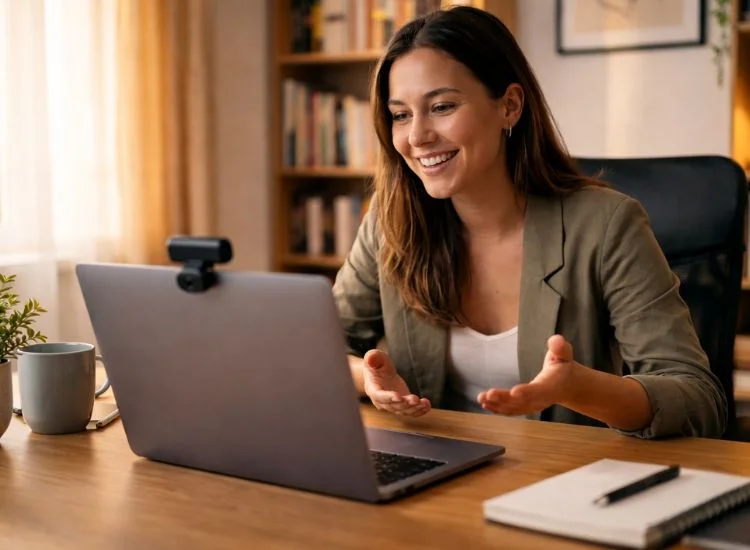
The most common fear about using a teleprompter is sounding scripted. Here is how to avoid it.
Robotic delivery usually comes from one of two problems: reading too fast or reading in a flat, even tone with no variation in pace or emphasis.
Both are fixable. Slow down. Add pauses. Treat the script as a guide, not a word-for-word performance contract. If a sentence sounds stiff when you read it, rewrite it before you record it.
The best teleprompter delivery sounds like someone speaking from knowledge, not reading from a page. That gap closes quickly with practice.
Eye contact with the camera is the single most important trust signal in video communication. When viewers feel like you are looking at them, they engage more and trust what you say.
To maintain strong eye contact with a teleprompter:
Natural delivery is built in the script before you ever hit record. Mark your pauses. Underline words you want to emphasize. Write in sentence fragments where that matches how you actually speak.
When you record, treat the marked pauses as mandatory. A well-timed pause does more for clarity and authority than any amount of word-level polish.
For more on building camera confidence: Ways to Get Over Camera Shyness
Most people feel slightly self-conscious in their first two or three recordings. That is normal and it passes quickly. The Three-Pass Method is a structured practice routine developed from how experienced video creators actually improve.
Here is how it works:
Work through one script per day for five days. By the end of that week, the teleprompter becomes invisible. You stop thinking about reading and start thinking about connecting with your audience.
Research supports this approach. According to studies by Richard E. Mayer on multimedia learning, people retain information more effectively when delivery combines spoken words with clear visual engagement, rather than passive reading-only formats.
More production tips for creators: Content Creator Tips
These are the habits that separate creators who struggle with their first few recordings from those who sound great right away.
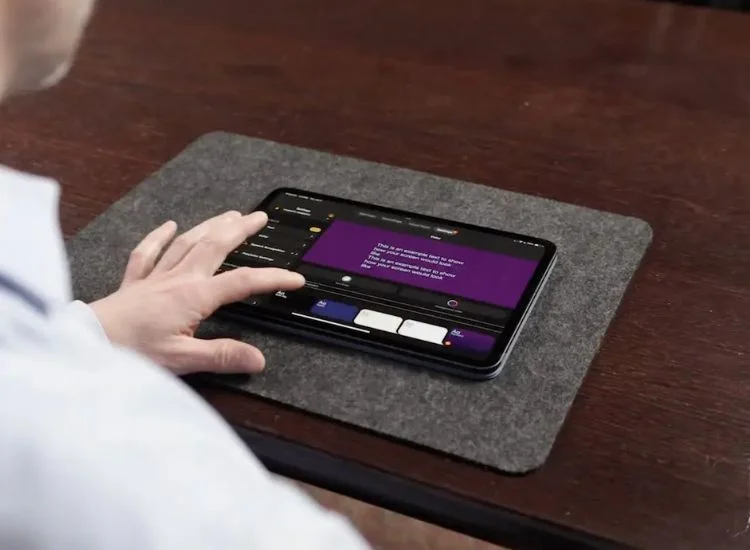
Teleprompter.com offers a free, in-browser teleprompter experience that is also accessible on iOS, Android, and Mac devices. You can begin recording almost instantly: simply paste your script to start.
Here is what makes it stand out from other options:
You can get started with Teleprompter.com for free right now! It's available in any browser or download on the App Store and Google Play.
See a full breakdown of features: Platform Features
Not sure which setup is right for you? Here is a clear breakdown of the three main options.
Using a teleprompter is one of the fastest ways to improve your on-camera delivery, reduce retakes, and produce more content in less time. The steps are straightforward: write a clean script, set your scroll speed, position the screen at eye level, practice once, and record.
The only thing left is to try it.
Start a 7-day trial with Teleprompter.com Pro. Works in your browser right now. Also available on iOS, Android, and Mac.
A teleprompter scrolls your script at a controlled pace so you can read it while looking directly at the camera. It keeps your delivery on track without memorization, reduces retakes, and helps you maintain natural eye contact with your audience. Modern teleprompter apps do the same job on a phone, tablet, or browser without any specialist hardware.
Reading off a teleprompter naturally starts with matching the scroll speed to your actual speaking pace. Set it to around 150 wpm, mark pauses in your script before recording, and vary your tone and emphasis the way you would in a real conversation. Treat the script as a guide, not a performance contract.
Most people speak comfortably between 120 and 150 words per minute in a clear, relaxed delivery. Set your scroll speed to that range and adjust based on your dry run. If you find yourself rushing to keep up, slow it down. Speed should follow your voice, not lead it. Teleprompter.com's VoiceGlide mode removes the guesswork by moving the script at your exact speaking pace automatically, pausing when you pause.
News anchors position the teleprompter screen as close to the camera lens as possible, which keeps their eye line direct and natural. They also practice extensively with large, well-formatted scripts and vary their pace and tone deliberately to avoid flat, reading-only delivery. The technique is learnable. With correct screen positioning and consistent practice, most people reach a natural-looking delivery within a few sessions.
Yes. A teleprompter app on your phone or tablet is all you need to get started. Open the app, load your script, and position the screen near your camera lens. Teleprompter.com works on iOS and Android with no hardware required. For best results, use a phone stand or tablet mount to keep the device stable at eye level during recording.
You do not need to download anything to use a teleprompter on Windows. Teleprompter.com works directly in any browser: Chrome, Edge, Firefox, or Safari. Open the site, paste your script, set your scroll speed, and start recording. No installation required.
No. A teleprompter app on any device is enough to get started. A phone stand or tablet mount helps keep the screen stable and at eye level. A Bluetooth clicker or remote gives you hands-free scroll control during recording. These additions improve the experience, but none of them are required for your first session.


.png)


.png)


