Instagram Video Size 2026: Every Format, Spec & Safe Zone
By
Teleprompter.com team
Published on:
December 30, 2024
·
Last updated:
September 25, 2026
Reading time:
10
minutes
TL;DR:
Getting your Instagram video size right is the easiest win in your entire workflow. Use 1080 x 1920 pixels at a 9:16 aspect ratio for Reels and Stories, and 1080 x 1350 (4:5) for carousel videos. Export as MP4 with H.264 at 30 fps, keep the file under 4 GB, and your video fills the screen with no crops or blur.
Set it once, and you never have to guess again. That frees your energy for what actually grows your account: a strong hook, a clear message, and a confident delivery. This guide gives you every current spec, plus simple framing rules that keep your face and captions visible everywhere Instagram shows your video.
Instagram Video Size Cheat Sheet (2026)
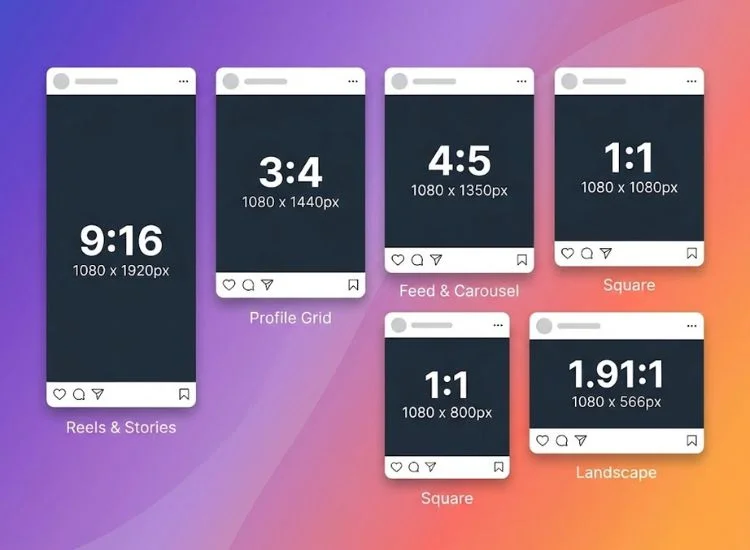
The best size for almost every Instagram video is 1080 x 1920 pixels (9:16). The exceptions are carousel videos and ads placed in the feed, which work best at 1080 x 1350 (4:5). Use this table as your quick reference before you edit or export.
Instagram Video Size
Format
Aspect ratio
Recommended size (pixels)
Length
Max file size
Reels
9:16
1080 x 1920
3 sec to 3 min (longer uploads on some accounts)
4 GB
Stories
9:16
1080 x 1920
Up to 60 sec per Story
4 GB
Carousel video, portrait
4:5
1080 x 1350
Up to 20 slides per post
4 GB
Carousel video, square
1:1
1080 x 1080
Up to 20 slides per post
4 GB
Carousel video, landscape
1.91:1 to 16:9
1080 x 566 to 1080 x 608
Up to 20 slides per post
4 GB
Profile grid preview
3:4
1080 x 1440 (display crop)
Not applicable
Not applicable
Reels cover image
9:16 (shown as 3:4 on grid)
1080 x 1920
Not applicable
JPG or PNG
Instagram Live
9:16
1080 x 1920
Up to 4 hours
Not applicable
Reels and Stories ads
9:16
1080 x 1920
Up to 15 min (Reels ads)
4 GB
Feed video ads
4:5 or 1:1
1080 x 1350 or 1080 x 1080
Up to 60 min
4 GB
Mobile tip: Swipe horizontally to view the full table on smaller screens.
Minimums for every format: 720 pixels of resolution and 30 frames per second. Anything lower uploads soft and gets compressed harder.
Posting on more than one platform? Here’s the social media video sizes guide that covers TikTok, YouTube Shorts, LinkedIn, and more in one place.
What Changed Since 2024 (and Why Older Guides Are Wrong)
Many Instagram video size guides still list formats and limits that no longer exist. Instagram has changed its video rules several times since 2022. Here is what is different now, in date order.
2022: IGTV is gone. Instagram retired IGTV and started publishing new feed videos as Reels. Any guide with an "IGTV size" section is out of date.
2022 onward: feed videos are Reels. A video you post to your feed is treated as a Reel. It follows Reels specs and gets Reels distribution.
August 2024: carousels doubled to 20 slides. You can now mix up to 20 photos and videos in one post, up from 10.
January 2025: Reels went to 3 minutes. The old 90-second cap is no longer the limit.
2025 to 2026: longer Reel uploads are rolling out. Some accounts can upload Reels well past 3 minutes. The rollout varies by account, so your app may show a different limit than a friend's.
One more correction worth making: Instagram Stories are not 1080 x 1080. Some popular guides still list a square size for Stories. Stories are full-screen vertical video at 1080 x 1920.
Instagram Reels Size and Length
Instagram Reels are 1080 x 1920 pixels at a 9:16 aspect ratio. That frame fills a phone screen held upright, which is how almost everyone watches Reels.
Reels Dimensions and Aspect Ratio
Shoot and export Reels at 1080 x 1920. Instagram accepts a minimum of 720 pixels wide, but 1080 gives you a sharper result after compression.
Other ratios still upload, but they look worse in the Reels viewer:
4:5 video shows with empty space above and below.
16:9 landscape video becomes a thin band across the middle of the screen.
1:1 square video leaves large gaps top and bottom.
If your footage is horizontal, reframe it inside a 9:16 project in your editor. Do not stretch it.
How Long Can an Instagram Reel Be?
A Reel can be as short as 3 seconds. The maximum depends on which of three limits you are dealing with:
In-app recording: up to 3 minutes on most accounts.
Uploads from your camera roll: longer on some accounts, as Instagram rolls out extended limits gradually.
Recommendation threshold: Reels longer than 3 minutes are reported to stop being recommended to people who don't already follow you.
The maximum length is rarely the right length. Metricool's 2026 Instagram Study, which analyzed more than 24 million posts, found that average watch time per Reel was 8.5 seconds.
That number more than doubled from the previous year, but it is still short. Your opening seconds matter far more than your runtime.
Plan length before you record. Paste your script into the free script timer to see how long it runs at your natural speaking pace. For more on keeping viewers past the first swipe, see these tips to get more views on your Reels.
Instagram Reels Cover Size
Design your Reels cover at 1080 x 1920 pixels. On your profile grid, Instagram crops that cover to 3:4 (1080 x 1440). Keep your title and face inside the center of the frame, and nothing important gets cut off.
Instagram Stories Video Size
Instagram Stories are 1080 x 1920 pixels at 9:16, up to 60 seconds per Story. Longer videos are split into consecutive Story segments automatically.
Stories disappear after 24 hours unless you save them to a Highlight. Plan your frame around the interface:
The top holds your profile photo, username, and progress bar.
The bottom holds the reply field and any link sticker.
Keep captions and faces in the middle of the frame so viewers see them clearly.
Instagram Feed and Carousel Video Size
The best feed video size is 1080 x 1350 pixels at 4:5. It takes up the most vertical space in the feed without being cropped. Single feed videos now publish as Reels, so this section applies mainly to videos inside carousels. For a refresher on how each post type works, see our breakdown of the different types of Instagram posts.
Instagram Vertical Video Size (4:5)
Use 1080 x 1350 for carousel videos. It is the tallest ratio a carousel slide can show in the feed. That means more screen space than square or landscape, and more time for a viewer's thumb to stop.
Instagram Square Video Size (1:1)
Instagram square video size is 1080 x 1080 pixels. Square still works for product demos or text-heavy clips that need to look the same everywhere. It uses less of the screen than 4:5, and the 3:4 grid adds space above and below it.
Instagram Horizontal and Landscape Video Size
Instagram horizontal video size is 1080 x 608 pixels for 16:9. The widest ratio Instagram accepts is 1.91:1, which is 1080 x 566. Landscape video still uploads, but it appears small on a vertical phone screen. Use it only when the content truly needs width, like a wide product shot or a screen recording.
Mixing Ratios in One Carousel
The first slide sets the crop for the whole carousel. If slide one is 4:5, every slide after it displays at 4:5. Export every video and image in a carousel at the same ratio to avoid unexpected crops.
One Frame, Three Crops: Why Your Video Looks Different on the Grid
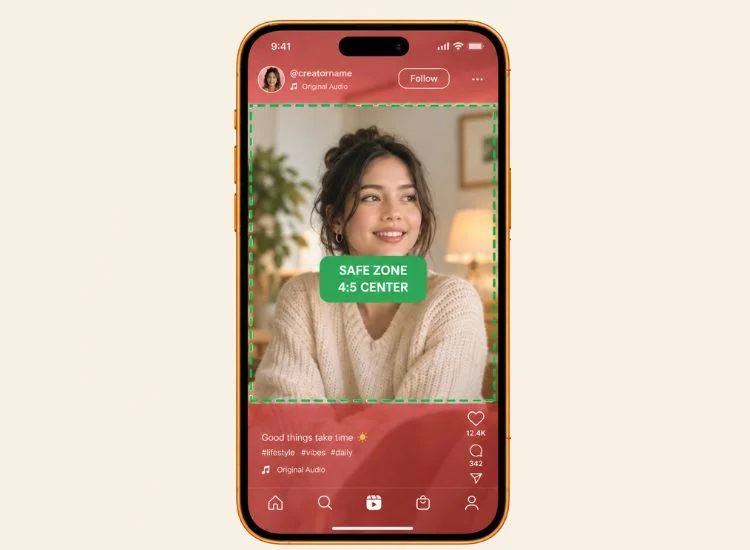
Instagram shows the same 9:16 video in up to three different shapes. Your Reel plays full screen at 9:16, can appear as a 4:5 crop in the main feed, and shows as a 3:4 thumbnail on your profile grid.
Here is what each view removes from a 1080 x 1920 frame:
How Reels Display Across Instagram Views
View
Visible area
What gets cut
Reels viewer (9:16)
Full 1080 x 1920
Nothing, but the interface covers the top and bottom
Feed crop (4:5)
Center 1080 x 1350
About 285 px from the top and bottom
Profile grid (3:4)
Center 1080 x 1440
About 240 px from the top and bottom
Mobile tip: Swipe horizontally to view the full table on smaller screens.
Combine those crops with Instagram's interface overlays, and you get one core zone that stays visible everywhere. It runs from about 285 pixels below the top of the frame to about 670 pixels above the bottom, with a 65-pixel margin on each side. That is roughly a 950 x 965 pixel area, centered slightly above the middle of the frame.
Follow these steps to frame every video for all three views:
Set your editing canvas to 1080 x 1920.
Add a guide layer marking the core zone described above.
Place your face, product, and headline text inside that zone.
Keep your eye line in the upper half of the core zone, not at the vertical center.
Preview the cover as a 3:4 crop before publishing. Teleprompter.com's resize tool has a 3:4 preset, so you can check the grid view without leaving the app.
Instagram Video Safe Zones
Instagram's interface covers roughly the top 14%, the bottom 35%, and 6% of each side of a Reel. Anything you place there, like captions, logos, or your face, can sit under buttons, usernames, or the caption text.
These margins come from Meta's ad safe-zone guidance. The same interface appears on organic Reels, so they are a reliable rule for every video you post.
Instagram Safe Zone Margins
Placement
Top margin
Bottom margin
Side margins
Reels (1080 x 1920)
~270 px (14%)
~670 px (35%)
~65 px (6%) each
Stories (1080 x 1920)
~270 px (14%)
~380 px (20%)
~65 px (6%) each
Mobile tip: Swipe horizontally to view the full table on smaller screens.
Reels have the heavier bottom interface: caption, audio label, and the like, comment, and share buttons. If you design for the Reels safe zone, your video also works as a Story.
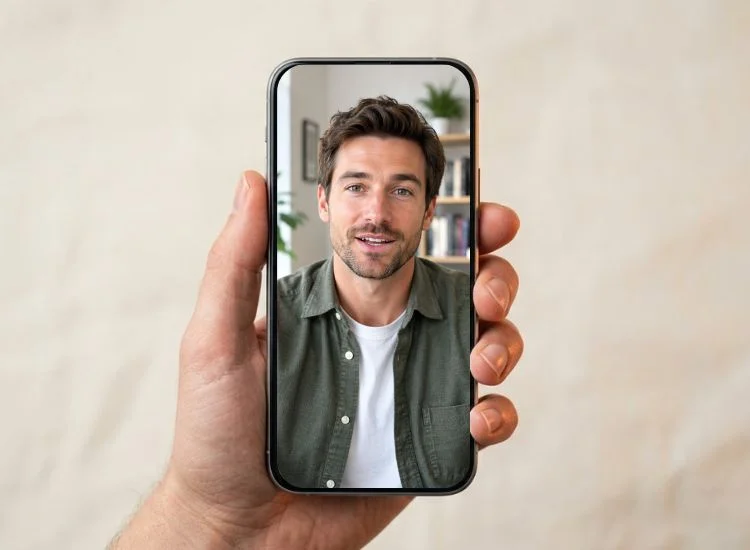
For talking-head videos, the safe zone decides where your eyes should be. Place the camera so your eyes land in the upper part of the core zone. Then look straight into the lens. Viewers notice immediately when a speaker's eyes drift down to notes.
Pro Tip:
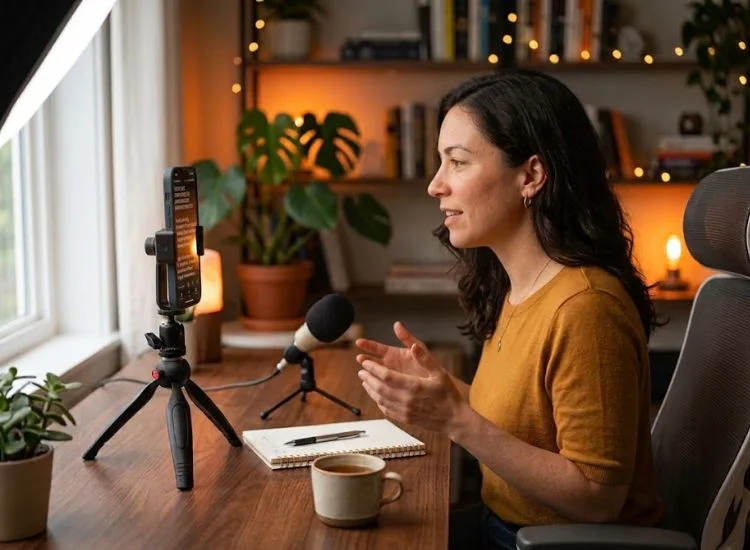
Keep your script next to the lens instead of below it. Teleprompter.com scrolls your script beside the camera while you record in portrait at up to 4K, depending on your device. VoiceGlide™ follows your voice, so the text pauses when you pause. After the take, the app adds auto captions and can resize the video for Instagram. See how recording and captions work in Teleprompter.com.
Instagram Video Format, Resolution, and Export Settings
The best Instagram video format is MP4 with H.264 video and AAC audio, at 1080p and 30 fps. MOV files also upload, but MP4 with H.264 is the most reliable combination.
Best Video Resolution for Instagram
The best video resolution for Instagram is 1080p: 1080 x 1920 for vertical and 1080 x 1350 for 4:5. Instagram plays video back at up to 1080p, so larger files do not show more detail on screen.
Should you record in 4K? Yes, if your phone supports it. Recording in 4K gives you room to crop, reframe, and stabilize. Then export at 1080p. You control the final compression instead of leaving all of it to Instagram.
How to Export a Video for Instagram
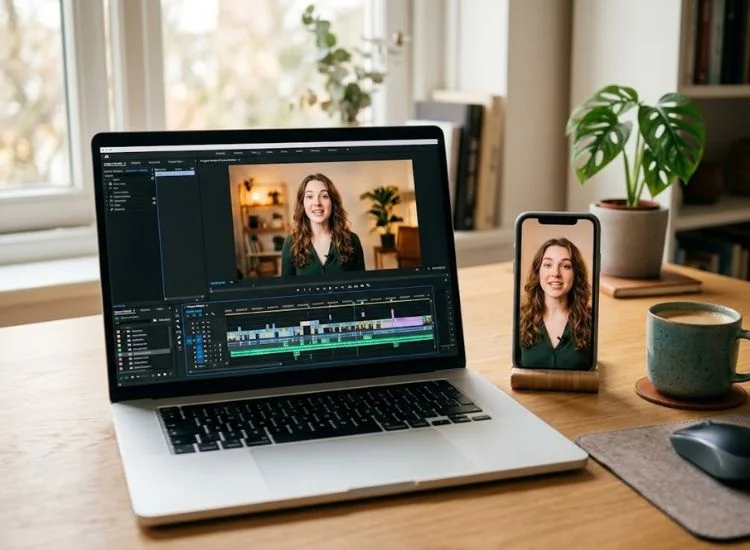
Use these settings in CapCut, Premiere Pro, DaVinci Resolve, Final Cut Pro, or any other editor:
Set the project or sequence to 1080 x 1920 (or 1080 x 1350 for carousels).
Choose MP4 as the container and H.264 as the codec.
Match the frame rate to your footage, ideally 30 fps. Do not convert 24 fps footage to 60 fps.
Use a variable bitrate of about 8 to 10 Mbps for 1080p. That is enough detail without a bloated file.
Set audio to AAC, 48 kHz, at 128 kbps or higher.
Export in SDR, not HDR. HDR clips can look washed out or overly bright after upload.
In the Instagram app, open Settings, go to your data and media quality options, and turn on "Upload at highest quality."
The Instagram video size limit is 4 GB per file for Reels, Stories, and carousel videos. A 60-second 1080p video at 10 Mbps is only about 75 MB, so you will rarely reach the cap. If an upload fails, file size is usually not the reason. Check the resolution, codec, and your connection first.
Instagram Video Ad Sizes
Instagram video ads use the same core sizes as organic posts. The difference is that Meta enforces them more strictly and adds a call-to-action button.
Instagram Video Ad Sizes
Ad placement
Aspect ratio
Recommended size
Length
Reels ads
9:16
1080 x 1920
Up to 15 min
Stories ads
9:16
1080 x 1920
Up to 60 min
Feed video ads
4:5 (or 1:1)
1080 x 1350
Up to 60 min
Carousel video ads
1:1 or 4:5
1080 x 1080 or 1080 x 1350
2 to 10 cards
Mobile tip: Swipe horizontally to view the full table on smaller screens.
Why Your Instagram Video Looks Blurry or Cropped (5 Fixes)
Blurry or cropped Instagram videos almost always come from the wrong aspect ratio or from compressing the file too many times. Work through these fixes in order:
Fix the ratio before upload. If your file is not 9:16 or 4:5, Instagram crops or pads it. Reframe in your editor, not in the Instagram crop tool. Recorded in Teleprompter.com? You can resize the video right in the app. Pick the 9:16 preset for Reels, 4:5 for carousels, or 3:4 to match the profile grid. Tap Fill so the video covers the whole frame, then pinch with two fingers to reposition it.
Export once. Every export throws away detail. Moving a clip from one app to another, then another, stacks compression before Instagram adds its own.
Turn off HDR. Phones often record HDR by default, and HDR uploads can look washed out. Export in SDR (Rec. 709) instead.
Turn on high-quality uploads. With "Upload at highest quality" off, Instagram may compress more heavily on mobile data.
Upload on a strong connection. A weak signal during upload can lead to a lower-quality version going live. Use stable Wi-Fi for important posts.
Record for 9:16 From the Start: A Faster Instagram Workflow
Fixing size after recording costs time and image quality. The faster approach is to make framing and delivery decisions before you press record.
This matters because the competition for attention is enormous. Instagram reached 3 billion monthly active users in September 2025, according to Meta CEO Mark Zuckerberg. A correctly sized video keeps you in the game. A clear, confident delivery keeps people watching.
Use this workflow for every Reel:
Write the hook first. Your first line has only a few seconds to earn the rest. These video hook formulas give you a strong start.
Time the script. Match the runtime to your goal, and keep most Reels well under 3 minutes.
Set up vertical. Mount your phone upright and place your eyes in the upper part of the core zone.
Read from beside the lens. A teleprompter keeps your eye contact steady, so you deliver the script without looking away.
Record in 4K, export at 1080 x 1920. Keep one clean master and export once for each format.
Check the three crops. Preview the full frame, the 4:5 feed view, and the 3:4 grid cover before you post.
Get the Size Right, Then Get the Take Right
The right Instagram video size is 1080 x 1920 at 9:16 for Reels and Stories, and 1080 x 1350 at 4:5 for carousels. Frame your content inside the core zone, and export once as an MP4 with H.264. Then put your effort where it moves results: a strong hook and a delivery that holds attention.
You've got the size right. Now nail the delivery. Read your script while looking straight into the lens, and record your next Reel in one confident take.
The best video size for Instagram is 1080 x 1920 pixels at a 9:16 aspect ratio. It fills the screen for Reels and Stories without cropping. For carousel videos, use 1080 x 1350 pixels at 4:5.
What size is an Instagram Reel in pixels?
An Instagram Reel is 1080 pixels wide and 1920 pixels tall. The minimum accepted width is 720 pixels, but 1080 looks sharper after Instagram compresses the file. Design Reels covers at the same size and keep key elements centered for the 3:4 grid crop.
What aspect ratio should an Instagram video be: 9:16, 4:5, or 16:9?
Use 9:16 for Reels, Stories, and Live, because it fills a vertical phone screen. Use 4:5 for carousel videos and feed ads. Use 16:9 only when your content truly needs width, because it appears small on a vertical screen.
Can you post a horizontal video on Instagram without it getting cropped?
Yes. Instagram accepts landscape video from 1.91:1 (1080 x 566) to 16:9 (1080 x 608). Posted as a Reel, it shows with empty space above and below. Posted in a carousel, it displays at full width when the first slide is also landscape.
What is the maximum video file size on Instagram?
The maximum video file size on Instagram is 4 GB for Reels, Stories, and carousel videos. A typical 1080p Reel is far smaller than that. If an upload fails, check the resolution and codec before reducing file size.
Should you upload 4K video to Instagram?
Record in 4K when you can, but export at 1080p before uploading. Instagram plays video at up to 1080p and compresses larger files heavily. Exporting at 1080 x 1920 yourself gives you more control over the final quality.
Recording videos is hard. Try
Teleprompter.com
Recording a video without a teleprompter is like sailing without a compass.




.png)


.png)