

Business presentation tips work best when they cover two things together: a clear structure for your content and a delivery method that keeps you looking at your audience instead of your notes. Get both right, and even a five-minute update to leadership lands with authority instead of anxiety.
An effective business presentation relies on three core elements: a solid structure, confident delivery, and a well-defined call to action. While many speakers dedicate excessive effort to crafting slides, they often neglect their delivery and structure. Even a highly polished deck can seem unprofessional if the delivery is hesitant.
Conversely, presenting a basic deck with consistent eye contact and a clear organization establishes instant credibility. The key strategies outlined below target the drivers that truly determine success: structure, delivery, and pacing.
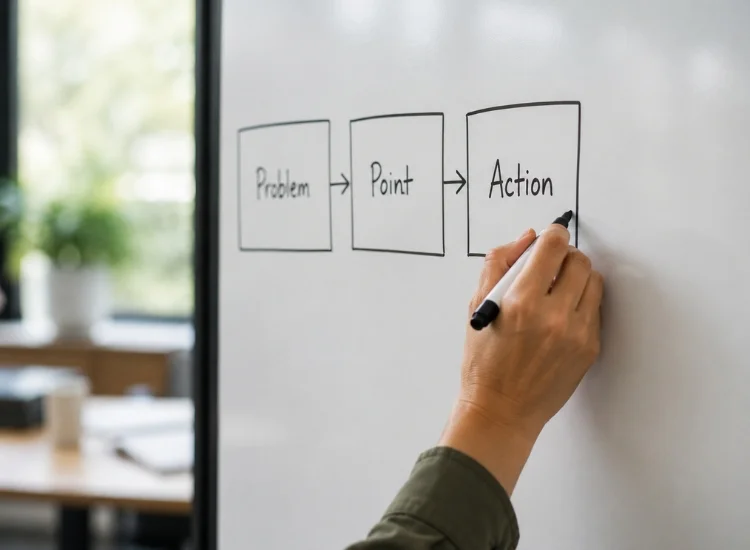
Open PowerPoint last, not first. Before you design a single slide, write out your presentation in three parts: the problem or context, the point you're making, and the action you want from the room. This is the same structure that works for a strong speech introduction, and it keeps you from building 20 slides around an unclear message.
A simple test: if you can't summarize your presentation in two sentences before you build it, you're not ready to build it yet.
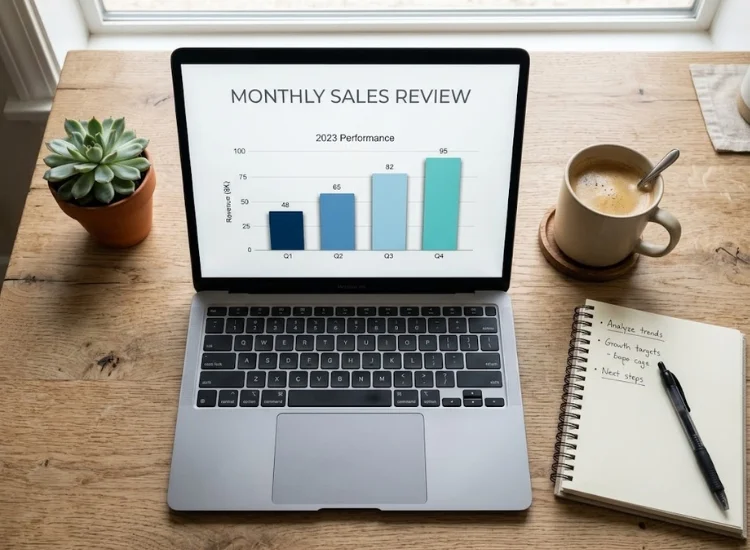
Slides should back up what you're saying, not carry the presentation for you. A common mistake is packing slides with full sentences and then reading them aloud, which turns you into a narrator for your own deck.
Keep slides to one idea each: a single chart, a short phrase, or an image. If a slide could stand alone as a document, it's doing too much of the talking for you.

Most professionals rehearse by reading their slides silently. That prepares you to recognize your content, not to deliver it out loud under pressure. Rehearse standing up, speaking at presentation volume, and timing yourself against your actual slot.
One Teleprompter.com user, a business professional who presents regularly, described the shift this way: "Cut my retakes down immensely. Now I spend less time on editing retakes and focus more on inflection and natural delivery." The same principle applies live: the less energy you spend recalling what comes next, the more you have left for tone, pacing, and reading the room.
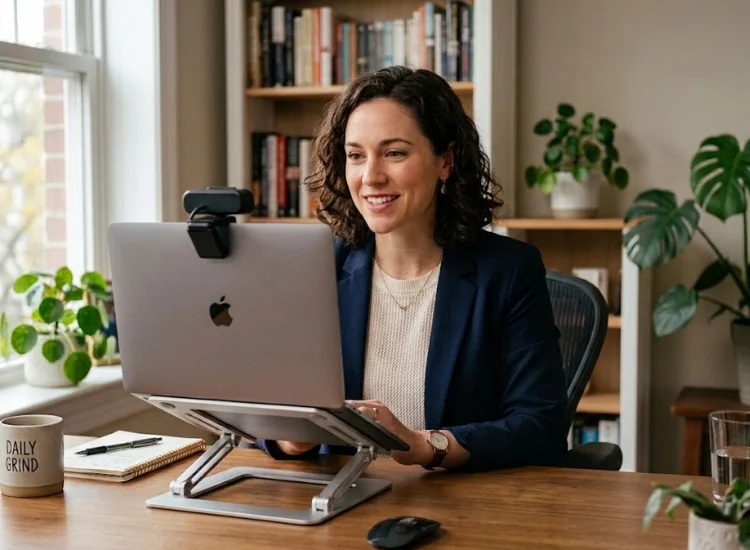
Glancing down at printed notes or a laptop screen breaks eye contact at exactly the moments that matter most: your opening, your key data point, and final call to action. A teleprompter app solves this by displaying your script at eye level, on the same device or screen you're already presenting from, so you keep looking at your audience instead of down at paper. This visual connection is equally important for virtual and hybrid meetings; for remote delivery strategies, check the guide on how to present yourself online with confidence.
This works the same way it does for on-camera delivery. If you've ever wondered how a teleprompter actually works, the short version is that your script scrolls at eye level while you speak, which is also the exact mechanism behind a onfidence monitor used in broadcast and executive settings.
Presenters who've made this switch notice the difference immediately. As one Teleprompter.com user wrote:
Deliver with Confidence! This app helps you deliver your message confidently and seamlessly — whether recording, streaming or speaking live — allowing you to have better eye contact with the audience while presenting to the camera. (Suz_sna Wed, United States, Aug 27, 2025

Your posture, hand gestures, and stance send a message before you say a single word. Standing with your shoulders back and weight even on both feet reads as composed. Slouching or shifting your weight repeatedly reads as unsure, even if your content is strong. Open, purposeful hand gestures reinforce key points, while crossed arms or pocketed hands close you off from the room.
Record a short rehearsal on your phone and watch it with the sound off. You'll notice fidgeting, downward glances, and closed posture faster than you would in the moment.
Nerves speed up speech. Under pressure, most people talk 20 to 30 percent faster than they rehearsed, which compresses pauses and makes delivery sound rushed even when the content is strong.
Teleprompter.com's scroll modes exist specifically for this problem: Fixed Speed and Words Per Minute modes let you set a pace ahead of time, so your script moves at a steady rate regardless of how fast adrenaline makes you want to talk.
VoiceGlide, the app's voice-activated scroll mode, goes a step further and follows your natural speaking rhythm, pausing when you pause and picking back up when you continue, so pacing adjusts to you instead of the other way around.
Explore these script speed tips for natural teleprompter delivery to learn more about fine-tuning your pacing.
Anxiety before a presentation is close to universal, and the goal isn't to eliminate it. It's to stop it from controlling your pacing, eye contact, and memory recall. A few approaches, compared:
To explore additional methods for managing stage fright, read how a teleprompter app helps with stage fright.
A presentation to executives and a presentation to your own team should not sound identical. Executive audiences respond to a lead-with-the-conclusion structure: state the recommendation first, then support it, because time is limited and attention is front-loaded.
Peer or team audiences tolerate more context-building before you get to the point, since the goal is often alignment rather than a single decision.
Adjust your opening line accordingly. To executives: "We recommend moving forward with Option B, and here's why." To a team: "I want to walk you through three options and where I've landed."

A presentation without a stated ask leaves the room deciding for themselves what happens next, which usually means nothing happens next. Close every business presentation with one specific, actionable line: approve the budget, schedule a follow-up, or assign an owner. Avoid ending on a summary slide with no explicit ask attached to it.
None of these tips require a full personality overhaul. Structure your message before you build slides, rehearse out loud instead of silently, keep your eyes on your audience instead of your notes, and close with one clear ask.
Those four habits fix the most common gaps between knowing your content and presenting it with authority. Start with whichever one feels furthest from how you present today, since that's where the biggest improvement usually shows up first.
Clear structure, confident delivery, and a specific closing ask matter more than slide design. Presenters who nail those three consistently outperform those who over-invest in visuals alone.
Full rehearsal out loud, slow breathing before you start, and removing the need to recall your script from memory (through a teleprompter or confidence monitor) address the three biggest drivers of presentation anxiety.
Match your slot exactly, and rehearse against a timer. Most business presentations run 20 to 30 percent long when unrehearsed, since nerves compress pauses and add unplanned tangents.
Executive audiences respond best to a lead-with-the-conclusion structure, since time is limited. Team or peer audiences tolerate more context before the point lands, since the goal is often alignment rather than a single decision.
Keep your script at eye level instead of looking down at paper or a laptop screen. This is the exact mechanism a teleprompter or confidence monitor is built around, and it's the fastest fix for the "reading off a page" delivery problem.


.png)


.png)