


TL;DR:
To create effective sponsored content:
The goal is to create content that satisfies the brand while still sounding and feeling like you.
A brand deal can look simple from the outside: the brand sends a brief, you make a video, and you publish it.
In practice, there is a lot more to get right. You need to understand what the brand wants, decide how the product fits your content, write something your audience will actually want to watch, include the required messaging and disclosure, and still sound like yourself on camera.
That last part matters. Your audience followed you for your voice and perspective. A sponsored video shouldn't suddenly sound like it was written by a corporate marketing department.
The best sponsored content sits somewhere in the middle. It gives the brand what it paid for while still feeling like something you would have made anyway.
Here's how to create sponsored content from the first brand brief to the final recording.

Sponsored content is content created in partnership with a brand, usually in exchange for payment, free products, services, or another form of compensation.
For creators, sponsored content can take many forms, including:
The format can change, but the basic challenge stays the same: you need to communicate the brand's message without losing your own voice.
A good sponsored video should feel relevant to your audience, useful or entertaining on its own, and clear about the relationship between you and the brand.
A sponsored video isn't automatically good just because the product is clearly visible or every required talking point is included. The content also has to work for the people watching it.
Think about what your audience normally comes to you for.
If you make makeup tutorials, a sponsored skincare demonstration is an easier fit than an unrelated financial product. If you make productivity videos, a sponsored productivity app can naturally become part of your regular content.
The closer the partnership is to what you already talk about, the less work you have to do to convince viewers that it belongs on your channel.
A sponsored video still needs a reason for someone to keep watching. That might be:
The brand is part of the content, not necessarily the entire point of it.
Being authentic doesn't mean ignoring the brief. A brand may require specific product information, talking points, claims, visuals, CTAs, hashtags, or other deliverables. Read those requirements carefully before you start writing.
The trick is to separate the non-negotiables from everything else. If the brand requires a particular product benefit to be mentioned, that belongs in the script. If it simply suggests a possible angle, you may have room to adapt it to your own style.
This is where many sponsored videos go wrong. Creators sometimes copy the language from a brand brief word for word. The result may be accurate, but it can sound stiff when spoken aloud.
Instead, understand what the brand needs you to communicate, then put those ideas into language you would actually use. Your audience should still recognize the person speaking.
For creators who are already working with brands, understanding influencer collaboration strategies can help put the content creation process into context. Once the partnership is agreed on, the next challenge is turning the campaign requirements into content that works for your audience.
(Content creation setup for filming sponsored videos and product demonstrations)

Before thinking about hooks, captions, or camera angles, read the entire brief. Look for:
Don't rely on memory.
If you're working with several brands at once, keeping the details separate is especially important. You don't want to accidentally mention one brand's offer in another company's video or use outdated campaign messaging.
A simple way to approach the brief is to divide it into two lists:
Must include:
The things the brand specifically requires.
Your creative choices:
The parts you can adapt to your normal content style.
That distinction gives you room to be creative without accidentally missing something important.
Once you've read the brief, reduce it to one main idea. Ask yourself:
If someone remembers only one thing from this video, what should it be?
For example, a brand might provide six product benefits. That doesn't necessarily mean you need to spend equal time talking about all six.
Maybe the most useful benefit for your audience is that the product saves time. Build the video around that idea and use the other approved points where they fit naturally. A focused message is easier to write, easier to deliver, and easier for viewers to remember.
It also makes your script much less likely to turn into a list of marketing claims.
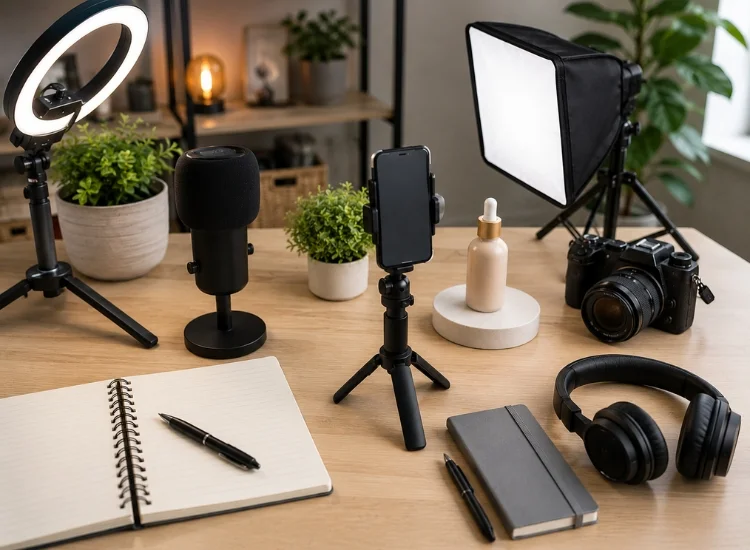
The same product can work in very different types of sponsored content. Depending on your audience and the campaign, you might create:
Start with the format that already feels familiar on your channel. If your audience is used to tutorials, don't suddenly turn a sponsorship into a five-minute commercial. Show them how the product fits into the kind of content they already enjoy. That usually makes the brand integration feel much more natural.
UGC-style videos can be another option, particularly for creators producing content specifically for brands. Before choosing this format, it helps to understand the difference between UGC and brand-generated content.
The first few seconds still matter in sponsored content. You don't need to start with the product name. Instead, start with the reason someone would care.
For example:
Problem:
"I kept running into the same problem every time I filmed these videos."
Question:
"Have you ever spent more time re-recording a video than actually making it?"
Demonstration:
Show the problem first, then introduce the product as part of the solution.
Personal experience:
"I've been testing this for the past two weeks, and there's one feature I keep coming back to."
The right hook depends on the creator, product, and platform. What matters is that the opening gives the viewer a reason to continue.
Once you know the main message and format, write the script.
A simple sponsored video structure might look like this:
Hook
Give viewers a reason to keep watching.
Context
Explain the problem, situation, or reason the topic matters.
Product introduction
Bring the brand or product into the story.
Key benefit
Explain what it does and why it matters to your audience.
Demonstration or personal experience
Show the product in use rather than simply listing features.
CTA
Tell viewers what to do next if one is required.
Disclosure
Clearly identify the sponsorship or material connection as appropriate for the platform and applicable rules.
You don't necessarily need to follow this structure word for word. Some sponsored videos work better as stories, tutorials, or demonstrations. The important thing is that the brand message has a place in the content rather than being dropped into the middle without context.
If you're writing for a teleprompter, keep the script easy to read aloud. Shorter sentences, natural phrasing, and clear breaks can make a significant difference when you're recording.
Read your script out loud before you record. You'll notice things on the first read that aren't obvious on the page.
Maybe a sentence is too long. Maybe a phrase sounds like something you'd never say. Maybe the transition from your normal content to the product mention feels forced.
Change it.
A few simple rules help:
The goal isn't to make the script invisible. It's to make the delivery feel natural.
A teleprompter can help with this because you don't have to memorize every line. You can keep the required messaging in front of you while focusing on how you're saying it.
Teleprompter.com is designed to keep scripts close to the camera while you record, which can be useful when a sponsored video contains specific product information, CTAs, or disclosure language.
With the script ready, set up your recording space.You don't necessarily need a professional studio. A phone, decent lighting, clear audio, and a clean background can be enough for many creator videos.
Before recording, check:
If you're using a teleprompter, position the text as close to the camera lens as possible. This helps you maintain eye contact instead of repeatedly looking down at a phone or laptop.
Your scrolling speed should also match your speaking pace. If the text moves too quickly, you'll rush. If it moves too slowly, you'll spend too much time waiting for the next line.
For sponsored videos, this can be especially useful when you need to deliver exact brand information without memorizing it.
Teleprompter.com offers several scrolling options, including VoiceGlide, which follows your voice and pauses when you pause, along with fixed-speed and timed options.
Sponsored content needs to be transparent about the relationship between the creator and the brand.
If you're paid by a brand, receive free or discounted products, or have another material connection that could affect how audiences view your endorsement, disclosure requirements may apply. The FTC recommends making these relationships clear and using language that viewers can easily understand (FTC, Disclosures 101 for Social Media Influencers, 2019).
The disclosure should also be placed where viewers are likely to notice it. For video endorsements, the FTC recommends including the disclosure in the video itself rather than relying only on the description.
Platform requirements can vary. YouTube requires creators to indicate when videos contain paid promotions and says creators and brands are responsible for complying with applicable legal requirements. TikTok likewise requires its commercial content disclosure setting when creators post content promoting a brand, product, or service. (YouTube Help, Add paid product placements, sponsorships and endorsements; TikTok Business Resource Center, About the Commercial Content Disclosure setting for creators, 2026).
If you're unsure which rules apply to your content, check the requirements for your country and the platform where you plan to publish.
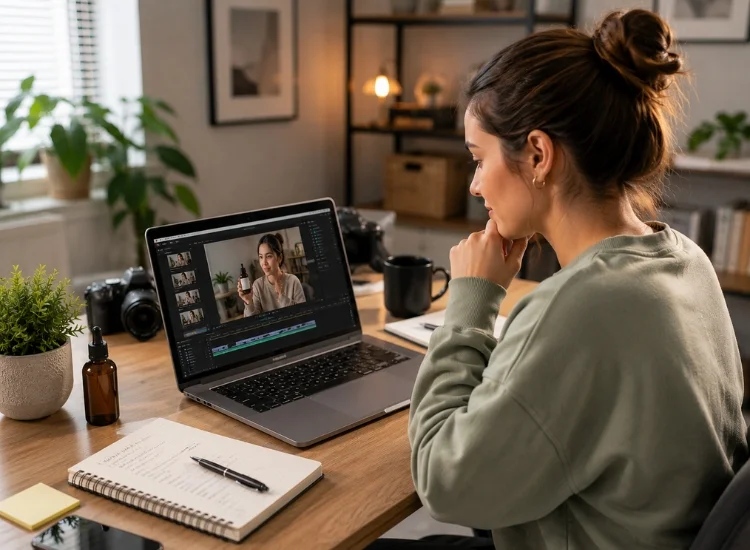
Before sending the video to the brand or publishing it, go back to the original brief.
Check each requirement individually.
This final check can save you from a frustrating reshoot.
Some brands approve content before it goes live. Others may have a different review process.
If the brand requests a revision, compare the feedback with the original brief.
Not every suggestion needs to change your entire video. If the brand asks you to clarify one product feature, for example, you may only need to adjust that section.
Once the content meets the agreed requirements, follow the campaign's publishing instructions.
Keep a copy of the final script and approved version as well. If you work with the same brand again, having the previous campaign materials can make the next project easier to organize.
The easiest way to make sponsored content feel forced is to treat the entire video like a commercial. Instead, start with what your audience came to you for.
If your normal videos are educational, teach something. If you normally tell stories, tell a story. If your audience likes product demonstrations, demonstrate the product. The brand should have a reason for being there.
A few other things help:
Don't begin with everything the product can do. Start with something your viewer recognizes.
Showing a product in use is often more engaging than reading a list of benefits.
If you wouldn't say "our innovative solution empowers users to..." in an unsponsored video, don't suddenly start saying it in a sponsored one.
A brand deal doesn't mean you need to become a different version of yourself.
Being upfront about the partnership can actually make the content feel more trustworthy. The goal is not to disguise the fact that something is sponsored. The goal is to make the sponsored content useful and enjoyable enough that the sponsorship doesn't become the only thing viewers notice.
Before you send your next sponsored video to a brand, run through this checklist.
Creating sponsored content doesn't mean choosing between what the brand wants and what your audience expects from you. The better approach is to find the overlap.
Start with the brand's brief. Decide what matters most to your audience. Build the sponsorship into a format that already feels familiar on your channel. Then write and record it in your own voice while making sure the required details are accurate and clearly disclosed.
And when the script contains more information than you want to memorize, a teleprompter can take some of that pressure off.
Ready to record your next sponsored video? Sign up for free and keep your script in front of you while you record.
Sponsored content is content created in partnership with a brand, typically in exchange for payment, products, services, or another form of compensation. It can include videos, social posts, reviews, tutorials, product demonstrations, and other creator content.
Start by reading the brand brief and identifying its required messages. Then choose a format that fits your usual content, develop a strong hook, write the script, record the video, include the appropriate disclosure, and review the finished content against the campaign requirements before publishing.
Sponsored content may need to include specific brand messaging, product information, a CTA, campaign-required visuals, and a clear disclosure of the creator's relationship with the brand. The exact requirements depend on the campaign, platform, and applicable rules.
Influencers typically start with a brand brief, then adapt the campaign requirements to a content format that fits their audience. They develop an idea, write or outline the content, and record the video. Using a teleprompter for influencers can help them deliver key talking points while maintaining eye contact with the camera. After recording, they review the content against the brief, make any requested revisions, and publish it according to the campaign instructions.
Use the same tone, format, and personality as your regular content. Focus on something useful or interesting to the audience rather than simply listing product features, and explain the product in language you would actually use. A script can help you stay accurate without requiring you to memorize every line.
Not every sponsored video needs a word-for-word script. Some creators prefer an outline or talking points, while others use a full script when the brand requires specific wording or the video contains several details that need to be accurate. A teleprompter can be useful for either approach.
Yes. A teleprompter can keep brand talking points, product information, CTAs, and disclosure language in front of you while you record. This can reduce the need to memorize the script and help you maintain eye contact with the camera.


.png)


.png)


