

You are mid-lesson. The recording light is on. You glance at your notes, lose your spot, and suddenly the silence stretches three seconds too long. You stop. You start again. Take six.
Sound familiar? Most online educators have been there.
Recording instructional video is harder than it looks, and the mental load of remembering your talking points while also teaching clearly, looking confident, and sounding natural is genuinely a lot to manage at once.
A teleprompter changes that. It lets you separate the work of writing from the work of performing, so when the camera is rolling, all your mental energy goes toward delivery. Whether you are recording your first video lesson or your five hundredth, these teleprompter tips for online teachers will help you show up on screen the way you do in your best classroom moments: prepared, clear, and engaging.
According to the University of Potomac, nearly 70% of students say online instruction is as good as or better than traditional classroom teaching, and 26% say they actually learn better online. The bar is high. Let your tools rise to meet it.
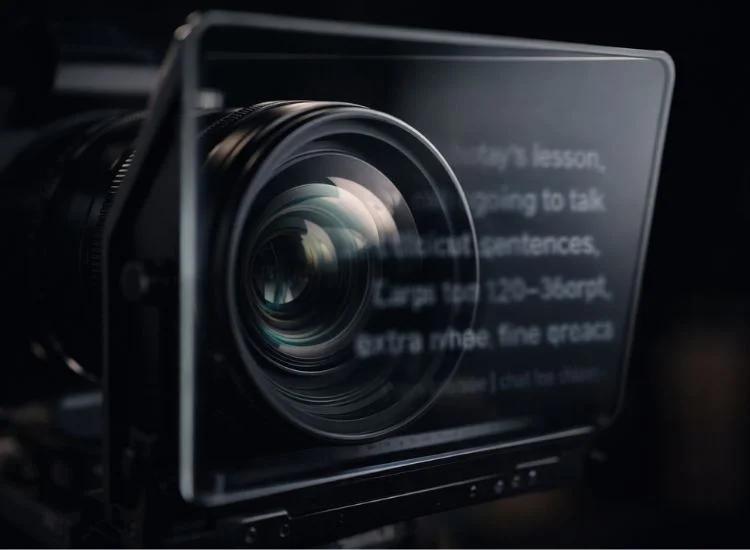
A teleprompter for online teaching is not about reading word-for-word. It is about reducing cognitive load so you can focus on how you teach, not what comes next.
When you teach live, your brain handles a lot at once: pacing, student cues, tone, transitions. In a recorded video, those live feedback signals disappear. You are performing without an audience. That mental vacuum is where fumbled sentences and endless retakes are born.
A teleprompter gives you a safety net. Your lesson is already written. You already made the structure decisions. On camera, all you have to do is deliver it. That shift alone can cut your recording time significantly and dramatically improve the quality of your finished lessons.
Even a free online teleprompter can already make a noticeable difference at this stage, especially for teachers who are just starting to record lessons and want a simple way to stay structured without investing in equipment.
For more on how teleprompters are used across teaching contexts, see the guide on teleprompters for corporate and educational videos.
The biggest mistake educators make with a teleprompter is loading their existing lesson notes directly into it. A teleprompter script needs to be written for the ear, not the eye.
Read your draft out loud before recording. If a sentence sounds stiff or formal when spoken, rewrite it. Contractions are your friend. "You will notice" becomes "you'll notice." "It is important" becomes "it is worth knowing."
Short sentences also read faster on the prompter and are easier to absorb for students watching video.
Break your script into clear sections:
This structure mirrors the microlearning format that students increasingly prefer. A 2025 study of medical students (Dove Medical Press) shows that 88% of students find short pre-class videos of under 10 minutes optimal for engagement and preparation.
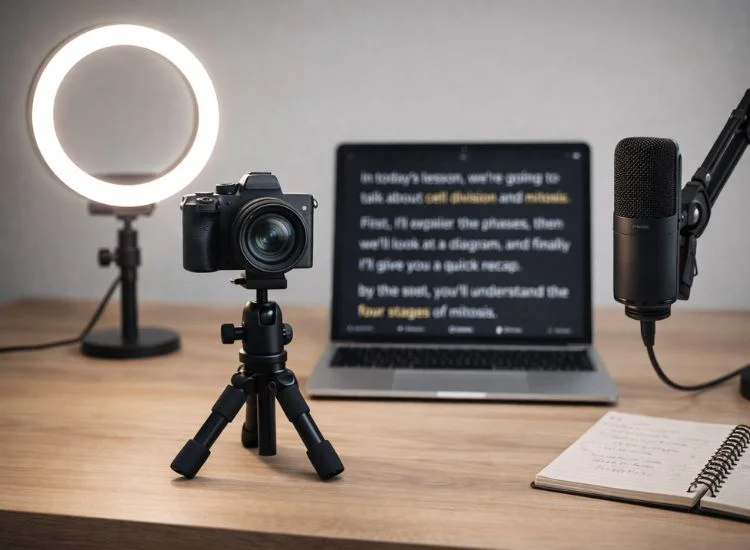
A solid home studio setup makes a bigger difference than most educators expect. Your teleprompter placement is at the center of it.
The closer your teleprompter text is to your camera lens, the more natural your eye contact looks to viewers. Even a few inches of offset creates a noticeable gaze drift that can make you look distracted or uncertain.
If you use a software teleprompter on a tablet or monitor, center it as close to the camera as possible. On a laptop, consider using a webcam mounted at the top of the screen so the camera is near the text.
A teleprompter screen can introduce glare, especially if you wear glasses. Angle the screen slightly downward to reduce reflection. If glare persists, a matte screen protector helps significantly.
Make sure your key light (the main light hitting your face) is positioned in front of you and slightly to one side. Avoid placing lights behind your screen, as they will wash out your face in the recording.
For a full breakdown of the gear and layout, see the online teaching setup guide.
Teleprompter scrolling speed should be set to match your natural speaking pace, not the other way around. For instructional content, a comfortable delivery rate is typically 130–150 words per minute.
Most teleprompter apps allow you to adjust speed with a simple slider. Start slower than you think you need to. It is easier to speed up in editing than to rush through a lesson on screen.
Complex content (mathematical concepts, dense technical material) calls for a slower pace. Introductions, storytelling sections, and summaries can move a bit faster.
For more guidance on pacing, see the full article on script speed tips for teleprompter delivery.

Eye contact is one of the most powerful tools in a teacher's kit, and it transfers directly to video. Studies show that eye contact in video communication is key to building mutual trust and understanding, yet it is consistently undermined when presenters look at a screen rather than directly into the lens.
A teleprompter positioned near the camera lens solves this problem structurally, not just through discipline.
For a complete walkthrough of this skill, visit the article on how to maintain eye contact in videos.
This is the concern most educators have before they start using a teleprompter, and it is a legitimate one. Reading a script can sound flat. But it does not have to.
Knowing what to avoid is just as useful as knowing what to do. Here are the most frequent missteps:
New to the tool altogether? Here's a guide on how to use a teleprompter, a guide to walk you through it.
Teaching online well is a skill, and like any skill it gets better with the right tools and the right habits. A teleprompter does not do the teaching for you. What it does is clear away the friction: the forgotten talking points, the repeated takes, the mental overload of juggling delivery and recall at the same time.
When you write a clean, conversational script, set your scroll speed to match your natural pace, and position the teleprompter close to your lens, the result is a version of you on screen that looks present, prepared, and trustworthy. That is the version your students deserve.
Start using a free online teleprompter with Teleprompter.com and build confidence as you record lessons without memorizing scripts.
Absolutely. Teleprompter apps are designed to be simple. Software options like Teleprompter.com require no hardware beyond your existing phone, tablet, or laptop. Paste your script, set your speed, and start recording. The learning curve is short, and the payoff in recording quality is immediate.
The key is in the preparation. Rewrite your notes in a conversational style before loading them into the teleprompter. Practice the script once before recording so nothing surprises you. During the take, treat the text as a guide and allow yourself to rephrase naturally where it helps.
The best teleprompter app for online teachers is one that lets you control scroll speed precisely, offers easy script editing, and works on the device you already use for recording. Teleprompter.com is built for content creators and educators and works across devices without requiring additional hardware.
For instructional content, aim for 130 to 150 words per minute. That aligns with a calm, clear speaking pace suited to teaching. For more technical or dense material, slow it down further. Test your speed with a one-minute sample recording before committing to a full lesson shoot.
Most online educators do not need a physical teleprompter unit. A software teleprompter on a tablet or monitor positioned near your camera works very well and is significantly cheaper. Physical teleprompters with half-mirror glass are useful for professional broadcast setups but are unnecessary for typical e-learning video production.
Not if your setup is correct. When the teleprompter is close to your camera lens, your eye movements are minimal and natural-looking. Viewers see an educator who is confident and well-prepared, which is exactly the impression you want to make.
Match your script length to your intended video length. At 130–150 words per minute, a 10-minute lesson video will need a script of roughly 1,300 to 1,500 words. Shorter lessons of five to eight minutes tend to perform best for asynchronous e-learning content.


.png)


.png)