

A YouTube title decides a lot in a small space. It shapes first impressions, affects click-through rate, and tells YouTube how to categorize your video for search and suggested.
Below, you’ll find YouTube titles best practices you can apply immediately—how to structure titles for clarity, where to place keywords, and which patterns consistently drive clicks while keeping expectations honest.
Creating YouTube titles is not a finishing step. It is part of your video packaging, right alongside your thumbnail. YouTube says viewers usually see your thumbnail and title first, and that first impression helps them decide if they want to watch. It also notes that 90% of the best-performing videos have custom thumbnails, which is a strong reminder that titles work best when they match a clear visual promise.
YouTube titles influence performance in two big ways:
Strong YouTube video title best practices sit at the intersection of clarity, relevance, and honest curiosity. Make the promise obvious first, then add one specific detail that separates your video from the next option on the page. If you want a clean way to prove what works on your own channel, YouTube now lets eligible creators test up to three title and thumbnail options in Studio, then selects the winner based on watch time.
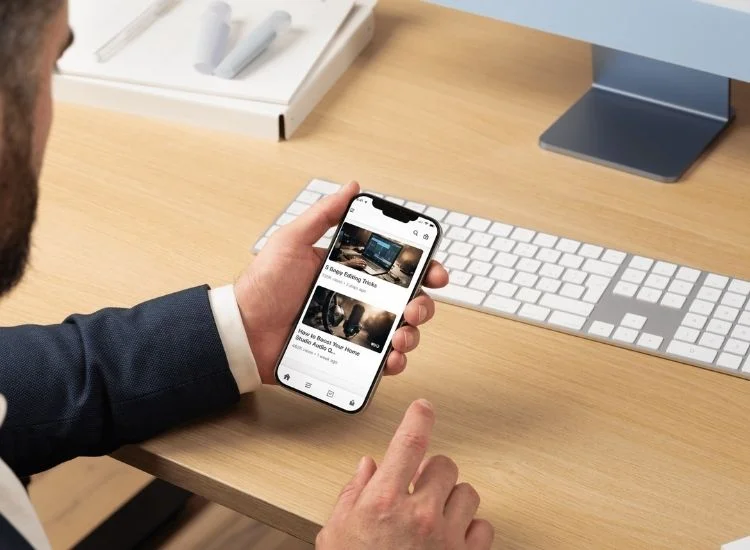
Effective YouTube titles are strategic and creative, boosting visibility and engagement. Clear, relevant, and algorithm-friendly titles increase click-through rates, improve search rankings, and convey video value.
These techniques ensure discovery and show viewers why the content is worthwhile. Here's how to use these practices effectively:
A smart length target keeps your title from getting chopped off on smaller screens and makes it easier to scan.
A reliable range: 55–60 characters.
Even though the YouTube title character limit is 100 characters, most viewers see less than that on mobile and in crowded search results. Keeping your title tighter helps the main idea stay visible.
That gives you room to include the topic and a value hook without turning the title into a paragraph.
Practical tips:
Example (tight and clear):
Example (too long, too scattered):
If your video targets a specific search, place the keyword where it carries the most weight: near the start.
That does two things:
How to do it without sounding robotic:
Power words can help, but only when they add meaning. If they feel like marketing filler, they weaken trust.
Power words that usually work because they signal value:
Words that often feel empty unless backed up:
A solid rule: use one strong word, not five loud ones.
Better:
Worse:
Curiosity is powerful, but misleading titles can backfire. Your goal should be to spark interest without deceiving the viewer. Viewers need to trust your titles reflect your content accurately; otherwise, retention drops, and so does your video’s performance.
Good titles promise insight or surprise while staying honest. Instead of exaggerating results, preview the benefit or outcome your video delivers. Think of it as ethical intrigue.
Compare:
Numbered titles signal structure and clarity. They tell viewers what they are getting before they click, which matters when someone is skimming through search results or Suggested videos. Lists also imply actionability since viewers expect takeaways, steps, or rankings.
A data-backed reason to lean on this format: 2025 TunePocket’s analysis of 50,000+ trending YouTube video titles found that around 28% of titles include numbers, which reflects how common list-style and structured formats are among videos that reach the Trending page.
Examples:
Brackets and parentheses add context, which can significantly improve click-through rates. They can indicate who the video is for, what format it follows, or what year the content is relevant for.
These elements act like subheadlines, giving the reader additional motivation to click. Brackets are especially useful for evergreen content that’s been updated or when specifying the tutorial type (e.g., [Tutorial], [Beginner Guide], [2025 Update]).
Examples:
This is one of the most important practices, and it’s where a lot of channels lose momentum.
If the title promises one thing and the video delivers something else, viewers drop off. Watch time suffers. Trust suffers. YouTube learns that the click didn’t lead to satisfaction.
A clean pairing looks like this:
Not this:
Writing a compelling YouTube title doesn't always come easy, especially when you're juggling keyword strategy, audience expectations, and character limits. Fortunately, a range of tools exists to streamline the process and help you write titles that perform.
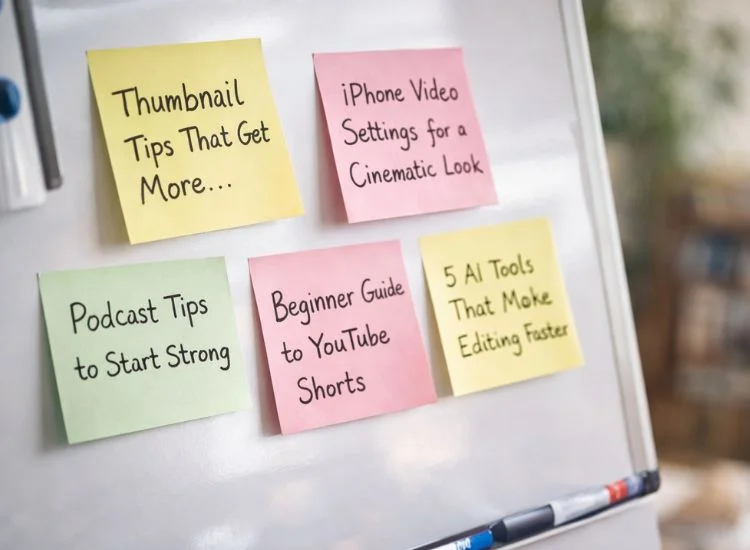

To improve your YouTube titles, study successful channels in your niche (and others). Analyzing their titling patterns (style, language, structure) provides actionable insights for your own optimization, without needing to copy them.
Spend time analyzing the titles of creators who consistently generate high views, strong engagement, or regular search appearances. Look at:
For example, if a competing creator’s video titled “How I Gained 10K Subscribers in 30 Days [Strategy Breakdown]” outperforms others, take note of the clear benefit (“10K Subscribers”), time-bound appeal (“30 Days”), and bracketed context (“Strategy Breakdown”).
Sometimes the best inspiration comes from outside your category. If you run a tech channel, you may find that educational creators use exceptionally clear titling structures that could apply to your tutorials.
Or if you're in lifestyle vlogging, looking at fitness or productivity channels might reveal trends in urgency-driven language or seasonally adjusted topics.
Why this matters:
For example, the phrase structure “X Mistakes New [Audience] Make” works across niches, from finance to fashion to filmmaking.
The goal is to adapt—not adopt. Taking inspiration doesn’t mean copying. Identify what makes other creators’ titles effective, then filter that through your brand’s voice, your audience’s needs, and your video’s unique value.
Ask yourself:
For instance, instead of duplicating a popular title like “Top 10 iPhone Photography Hacks,” you might adapt it to “7 YouTube Filming Tricks That Actually Work (No Expensive Gear).” It follows a similar structure but is tailored to your message and audience.
Better YouTube titles come from a repeatable system, not a lucky guess. When you keep titles readable, lead with the keyword, and use specific formatting that matches the video, you earn clicks from the right viewers and protect retention after they land.
Quick recap of the system:
Next steps:
Rewrite five title options for one video using these rules, publish the strongest version, and keep the second-best as a backup. After two weeks, compare CTR and retention, then apply the winning pattern to your next uploads.
A good YouTube title is specific, easy to scan, and matches what the video delivers. Lead with the topic, add a clear payoff, and use details like numbers or audience cues to stand out in search. If your title and thumbnail tell the same story, viewers click with confidence.
To optimize for clicks and prevent truncation on mobile, the ideal YouTube title character limit is usually 55–60 characters, even though YouTube video titles have a maximum character limit of 100 characters. Always place the most important words first in the title, ensuring it remains effective even if cut short, and eliminate any unnecessary filler words.
You optimize a YouTube video title by using a real search phrase people type, placing it near the beginning, and adding one context layer like a result, timeframe, or format. Support it by repeating the topic naturally in your description and saying it clearly in the video for better transcription. For a complete breakdown of optimization beyond titles, explore the guide to improving YouTube SEO.
Make a good YouTube title by using “ethical intrigue.” Preview the benefit your video delivers, then keep the promise accurate so retention stays strong. Replace hype words with specifics like what changes, what you tested, or what the viewer can do.
Yes, if your video gets impressions but the click-through rate stays low. Rewrite the title to improve clarity or keyword placement, then monitor performance for about two weeks before making another change. If you have steady traffic, A/B testing two versions can help you choose a winner.


.png)


.png)