

Instagram's built-in teleprompter is free, fast to open, and good enough for a quick Reel. But once you're recording anything longer, cross-platform, or delivered by more than one person, its limits show fast. Teleprompter.com fills those gaps with four scroll modes, offline recording, hardware remote support, and accessibility features Instagram's tool doesn't offer.
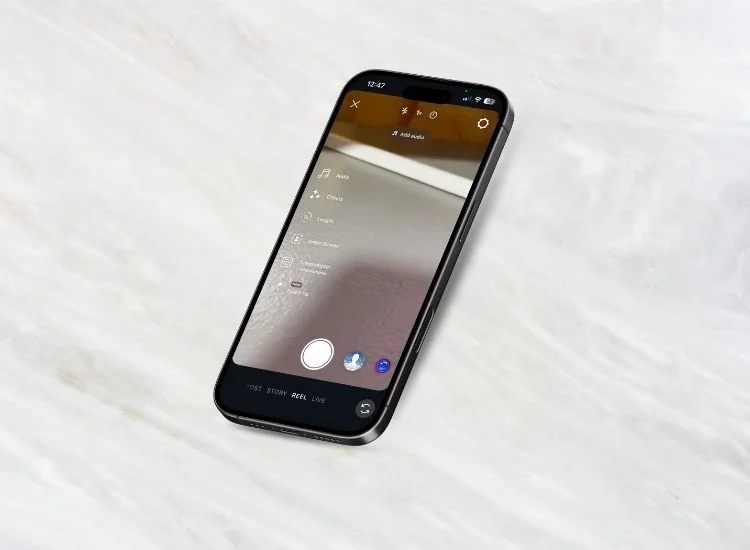
Instagram's teleprompter is a script-scrolling tool built directly into the Reels camera and the Edits app. It first launched inside Edits in June 2025, then moved into the main Reels recording interface in 2026, giving creators a way to paste a script and have it scroll on screen while they film, without opening a separate app.
Here's how to use it:
For a single talking-head Reel, that's a genuine improvement over cue cards or a second phone propped against a coffee mug. It removes one layer of setup from a format that Instagram itself heavily promotes: Reels now account for roughly half of all time users spend on the app, and the platform actively favors sub-90-second Reels in its recommendation system (Source: Instagram Reels Statistics 2026, Loopex Digital, 2026).
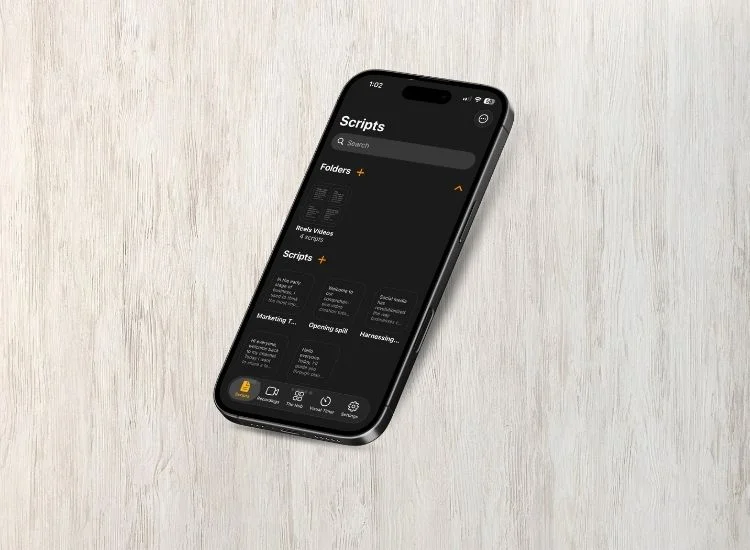
Teleprompter.com is a dedicated teleprompter built for creators, educators, business professionals, and teams, not just for one social app's short-form format. It works as a free, browser-based tool on the web and as a downloadable app on iOS, Android, and macOS, so the same script and settings travel with you no matter what you're recording on.
Unlike Instagram's teleprompter, Teleprompter.com wasn't built to serve one video format inside one app. It was built to be the teleprompter, full stop: record your video directly in Teleprompter.com with the script scrolling right over the camera, or use it purely as a display, paired with a DSLR, a second phone, or a dedicated teleprompter rig. Either way works for a YouTube video, a client presentation, a course lecture, or an Instagram Reel.
As one teleprompter user put it:
"I am both surprised and happy about the ease of use and the versatility of this app. It has everything I need to help me feel confident in my delivery." (App Store review, Bgkmusic, June 2026).
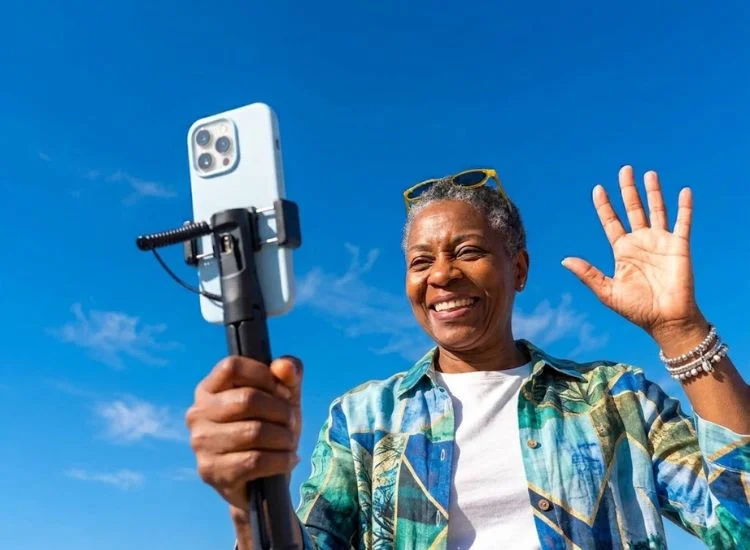
Instagram's teleprompter does one job well: scrolling a script during a Reel. Push it past that one job, and creators consistently run into the same six friction points.
Instagram's teleprompter only scrolls inside the Instagram app. If you shoot your talking-head video on a DSLR, in Zoom, or for a YouTube upload instead of a native Reel, the feature is unavailable. Your script has to live somewhere else entirely.
Teleprompter.com solves this by design. Write your script once, then either record directly in Teleprompter.com or use it as a display next to a DSLR, a second phone, or a teleprompter rig, on Web, iPhone, Android, or Mac. One podcaster running a livestream, a YouTube video, and an Instagram Reel from the same script doesn't need three separate workflows.
Instagram gives you a single speed slider. That works if you rehearse a line until your pace matches the scroll exactly, but most people don't talk at a fixed, unchanging speed. Pause to think, and the text keeps moving without you.
Teleprompter.com offers four scroll modes: VoiceGlide that follows your voice through speech recognition, fixed speed for a consistent pace, timed scrolling to finish within a set window, and words-per-minute control for reading at your exact rate. If you pause, VoiceGlide scroll pauses with you.
Instagram's teleprompter needs an active session inside the Instagram app, which in practice means a stable connection and an up-to-date app version. That's a real problem for anyone filming on location, in a basement studio, or anywhere signal is unreliable.
Teleprompter.com includes full offline mode. Load your script before you head out, and it scrolls with no internet connection required, whether you're recording in a warehouse, a rural venue, or a hotel room with bad Wi-Fi.
Instagram's teleprompter displays plain scrolling text with no reading-support options. For creators or presenters with dyslexia or other reading differences, that's one more obstacle standing between them and a clean take.
Teleprompter.com builds in Bionic Reading mode and the OpenDyslexic font, so the same script is easier to track and read for anyone who needs it, without a separate app or workaround.
Instagram's teleprompter has no remote control options. If you need to pause, restart, or adjust scroll speed mid-recording, you have to reach for the phone itself, which usually means breaking eye contact or ruining the shot.
Teleprompter.com supports Bluetooth keyboards, clickers, game controllers, MIDI devices, foot pedals, and Apple Watch, so you can control the scroll without ever touching the camera or the screen. That matters most for solo creators recording without an assistant.
Instagram's teleprompter rolled out gradually through 2025 and into 2026, meaning some users needed an app update before they could access it at all, and availability still varies by region and app version.
Teleprompter.com is consistently available across the web, iOS, Android, and macOS, with no staged rollout to wait on. If you sign up today, every scroll mode and feature is available immediately, regardless of which platform you're recording on.
Instagram's teleprompter only works for pre-recorded Reels. If you're going live on Instagram, or on any other platform, it offers no script support at all.
Teleprompter.com, on iOS and macOS, can stream live directly to YouTube, Facebook, Instagram, TikTok, or any platform that supports RTMPS, including Twitch, LinkedIn Live, and Vimeo, with your script scrolling the entire time you're on air.
To be fair to Instagram's tool, it's not trying to be a full production teleprompter, and for its actual use case, it does the job. If you're recording a single, quick Reel under a minute, already have the Instagram app open, and don't need to reuse the script anywhere else, Instagram's built-in teleprompter is a genuinely convenient option with zero extra setup.
For casual, single-platform use, that's genuinely enough. It just doesn't hold up once your workflow gets more complex than one Reel at a time. If you're still weighing your options beyond these two, our breakdown of the best online teleprompters covers browser-based and downloadable tools worth comparing.
If you record exclusively inside Instagram, post short, one-off Reels, and don't need offline access, remote control, or accessibility features, Instagram's built-in teleprompter is a fine, free option with no download required.
If you record for more than one platform, need to work offline, want control over your exact reading pace, or record anything longer than a 3-minute Reel, Teleprompter.com is built for that. It's the same script, the same settings, and the same reading experience whether you're recording directly in the app or using it as a display alongside a DSLR, a second phone, or a teleprompter rig, for a YouTube video, a client presentation, an online course, or a Reel.
Yes. Instagram's teleprompter is a built-in feature available at no extra cost inside the Reels camera and the Edits app, as long as you have Instagram installed and updated.
No. Instagram's teleprompter only functions inside the Instagram app, specifically within the Reels camera and the Edits app. It can't scroll a script for a video recorded in another app or on a separate camera.
No. Instagram's teleprompter requires the Instagram app to be open and functioning, which in most cases means an active connection and an updated app version.
Instagram's teleprompter is a single-speed scrolling feature built for Reels and Edits only. Teleprompter.com is a standalone, cross-platform teleprompter with four scroll modes, offline recording, accessibility features, and hardware remote support, usable with any camera or recording app.
Yes. Teleprompter.com supports Bluetooth keyboards, clickers, game controllers, MIDI devices, foot pedals, and Apple Watch, so you can control scrolling without touching your phone or camera.
Teleprompter.com, on iOS and macOS, supports live streaming directly to YouTube, Facebook, Instagram, TikTok, and any RTMPS-compatible platform, with your script scrolling while you're live.
Yes. You can record your video directly in Teleprompter.com, with the script scrolling right over the camera, then save or export it and upload to Instagram as a Reel. You can also use Teleprompter.com purely as a script display, positioned next to a phone, DSLR, or teleprompter rig, if you'd rather film with a separate camera.


.png)


.png)