

When one person fumbles their script, it's a quick reshoot. When your entire team does it, across multiple speakers, locations, and client deliverables, it becomes a production bottleneck that costs real time and money.
Teams and agencies that produce video at scale need more than a solo teleprompter app downloaded on someone's phone. They need a shared system. One where scripts are accessible, delivery is consistent, and every person on camera, regardless of their device or confidence level, sounds like they know exactly what they're saying.
Teleprompter.com answers all of it. A dedicated Team plan, true cross-platform availability across iOS, Android, Mac, and browser, and an onboarding experience that takes under 60 seconds means your team spends less time figuring out a tool and more time producing video that actually lands.

Video is now one of the highest-ROI content formats for agencies and marketing teams. According to Wyzowl's 2026 State of Video Marketing report, 91% of businesses use video as a marketing tool, and the teams behind that content are producing more of it than ever before.
But volume creates a problem most agencies don't talk about openly: delivery inconsistency. One speaker reads naturally; another stumbles through three takes. A client's executive looks confident on screen; a junior team member sounds like they're reading for the first time, because they are.
The result is wasted studio time, inconsistent brand voice, and a content pipeline that slows down exactly when it should be accelerating.
Without a unified teleprompter solution, teams cobble together workarounds: sticky notes on a monitor, a phone propped up off-screen, someone reading from memory and hoping for the best. Agencies often rely on each individual bringing their own tools, which means different apps, different interfaces, and no central place to manage scripts.
This matters more than it seems. When every speaker uses a different setup, even small variables like scroll speed, font size, and script formatting create friction that compounds across every shoot. A dedicated team teleprompter tool eliminates that friction entirely.
The best teleprompter app for teams and agencies is one that combines multi-user script access, cross-device compatibility, and consistent performance, so every speaker, on every shoot, delivers their lines with confidence regardless of their individual setup or experience level.
Here's what that looks like in practice.
A team teleprompter tool needs to act like a shared workspace, not a personal tool that happens to be used by multiple people. Scripts should be centrally stored, easy to distribute, and instantly accessible to whoever needs them, without emailing files back and forth or relying on one person's device.
Your team isn't all using the same device. Some shoot on iPhones. Others use Androids. Your editor uses a Mac. A client's spokesperson wants to access a script from their browser without downloading anything. The right teleprompter app works on all of these, without version gaps or platform limitations, creating problems on the day of a shoot.
Not everyone reads at the same pace. Not every video format has the same time constraint. A team teleprompter app needs to give each individual speaker control over scroll speed, font size, and display settings without touching the underlying script that the whole team is working from.
On a professional shoot, there's no acceptable version of "the app isn't loading." Whether a team is on location, in a client's office, or recording an executive message with a fixed delivery window, the teleprompter has to work, first time, every time.
Lag, crashes, and last-minute troubleshooting aren't inconveniences at this level. They're production failures. Teleprompter.com is built to perform under exactly that kind of pressure.
Teleprompter.com was built around a single belief: that delivering a script confidently, while maintaining natural eye contact with the camera, should be easy for anyone, at any level, on any device. For solo creators, that's already powerful. For teams and agencies, it becomes a competitive advantage.
The Teleprompter.com Team plan is designed specifically for multi-user environments. It gives teams a centralized workspace where scripts can be stored, shared, and accessed by every team member from a single account structure, with no individual logins required for every single shoot, no lost scripts, no duplication of effort.
For agencies managing multiple clients, this means you can organize scripts by client or campaign, hand off a script to a speaker minutes before they go on camera, and maintain a clean library of all your video content in one place. The Team plan removes the administrative overhead that solo-app workarounds create.

One of Teleprompter.com's most significant advantages for teams is its true cross-platform availability. It runs in any web browser, which means no download required for someone who just needs to deliver a script once. It's available as a native app on iOS, Android, and Mac for team members who use it regularly.
In practice, this means:
No gaps. No platform exclusions. No "sorry, this only works on iPhone."
Agencies and production teams don't have time to onboard every new team member or client contact onto complex software. Teleprompter.com is up and running in under 60 seconds. The interface is clean, intuitive, and self-explanatory, which means even the least tech-comfortable speaker can be using it correctly before the camera starts rolling.
This is especially valuable for agencies working with client-side spokespeople who aren't regular video producers. You can hand someone a device, open Teleprompter.com, and have them delivering their first take within a minute. That's not a marketing claim. It's the product design philosophy.
Teams producing video at scale face a second bottleneck beyond delivery: scripting. Writing individual scripts for every video, every speaker, and every campaign takes time that could be spent on production.
Teleprompter.com's AI Script Generator helps teams draft scripts faster, giving content managers and producers a starting point that can be refined and loaded into the prompter immediately. For agencies managing multiple client accounts and weekly deliverables, this feature alone can meaningfully reduce turnaround time on video content.
The features that make Teleprompter.com exceptional for individual creators also apply and scale for teams:
These aren't premium edge cases. They're the features that make the difference between a video that looks polished and one that clearly isn't.
Many teams start by having each person use whatever teleprompter app they prefer individually. Here's what that actually looks like at scale compared to a unified solution:
The real cost of fragmented solo tools isn't just inconvenience. It's the cumulative time lost to reshoots, script confusion, and platform incompatibilities across every production.
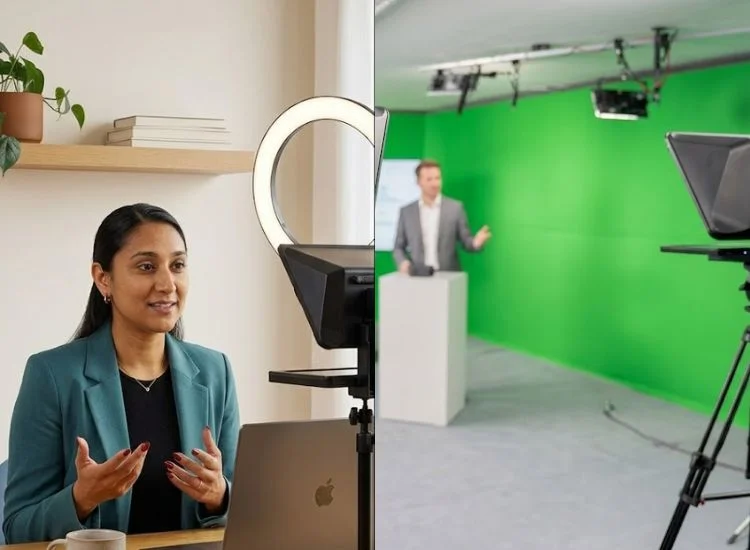
Marketing teams running a consistent video content calendar, including weekly thought leadership videos, social clips, and product updates, and they need a system that keeps pace with their publishing schedule.
Teleprompter.com gives the content manager a central place to draft and store scripts, and every team member on camera can access the latest version immediately, from any device. No version control issues. No "which script should I be reading?"
For agencies, the challenge isn't just one team. It's multiple clients with different brand voices, different spokespeople, and different shoot schedules running simultaneously.
Teleprompter.com's script management system lets agencies keep client scripts organized and separated, while ensuring every on-camera talent, from a seasoned executive to a first-time spokesperson, delivers confidently. The free entry point also means agencies can introduce the tool to clients without a budget conversation.
Executive communications is one of the highest-stakes video formats in any organization. When a CEO, CMO, or department head records an all-hands message or investor update, there's no room for flubbed lines or halting delivery. Teleprompter.com gives executives a clean, professional tool they can use from their office, a studio, or a hotel room, without IT involvement, special hardware, or a dedicated operator.
It also extends naturally into internal training. Product managers, L&D teams, and department leads use Teleprompter.com to deliver structured presentations and technical training sessions with the same confidence as a polished broadcast.
Distributed teams face a unique challenge: maintaining visual and verbal consistency when speakers are in different cities, different time zones, and on different devices. Because Teleprompter.com works in any browser and on every major platform, the experience is identical whether a team member is in New York or Singapore. The script looks the same. The scroll controls work the same. The output is consistent.

Go to Teleprompter.com and sign up. Start with a free account or go directly to the Team plan if you're ready to give your whole team access.
Navigate to the pricing page and select the Team plan. This unlocks multi-user access, centralized script management, and the full feature set your production workflow needs.
Use the built-in editor to write a script directly, paste in existing copy, or let the AI Script Generator draft a starting point. Scripts are saved to your account automatically.
Add team members through the Team plan dashboard. Each person can log in on their own device, whether browser, iOS, Android, or Mac, and access the shared script library immediately.
Each team member can adjust their own scroll speed, font size, and scroll mode before going on camera. These individual preferences don't affect the underlying script or other users' settings.
With the script loaded and settings dialed in, your speaker is ready to record. They maintain natural eye contact with the camera while delivering their lines word-for-word. That's the entire point.
There's a clear line between teams that treat video as an afterthought and teams that treat it as a production discipline. The tools they use tell the story.
Scattered workarounds like a phone propped off-screen, someone reading from memory, or five different apps across five different team members are the hallmarks of a team that hasn't yet committed to consistent, scalable video output. A dedicated, shared teleprompter solution is one of the simplest upgrades a team can make, and it shows in the final product immediately.
Teleprompter.com gives your team the system it needs: scripts in one place, access on every device, professional delivery from every speaker, and an onboarding experience that takes less time than a pre-shoot briefing.
Your team's next video is already written. Make sure everyone delivers it perfectly.
Get started with Teleprompter.com and explore the Team plan: built for agencies and video teams that take consistent, scalable content production seriously.
Yes. With Teleprompter.com's Team plan, multiple users can access the platform simultaneously from their own devices. Each person logs in independently, accesses the shared script library, and adjusts their personal settings, without interfering with any other team member's session.
Yes. Teleprompter.com offers a dedicated Team plan designed for multi-user environments. It includes centralized script access, multi-device support across iOS, Android, Mac, and browser, and the full feature set needed for professional video production at scale.
Yes. Scripts stored in your Teleprompter.com account are accessible to all team members under the Team plan. There's no need to email files or use external storage. The script library lives within the platform, and updates are reflected immediately for all users.
Teleprompter.com works on iOS, Android, Mac, and any modern web browser. This means team members on different devices, or clients accessing a script for the first time, can use the platform without downloading anything or encountering platform limitations.
Under the Team plan, multiple users are covered within a single plan structure, rather than each person purchasing individual subscriptions. This makes the Team plan significantly more cost-effective for agencies and larger content teams than managing separate individual accounts.
Yes. Teleprompter.com's script management system allows you to organize scripts within your account, making it practical for agencies to maintain separate script libraries for different clients or campaigns within a single team workspace.


.png)


.png)