

The best teleprompter app for TikTok in 2026 is one that supports vertical video, keeps your delivery natural, and reduces the time spent on retakes. TikTok creators don’t need complex production tools, they need fast, mobile-first workflows that help them speak confidently on camera.
For creators who want a flexible, cross-device solution, Teleprompter.com stands out with browser access, mobile apps, and speech-aware scrolling designed for natural delivery.
TikTok is one of the largest short-form video platforms in the world, with over 1 billion people using the app every month, according to TikTok’s official newsroom announcement.
This milestone reflects TikTok’s rapid global adoption and its role as a major platform for entertainment, education, and creator-driven content.
With this scale of audience, competition is intense. Success on TikTok depends on:
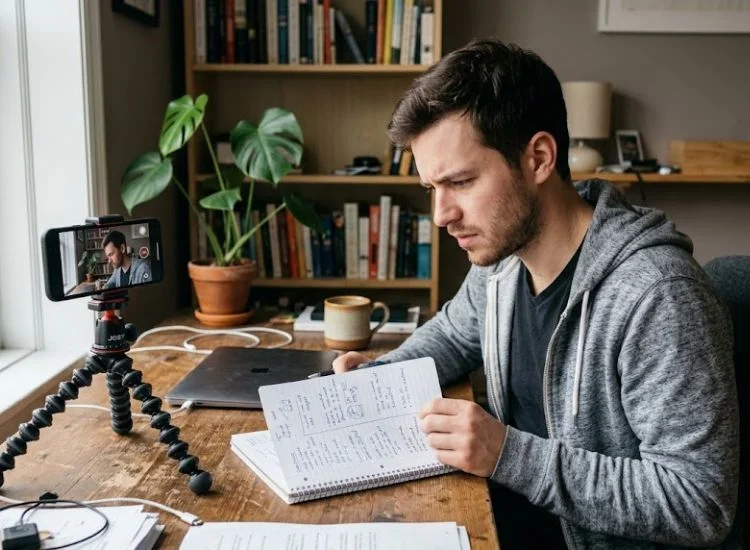
Most solo creators struggle with:
A teleprompter app solves this by keeping your script aligned with your camera lens, allowing you to speak naturally while staying on message.
Instead of improvising every take, you follow a structured script that improves delivery flow, reduces hesitation, and increases consistency across videos.
Not every teleprompter app is built for short-form vertical video. Here is what to look for before you download anything.
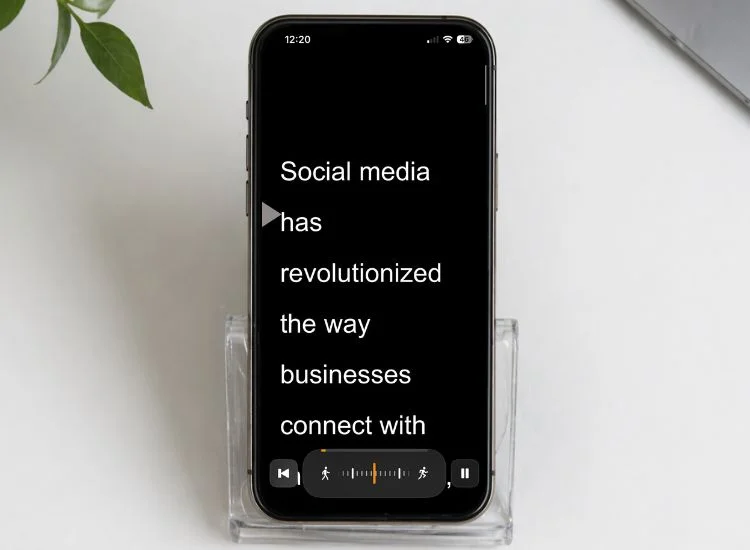
Your TikTok is filmed in portrait. Your teleprompter app needs to work in portrait too. An app that forces landscape orientation means you are constantly rotating your phone between reading your script and filming your video. That kills your workflow.
The best apps display your script full-screen in portrait mode, so you film and read without switching.
TikTok scripts are short, typically 15 to 90 seconds of spoken content. At that length, small variations in scroll speed feel dramatic. Too fast and you rush. Too slow, and you pause awkwardly. You need precise control over how the script moves.
The script should scroll clearly without a cluttered interface getting in the way. Large font, high contrast, and a clean background keep your eyes moving naturally. You want to glance at words, not search for them.
You are not setting up a studio rig for TikTok. The best teleprompter app for TikTok runs on the phone you already own, in your browser, or as a native app, with no external equipment required.
Teleprompter.com is free to start, works in any browser with no installation, and has a native app for iOS and Android. Portrait mode is fully supported. You can open it on your phone right now and be reading from a script in under three minutes.
The VoiceGlide voice-activated scroll mode is the standout feature for TikTok creators. The script follows your voice. If you pause for effect, the script waits. If you pick up pace, it keeps up. You stop thinking about scrolling and focus entirely on your delivery.
Key features for TikTok creators:
Cons:
Pricing: Free plan includes core teleprompter features. Pro and Max plans unlock 4K recording, no watermark, advanced scroll controls, and expanded script storage. Team plan available for agencies and multi-user workspaces. See full pricing plan.
Creators who have made the switch tend to notice the difference quickly. Here is what one TikTok creator shared after trying Teleprompter.com for the first time:
Nano Teleprompter is a feature-rich app built for solo creators who want a reliable, flexible prompter on their phone. The interface is intuitive and well-organized, with a floating widget that works alongside any camera app, Google Drive sync for managing scripts across devices, and a built-in script editor with text highlighting, tags, and customization options.
Far from bare-bones, it's designed to handle real production workflows at an affordable one-time price.
Scroll speed is set manually before filming rather than following your voice, so you will need a practice run to dial in the right pace for each video. Available on Android, check Google Play for current platform availability.
Key features:
Cons:
Pricing: One-time purchase (approx. $4.49). Check the Google Play listing for current pricing.
ScriptCam combines a teleprompter with an AI script-writing tool in a single app. You can generate a TikTok script, edit it, and prompt it without switching between apps.
The AI writing layer is genuinely useful for creators who struggle with script structure or need a fast starting point before filming. A standout feature is the ability to import a TikTok or YouTube video link, extract its transcript automatically, and rewrite it in your own voice and style.
Portrait mode works well and scroll control is reliable for short-form content. The camera integration lets you record directly inside the app, up to 4K quality with 60fps support, which reduces the number of steps between scripting and filming. Available on iOS and Mac (M1 or later), check scriptcam.app for the latest platform availability.
Key features:
Cons:
Pricing: Free tier available with limited AI script credits. Paid subscription unlocks full AI access and advanced recording features. Check scriptcam.app or the App Store listing for current pricing.
Parrot is a clean, established teleprompter app available on both iOS and Android. It focuses on doing the core job reliably: displaying your script in portrait, landscape, or mirror mode, scrolling at a consistent pace, and staying out of your way while you film.
The interface is straightforward and the scroll performance is stable across different phone models. It is primarily designed to pair with Padcaster's Parrot Pro physical teleprompter hardware, though it works as a standalone app on any smartphone or tablet.
Key features:
Cons:
Pricing: Free with no in-app purchases. Check the App Store or Google Play listing for details.
CuePrompter is a free, browser-based teleprompter that requires no account and no download. Paste your script into the web interface, set a scroll speed, and it runs in any desktop or mobile browser. It is the fastest option to get something on screen if you need a prompter right now with zero setup.
The feature set is intentionally minimal. There is no speech recognition, no script saving between sessions, no remote control, and no account to log in to. Each session starts fresh.
CuePrompter works well for a one-off take or as a backup option when you are without your usual app.
Key features:
Cons:
Pricing: Free. No paid tier.
Yes. TikTok has a native teleprompter feature built directly into the app, and it is worth knowing about before you download anything else.
To access it, tap the + icon on the TikTok home screen to open the camera. Tap Effects in the bottom-left corner, swipe to the Tools tab, and select the Teleprompter icon — you can also search "teleprompter" using the magnifying glass if you cannot find it. Type or paste your script into the text field, adjust your settings, and the text will scroll on screen while you record.
One important detail: the scrolling script is only visible to you while filming. It does not appear in the final video your viewers see.
For creators posting one or two casual videos a week, TikTok's built-in tool may be enough. For anyone filming at higher volume, running multiple takes, managing a library of scripts, or repurposing content across platforms, a dedicated app gives you meaningfully more control over your workflow.
Getting set up takes under three minutes. Here is the straightforward process.
Takes about 3 minutes.
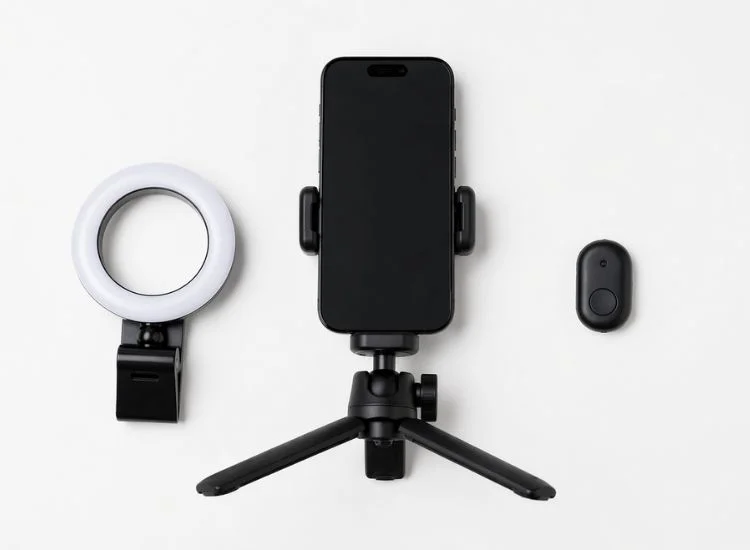
No. You need your phone. That is enough to start.
That said, a few low-cost additions can improve your setup:
For a more thorough breakdown of physical equipment and positioning, see this guide to the best teleprompter setup for phone.
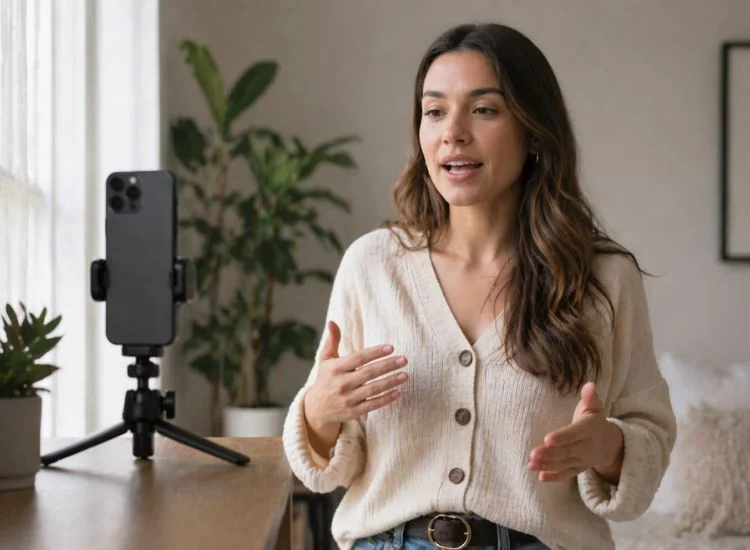
Consistency is the single biggest driver of growth on TikTok. Posting three solid videos per week outperforms posting one perfect video per month. A teleprompter app helps you hit that volume without sacrificing quality.
The calculation is simple. If you currently take six retakes to film a 60-second TikTok, cutting to two retakes saves you meaningful time per video. Over 50 videos a year, that compounds into hours recovered. More importantly, the first take is better because you are reading a polished script rather than improvising under pressure.
The best teleprompter for content creators is the one you actually use. Teleprompter.com's free plan and browser-based access means there is no barrier to starting today.
A teleprompter app removes the two biggest blockers for TikTok creators: forgetting your lines and wasting time on retakes. With speech recognition scroll mode, portrait video support, and a free plan that requires no download, Teleprompter.com is built for exactly the way TikTok creators film.
Sign up for a free account at Teleprompter.com to start using the browser-based version instantly. For a native experience on your mobile device, you can also download the app from the App Store or Google Play.
If you create content beyond TikTok, the same principles apply across platforms. See how these apps perform for live streaming in The Best Teleprompter Apps for Live Streaming, or find the right setup for longer-form content in Best Teleprompter Apps for Recording YouTube Videos.
Teleprompter.com is the best teleprompter app for TikTok in 2026. It is free to start, works on iOS, Android, and in any browser, supports portrait mode for vertical video, and includes voice-activated scrolling that adapts to your natural delivery pace. No hardware or external equipment is required.
Yes. A teleprompter app displays your script on your phone screen while you film. You hold your phone at eye level, read the scrolling text, and film with a separate camera or a second device. Some creators use a tablet as their teleprompter and film with their phone, keeping both at eye level for natural-looking delivery.
Voice-activated scroll mode works best for TikTok. Your delivery energy changes throughout a short-form video, and it keeps the script synchronized with your voice automatically. Fixed-speed modes can cause you to rush or pause unnaturally if your speaking pace drifts from the preset rate.
Yes. Teleprompter.com has a free plan that includes core teleprompter features, portrait mode, VoiceGlide, and access via web browser and the iOS and Android apps. Pro and Max plans unlock advanced features like 4K recording, no watermark, and expanded script storage for higher-volume creators.
No. A hardware rig is designed for broadcast and professional studio setups. For TikTok, a phone or tablet running Teleprompter.com gives you everything you need. Position your device at eye level near your camera lens, and your eye contact on camera will look natural.
A 60-second TikTok script runs approximately 130-160 words at a natural speaking pace. A 90-second script runs 200-240 words. Keep paragraphs short (2-3 sentences) and write the way you talk, not the way you write. The teleprompter scrolls your spoken language, not your essay draft.


.png)


.png)