You are 45 minutes into your recording session and somewhere around take four, your voice has gone flat, your delivery sounds mechanical, and your eyes feel like they are reading through wet glass.
This is not a beginner problem. It is a stamina problem, and it is more common than most creators admit.
Fatigue during a recording session comes in three distinct forms: physical, vocal, and cognitive. Each one needs a different fix. These teleprompter tips for long recording sessions cover what actually works.
Recording with a teleprompter for an extended period stacks three demanding tasks at once: reading scrolling text, speaking at a steady pace, and projecting natural energy toward a camera lens. None of those tasks is difficult on its own. Running all three in parallel, for an hour or more, is a different story.
If you are just getting started with teleprompter recording, see the step-by-step guide on how to use a teleprompter first.
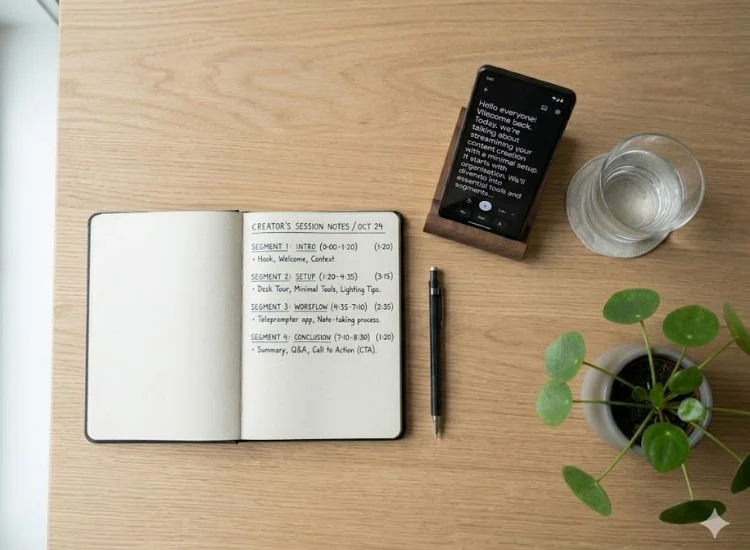
Before recording, divide your full script into segments of no more than 3 to 5 minutes each and record each segment as a standalone take. This is the single highest-impact change you can make to a long-session workflow.
Most creators load a full script and record straight through. For anything beyond a few minutes, that compounds cognitive fatigue across the session. By the time you reach the second half of a 30-minute script, the mental load from the first half is already in your footage.
Mark clear cut points at the end of complete ideas, not mid-explanation. Record each segment, stop, rest briefly, then move to the next. Your brain resets between segments. The footage in take one of section four holds up as well as take one of section one.
Before loading your script, tighten it at the sentence level:
Need help structuring your script first? Learn how to write a script for a teleprompter before breaking it into segments.
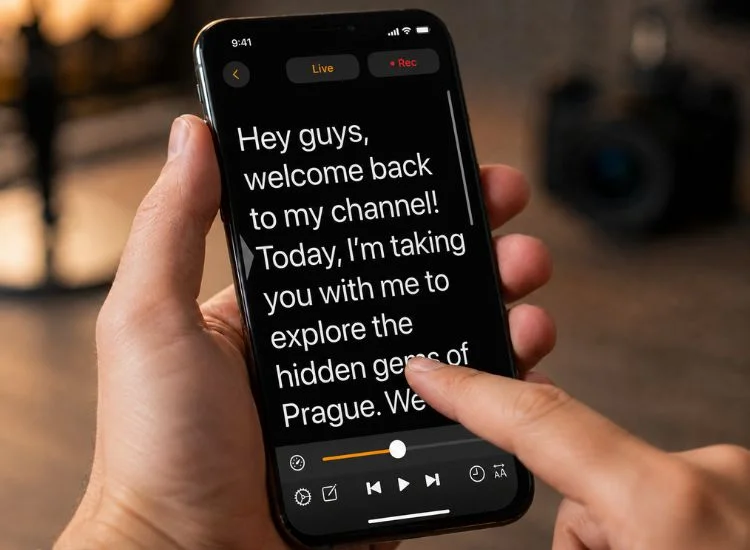
The target range for sustainable teleprompter delivery is 125 to 150 words per minute, which closely matches natural conversational speech. Scroll speed is the most underestimated fatigue driver in long-session recording, and most creators set it once and never adjust it.
When the scroll is too fast, your eyes race ahead of your speech and your brain works to reconcile what you are reading with what you are saying. Over a long session, that correction effort becomes genuine eye strain. When it is too slow, you stall or rush to fill the gap.
Run a 60-second check before every session: record your opening paragraph and play it back. If you sound rushed, slow it down. If you sound like you are waiting for the next line, speed it up slightly.
Teleprompter.com lets you adjust scroll speed in real time during recording without stopping. For delivery technique that goes beyond speed, see tips for reading a teleprompter.
For a full display and speed settings guide, see the teleprompter app settings guide for video recording.
Eye fatigue in teleprompter use is primarily caused by lateral eye movement, not screen time. Every line of wide text your eyes track left to right is a small physical effort. Repeat that hundreds of times over an hour and you have real cumulative strain.
Switch to white text on a dark background if you have not already. The lower overall luminance reduces brightness-related strain without making the script harder to read.
Also apply the 20-20-20 rule between takes: every 20 minutes, look at something at least 20 feet away for 20 seconds. It takes less than half a minute and gives your ciliary muscles a full reset before the next segment.
The American Optometric Association recommends this exact approach for screen-based work: for every 20 minutes of screen use, look into the distance for 20 seconds to allow your eyes a chance to refocus. For a creator doing a two-hour session, those resets add up to a meaningful difference in how your eyes feel by the time you wrap.
Take a 90-second break every 20 to 25 minutes of active recording, regardless of how you feel. Most creators take breaks reactively, after fatigue has already compounded into the footage. Planned breaks catch it before it costs you a take.
Cognitive performance does not decline gradually. It drops. You feel fine through several takes, and then the next one is noticeably worse. By the time you notice, it is already too late for those takes.
Mark [BREAK] in your script at each 20-to-25-minute interval before you start. When you hit the mark, stop. During the break:
When your delivery flattens mid-session despite good session design, do not do another immediate take. Stop, take your 90-second break, then read your last two sentences out loud away from the teleprompter before returning. Reading off-screen breaks the mechanical tracking mode your brain slips into under fatigue and brings back a more natural delivery pattern.
If you want to build this habit before sessions rather than only using it as a recovery move, the teleprompter practice guide covers how to rehearse in a way that makes long-session delivery feel more natural from the start.
Long-session recording is not about having more stamina. It is about designing sessions that do not demand it.
These teleprompter tips for long recording sessions come down to four things: chunk your script, set your scroll speed, fix your display, and build breaks into your workflow before you need them. Get those four right and your delivery holds up from the first segment to the last.
Ready to record without running out of steam? Start your 7-day free trial of Teleprompter.com Pro and use it in your browser or as an app for iOS, macOS, and Android.
Take a 90-second break every 20 to 25 minutes of active recording. Short, frequent breaks outperform long infrequent ones because fatigue compounds before you notice it in your delivery. Mark break points in your script before you start so the decision is already made when you reach them.
What to do during the break: Step away from all screens, take 3 to 4 slow breaths, drink water, and look at something at least 20 feet away for 20 seconds before returning to the camera.
Yes. A scroll speed that is too fast is one of the top causes of eye strain during long teleprompter sessions. When the text moves faster than you speak, your eyes race ahead and your brain constantly works to reconcile what you are reading with what you are saying. Over a long session, that correction effort becomes real fatigue.
The sustainable range is 125 to 150 words per minute. Run a 60-second recording of your opening paragraph and adjust until your delivery sounds conversational rather than rushed or stalled.
Use a font size between 36pt and 48pt, paired with a narrow column width of 5 to 8 words per line. Larger text reduces the eye precision required on each line. Narrower columns reduce lateral travel.
Together they are the most effective display combination for extended sessions.
Also switch to white text on a dark background if you have not already. Lower screen luminance reduces brightness-related strain without affecting readability.
Do not push through with another immediate take. Stop, take a 90-second break, then read your last two sentences out loud away from the teleprompter before returning. Reading off-screen breaks the mechanical tracking pattern fatigue creates and brings back a more conversational delivery on the next take.


.png)


.png)