
Video mirroring is available on iOS, macOS, Android and Web versions
If your video appears flipped or you'd simply prefer a mirrored version, Teleprompter.com makes it easy to mirror your footage with just a tap.
iOS, macOS and Android:
Here’s how to do it:
- Open the Teleprompter.com app
- Go to the Recordings panel (where your saved videos are stored)
- Tap on the video you want to edit
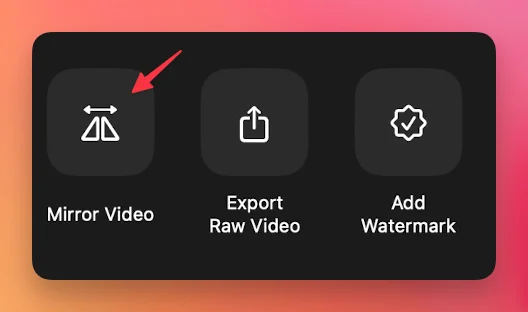
- In the editing options, tap on Mirror Video
Web browser version:
- After finishing your recording, you’ll be directed to the post-recording screen
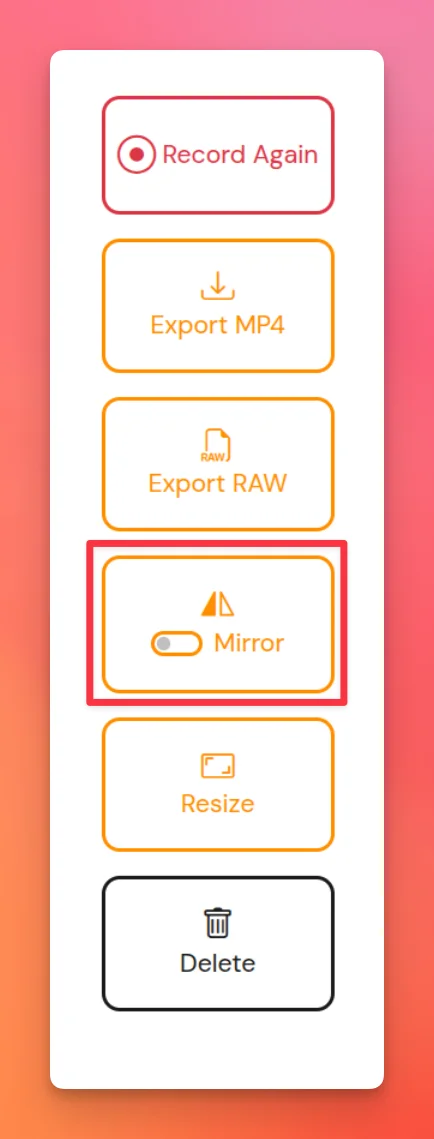
- Below the video preview, click on Mirror (next to the Export Raw option)
- Select your preferred aspect ratio or adjust it manually as needed


.png)


.png)